Razer Blade 14 Review: The No-Nonsense Verdict for Mobile Professionals
The Razer Blade 14 caters to professionals who refuse to carry separate machines for executive meetings and demanding gaming sessions. Built with high-end hardware in an ultra-slim aluminum unibody, this laptop delivers…
By Carla Fletcher 9 min read
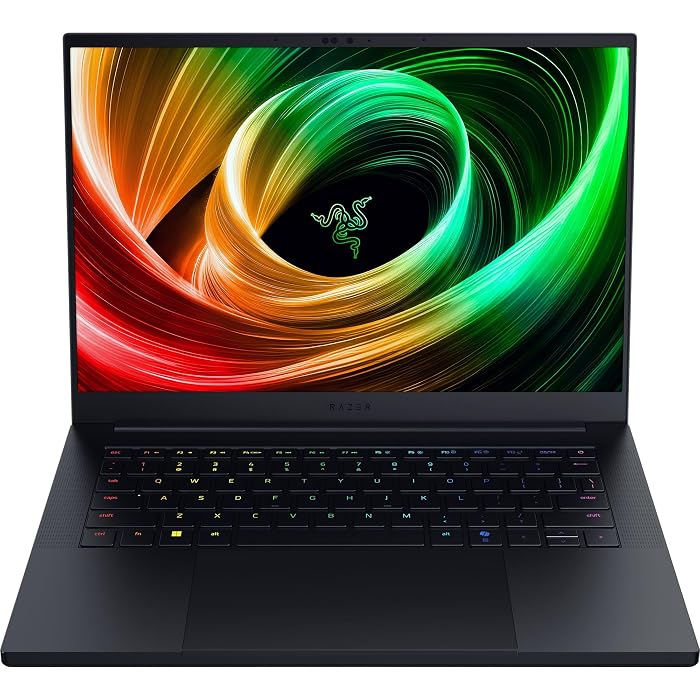
Razer Blade 14
Razer
Good
4.3 out of 5
Average of 48 Amazon buyer ratings — not a score from testing of our own
- Ratings counted
- 48
- Specs listed
- 10
- Section
- Computers & Laptops
Check price on Amazon We may earn a commission if you buy through this link.
How buyers rated it
Share of 48 Amazon ratings.
As Amazon Associates, we earn from qualifying purchases. This means we may receive a small commission at no extra cost to you if you click through and make a purchase.
The Razer Blade 14 caters to professionals who refuse to carry separate machines for executive meetings and demanding gaming sessions. Built with high-end hardware in an ultra-slim aluminum unibody, this laptop delivers the computational power needed for intensive creative software alongside the battery life required for travel. Finding a compact machine that avoids thermal throttling and midday battery depletion has long challenged mobile power users. Razer tackles that compromise by pairing an efficient processor with a custom vapor chamber cooling system.
This review examines the laptop’s technical specifications, productivity performance, graphical output, display precision, and portability. You will see how the slim form factor handles demanding workflows, whether the battery claims hold up on the road, and how it compares with other gaming notebooks. By analyzing the engineering balance Razer achieved, this guide helps you decide if this laptop matches your work and leisure needs.



What You Get With the Razer Blade 14
The Razer Blade 14 package includes essential hardware and pre-configured software designed for mobile productivity and gaming straight from the box.
In the box
- Razer Blade 14 laptop in an anodized black finish
- AMD Ryzen AI 9 365 processor with up to 50 TOPS AI processing
- NVIDIA GeForce RTX 5070 Laptop GPU running up to 115W TGP
- 32GB of high-speed LPDDR5X memory at 8000 MHz
- 1TB solid-state drive internal storage
- 14-inch 3K OLED Calman Verified display with 120Hz refresh rate and 0.2ms response time
- Built-in 72 Whr battery rated for up to 11 hours of on-screen time
- Compact 200W power adapter supporting 50 percent fast charging in 30 minutes
- Front-facing camera for video conferencing
- Dedicated HDMI video output port
- Pre-installed Windows 11 Home operating system
- Integrated vapor chamber cooling solution within an aluminum unibody
- Limited hardware warranty documentation
Key Specifications
| Processor | AMD Ryzen AI 9 365 (Up to 50 TOPS) |
|---|---|
| Graphics | NVIDIA GeForce RTX 5070 (Up to 115W TGP, DLSS 4) |
| Memory | 32GB LPDDR5X (8000 MHz) |
| Storage | 1TB SSD |
| Display | 14-inch 3K (2880×1800) OLED, 120Hz, 0.2ms, Calman Verified |
| Dimensions | 12.24 in L x 8.83 in W x 0.64 in Th (0.62 in base profile) |
| Weight | 3.59 lbs |
| Battery | 72 Whr (Up to 11 hours on-screen time) |
| Charging | 200W adapter (50% charge in 30 minutes) |
| Operating System | Windows 11 Home |
All 83 attributes from the listing
| Color | Black |
|---|---|
| Hard-Drive Size | 1 TB |
| Operating System | Windows 11 Home |
| Other Special Features of the Product | AI-driven productivity tools, Advanced cooling system, Calman Verified Display |
| Graphics Description | RTX 5070 |
| Hard Disk Description | SSD |
| Video Processor | NVIDIA |
| Specific Uses For Product | Gaming |
| Form Factor | Ultra-Portable |
| Camera Description | Front |
| Graphics Ram Type | GDDR5X |
| Compatible Devices | Headphone, Mouse, Speaker |
| Warranty Type | Limited |
| Item Dimensions L x W x Thickness | 12.24"L x 0.64"W x 8.83"Th |
| Video Output | HDMI |
| Operating System Family | Windows |
| Screen Size | 14 inches |
| Resolution | 2880×1800 |
| Native Resolution | 2880 x 1800 pixels |
| Display Type | OLED |
| Display Resolution Maximum | 2880×1800 pixels |
| Display Technology | OLED |
| Display Refresh Rate in Hertz | 120 |
| Maximum Display Brightness | 400 nit |
| Touch Screen Type | No Touchscreen |
| Display Maximum Resolution | 2880×1800 |
| Connectivity Technology | Bluetooth, HDMI, USB, Wi-Fi |
| Wireless Technology | Wi-Fi |
| Wireless Compability | 802.11a/b/g/n/ac, Bluetooth |
| Bluetooth Version | 5.4 |
| Wi-Fi Generation | Wi-Fi 7 |
| Battery Cell Type | Lithium Polymer |
| Battery Life | 11 hours |
| Battery Average Life Standby | 12 hours |
| Lithium-Battery Energy Content | 72 watt-hours |
| Human-Interface Input | Touch Pad |
| Keyboard Description | Gaming |
| Keyboard Layout | QWERTY |
| Touchpad Feature | Precision Touch |
| Processor Series | Ryzen AI |
| Processor Speed | 2 GHz |
| Processor Count | 1 |
| Processor Brand | AMD |
| CPU Model Number | Ryzen AI 9 365 |
| CPU Model Generation | 5th Generation Zen |
| Brand | Razer |
| Model Name | Razer Blade 14 |
| Model Year | 2025 |
| Model Number | RZ09-05306ES3-R3U1 |
| Built-In Media | Cleaning Cloth, Important Product Information, Power adapter + regional power cord, Razer Blade 14 |
| Manufacturer | Razer |
| Item Highlight | AMD Ryzen AI 9 365, 3K 120Hz OLED Display, Thin & Lightweight, Chroma RGB, Windows |
| Unit Count | 1 Count |
| UPC | 840272915059 |
| Number of Items | 1 |
| Number of Packs | 1 |
| Warranty Description | 1 Year Manufacturer |
| Mfr Part Number | RZ09-05306ES3-R3U1 |
| Best Sellers Rank | #17,689 in Computers & Accessories (See Top 100 in Computers & Accessories) #2,645 in Traditional Laptop Computers |
| ASIN | B0DYLB2QRF |
| Customer Reviews | 4.3 4.3 out of 5 stars (48) 4.3 out of 5 stars |
| RAM Memory Installed | 32 GB |
| RAM Memory Technology | LPDDR5 |
| Ram Memory Maximum Size | 32 GB |
| Memory Speed | 8000 MHz |
| RAM Type | DDR5 RAM |
| RAM Size | 32 GB |
| Memory Storage Capacity | 1 TB |
| Memory Slots Available | 1 |
| Total Usb Ports | 1 |
| Hardware Interface | 802.11 ac/b/g/n |
| Number of Ports | 3 |
| Total Number of HDMI Ports | 1 |
| Available M2 Slot Count | 1 |
| Total PCIe Ports | 4 |
| Audio Output Type | Headphones, Speakers |
| Speaker Description | 6 x Built-in stereo speakers W/ Smart Amp |
| Audio features | 6 x Built-in stereo speakers W/ Smart Amp |
| Hard Disk Size | 1 TB |
| CPU Model | Ryzen AI |
| Ram Memory Installed Size | 32 GB |
| Special Feature | AI-driven productivity tools, Advanced cooling system, Calman Verified Display |
| Graphics Card Description | RTX 5070 |
Figures as published by the manufacturer on the Amazon listing.
Balancing Professional Workloads and High-End Gaming
Evaluating the razer blade 14 for work and gaming requires analyzing how its core silicon balances intensive professional tasks and modern gaming. The razer blade 14 ryzen ai 9 365 processor pairs with the razer blade 14 rtx 5070 laptop GPU to deliver adaptable computing power across diverse applications. With up to 50 TOPS of dedicated NPU compute, the system accelerates Copilot+ tools, local AI models, and background video noise suppression during executive meetings. Providing 200 percent more AI processing power than the previous generation, it manages background neural workloads without competing for resources with active applications.
When shifting to graphics-heavy tasks, the RTX 5070 GPU operates with up to 115W TGP and leverages NVIDIA DLSS 4 for high-resolution gaming at the native 2880×1800 resolution. Creative professionals can take advantage of over 100 RTX-accelerated applications, speeding up video rendering in Premiere and complex 3D modeling pipelines. While desktop replacements like the hp omen – 16 2k 144hz gaming laptop – amd ryzen 9 8940hx 2025 – 32gb ddr5 memory – nvidia geforce rt offer strong performance, they demand far more briefcase space than this compact unibody machine.
Multitasking remains smooth due to 32GB of LPDDR5X memory running at 8000 MHz. This clock speed delivers over 33 percent faster frequency than earlier generations, ensuring that large databases, spreadsheets, and heavy browser sessions stay responsive. Combined with a fast 1TB SSD, the hardware prevents memory bottlenecks and enables fast boot times, allowing mobile professionals to transition effortlessly between client tasks and high-end gaming.
Display Accuracy and Visual Performance for Creatives
Visual fidelity is vital for creative work and gaming immersion, and the razer blade 14 oled display delivers both with precision. Spanning 14 inches with a 2880×1800 resolution, this 3K screen produces dense pixel clarity that renders tiny text, code, and spreadsheet data crisply. For visual artists and video editors, the panel is Calman Verified from the factory, ensuring trustworthy color reproduction without needing immediate calibration equipment during travel.
In fast-moving content, the screen excels thanks to a 120Hz refresh rate and an ultra-fast 0.2ms response time. While standard laptop displays can suffer from ghosting during fast camera pans, this OLED panel maintains sharp image definition. Because OLED technology uses individual self-lit pixels rather than an edge-lit backlight, it achieves authentic black levels and rich contrast. High-contrast scenes, dark game environments, and HDR media display vibrant detail without backlight bleed.
The high contrast ratio also allows comfortable work at lower screen brightness during late flights or dim hotel rooms without sacrificing legibility. Connecting external displays is straightforward via the built-in HDMI port, simplifying dual-screen setups in client offices or conference rooms. This combination of resolution, fast refresh rate, and verified color accuracy makes the screen an outstanding tool for both design workflows and entertainment.
Battery Runtime and Charging on Executive Travel
For professionals on the move, the razer blade 14 battery life is a decisive buying factor. Razer equips the laptop with a 72 Whr battery engineered to provide up to 11 hours of on-screen productivity. This endurance is supported by the efficient AMD Ryzen AI 9 365 processor, which conserves energy during routine office tasks, while the 8000 MHz LPDDR5X memory draws less power than traditional desktop-class memory modules.
Travel schedules often demand quick charging during short layovers, and the included 200W adapter handles this need cleanly. The compact power brick fits into tight carry-on pockets and features rapid charging capabilities that replenish up to 50 percent of the battery in 30 minutes. This quick replenishment ensures a brief lounge stop provides enough power for an afternoon of presentations or remote work.
While intense gaming or 3D rendering predictably drains battery reserves faster, power management settings in Windows 11 let users prioritize longevity during light office tasks. Compared to budget gaming alternatives like the lenovo – loq 15.6 2k gaming laptop – amd ryzen 7 170 2025 – 16gb memory – nvidia geforce rtx 5050 –, the Razer Blade 14 provides superior battery capacity and faster top-up speeds in a significantly more compact chassis.
Thermal Management and Chassis Portability
Housing high-wattage components inside a slim frame presents thermal challenges, but razer blade 14 cooling performance is sustained by a bespoke vapor chamber design. Instead of standard heat pipes with limited surface contact, the vapor chamber spreads thermal dissipation across a broad area over the CPU and GPU. This design keeps critical processing nodes cool, enabling the RTX 5070 to sustain its 115W TGP output during heavy gaming and rendering without immediate thermal throttling.
In physical dimensions, razer blade 14 portability leads the compact gaming category. Measuring 0.62 inches thin (with listing dimensions of 12.24 inches long by 8.83 inches wide by 0.64 inches thick) and weighing only 3.59 lbs, it is 11 percent smaller than its predecessor and Razer’s lightest 14-inch laptop. The CNC aluminum unibody provides rigid durability that resists flex when stowed in a travel bag alongside accessories like a razer orochi v2 mouse.
A close review of the razer blade 14 specs reveals an effective airflow layout. Bottom intake vents draw air across interior hardware while rear vents expel heat away from the user, preventing uncomfortable warmth across the keyboard and wrist rests. For business travelers needing an executive aesthetic, the anodized black aluminum finish blends seamlessly into boardrooms without the conspicuous look common on plastic gaming laptops.
Razer Blade 14 Pros and Cons
Pros
- Ultra-thin 0.62-inch aluminum unibody chassis
- Calman Verified 3K 120Hz OLED display
- Fast 32GB LPDDR5X 8000 MHz memory
- NVIDIA GeForce RTX 5070 with 115W TGP
- Up to 11 hours rated battery life
Cons
- Soldered LPDDR5X memory prevents RAM upgrades
- Shipped with Windows 11 Home edition
- Demanding workloads accelerate battery drain
Check Razer Blade 14 on Amazon
Is the Razer Blade 14 Worth It
Determining whether the razer blade 14 is worth it depends on how much you value portability alongside high performance. For traveling executives, content creators, and remote developers who need a single machine for boardroom presentations, intensive software workflows, and high-end gaming, this laptop is a compelling choice. Its lightweight 3.59-pound aluminum chassis, 72 Whr battery, and Calman Verified 3K OLED display eliminate the need to carry two separate devices.
However, if your laptop rarely leaves a stationary desk, the premium on miniaturization may not match your priorities. Fitting a 115W RTX 5070 into a 0.62-inch chassis requires specialized engineering. Users focused strictly on desktop gaming power can find larger 16-inch or 17-inch laptops with more thermal room. Additionally, those who prefer upgrading system memory later should remember that the 8000 MHz LPDDR5X RAM is soldered to keep the profile thin.
For mobile professionals demanding premium materials, display precision, and an understated aesthetic, the Blade 14 remains a benchmark machine. It effectively bridges the gap between a business ultrabook and a gaming rig, providing durable build quality and sustained performance in an ultra-portable format.
Other Options to Consider
| Model | Buyer rating | Ratings | Why it is here |
|---|---|---|---|
 RazerRazer Blade 14 (2025) Gaming Laptop, RTX 5070, 32GB DDR5 RAM, 1TB,…Reviewed here RazerRazer Blade 14 (2025) Gaming Laptop, RTX 5070, 32GB DDR5 RAM, 1TB,…Reviewed here |
4.3Good | 48 | The model reviewed on this page. View listing |
 ASUSASUS ROG Strix G16 (2025) Gaming Laptop, 16” FHD+ 16:10 165Hz/3ms, NVIDIA®… ASUSASUS ROG Strix G16 (2025) Gaming Laptop, 16” FHD+ 16:10 165Hz/3ms, NVIDIA®… |
—Not rated | — | ASUS ROG Strix G16 is an appealing alternative for gamers and professionals who prefer a larger screen and a higher 165Hz refresh rate over ultra-slim portability. Featuring a 16-inch FHD+ 16:10 display, an Intel Core i7-14650HX processor, an RTX 5060 GPU, 16GB DDR5 memory, a 1TB Gen 4 SSD, and Wi-Fi 7, this model suits stationary users wanting more screen area and thermal headroom. View listing |
 AcerAcer Nitro V 16S AI Gaming Laptop | AMD Ryzen 7 260… AcerAcer Nitro V 16S AI Gaming Laptop | AMD Ryzen 7 260… |
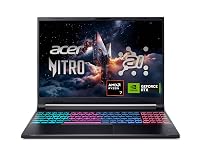
4.4Very good | 341 | Acer Nitro V 16S AI caters to power users who want a spacious 16-inch WUXGA 180Hz IPS display with dedicated AI capabilities. Driven by an AMD Ryzen 7 260 processor, an RTX 5060 Laptop GPU delivering 572 AI TOPS, 32GB DDR5 memory, a 1TB Gen 4 SSD, and Wi-Fi 6, this laptop is ideal for users seeking generous memory and high-refresh gaming on a large screen without requiring an ultra-thin unibody. View listing |
 MSImsi Cyborg 17 17.3" FHD 144Hz Gaming Laptop, Intel Core 9-270H, NVIDIA… MSImsi Cyborg 17 17.3" FHD 144Hz Gaming Laptop, Intel Core 9-270H, NVIDIA… |
4.3Good | — | msi Cyborg 17 17.3" FHD is tailored for users who need maximum screen real estate and comprehensive storage for stationary desktop-replacement setups. Featuring a 17.3-inch 144Hz FHD screen, an Intel Core 9-270H processor, an RTX 5060 GPU, 16GB DDR5 memory, and 2TB total storage through a 1TB SSD and 1TB docking station set, this machine suits users who rarely travel with their computer. View listing |
Ratings are the star averages left by Amazon buyers, not scores from our own testing. Prices are the ones on the listing when this page was written.
FAQ
How long does the battery last during normal office tasks?
The manufacturer listing states that the 72 Whr battery provides up to 11 hours of on-screen operational time for daily productivity. While actual runtime varies based on display brightness and background tasks, the energy-efficient AMD Ryzen AI 9 365 processor and low-power LPDDR5X memory allow the laptop to sustain a standard business workday without an immediate recharge.
Can the system memory or internal storage be upgraded?
The Razer Blade 14 features 32GB of LPDDR5X memory running at 8000 MHz, which is soldered to the board to maintain its slim 0.62-inch thickness and maximize power efficiency. As a result, system RAM cannot be upgraded after purchase. The laptop includes a 1TB SSD for internal storage; the listing does not specify secondary internal M.2 drive slots.
How does the vapor chamber cooling perform under sustained load?
The bespoke vapor chamber thermal system spreads heat across a broad dissipation area inside the aluminum chassis. This thermal design allows the NVIDIA GeForce RTX 5070 GPU to sustain its 115W TGP output during long gaming sessions and rendering tasks, helping prevent severe thermal throttling while keeping keyboard surfaces comfortable.
Is the OLED display suitable for color-critical creative work?
Yes, the 14-inch 3K OLED screen is Calman Verified out of the box, making it well-suited for color-sensitive tasks like video editing, digital art, and photo grading. The display also features a 2880×1800 resolution, a 120Hz refresh rate, an ultra-low 0.2ms response time, and deep black levels for excellent visual contrast.
What video output ports are available for external monitors?
The laptop features a dedicated HDMI video output port, enabling simple connections to external monitors, 4K televisions, and conference room projectors without requiring dongles. The specifications also note compatibility with standard peripherals such as headphones, mice, and external speakers.
More Computers & Laptops ratings
See the section
Dell Inspiron 3030 Desktop Analysis: Dependable Power for Busy Workspaces
Buying a desktop computer for professional responsibilities requires balancing processing power with dependable stability, and the Dell Inspiron 3030 Desktop targets this exact requirement…

Apple MacBook Pro 14 (M5 Pro): A Decisive Performance Review for Working Professionals
Knowledge workers, software developers, and content creators evaluating the Apple MacBook Pro 14 M5 Pro are primarily asking whether the new platform provides enough…
Dell Inspiron 15 3530 Laptop: The Executive Buying Guide
Navigating modern corporate computing demands a device that balances processing efficiency, system security, and reliable peripheral integration. The Dell Inspiron 15 3530 targets remote…

Should You Buy the Lenovo ThinkPad X1 Yoga Gen 4 for Work?
Evaluating convertible business notebooks requires balancing typing ergonomics, presentation flexibility, and processing stability. The Lenovo ThinkPad X1 Yoga Gen 4 addresses this balance by…
Apple iMac 24-inch M4: The Decisive Buying Guide for Busy Workspaces
Deciding whether to modernize your workstation comes down to speed, daily reliability, and minimal setup friction. The Apple iMac 24-inch M4 addresses these demands…
Get new ratings by email
A weekly digest of the products added to the ratings pages.