Alienware 16 Area-51: Desktop-Caliber Power in a 16-Inch Chassis
Selecting a dedicated desktop replacement requires balancing thermal limits against pure silicon power. The Alienware 16 Area-51 addresses this compromise directly by pairing an Intel Core Ultra 9 275HX processor with dedicated…
By Carla Fletcher 11 min read

Alienware 16 Area-51
Alienware
This listing has no buyer rating yet.
- Specs listed
- 11
- Section
- Computers & Laptops
Check price on Amazon We may earn a commission if you buy through this link.
As Amazon Associates, we earn from qualifying purchases. This means we may receive a small commission at no extra cost to you if you click through and make a purchase.
Selecting a dedicated desktop replacement requires balancing thermal limits against pure silicon power. The Alienware 16 Area-51 addresses this compromise directly by pairing an Intel Core Ultra 9 275HX processor with dedicated NVIDIA GeForce RTX 5070 Ti graphics inside a heavy-duty clamshell enclosure. For creative professionals managing complex 3D workloads and enthusiasts demanding desktop-tier frame pacing, this machine is engineered to elevate processor and graphics power ceilings beyond traditional portable limitations. Buyers should expect a stationary powerhouse built to sustain demanding operational loads rather than an ultra-light everyday commuter device.
In this Alienware 16 Area-51 review, we examine how the machine fulfills its promise of desktop-caliber execution within a 16-inch footprint. We analyze the architectural advantages of the newly engineered Cryo-Chamber thermal assembly, evaluate the compute throughput of its cutting-edge silicon components, and detail how its physical dimensions influence daily productivity. The evaluation that follows provides clear, objective assessments across key operational criteria, specifications, system trade-offs, and market alternatives to help you make an informed purchase decision.
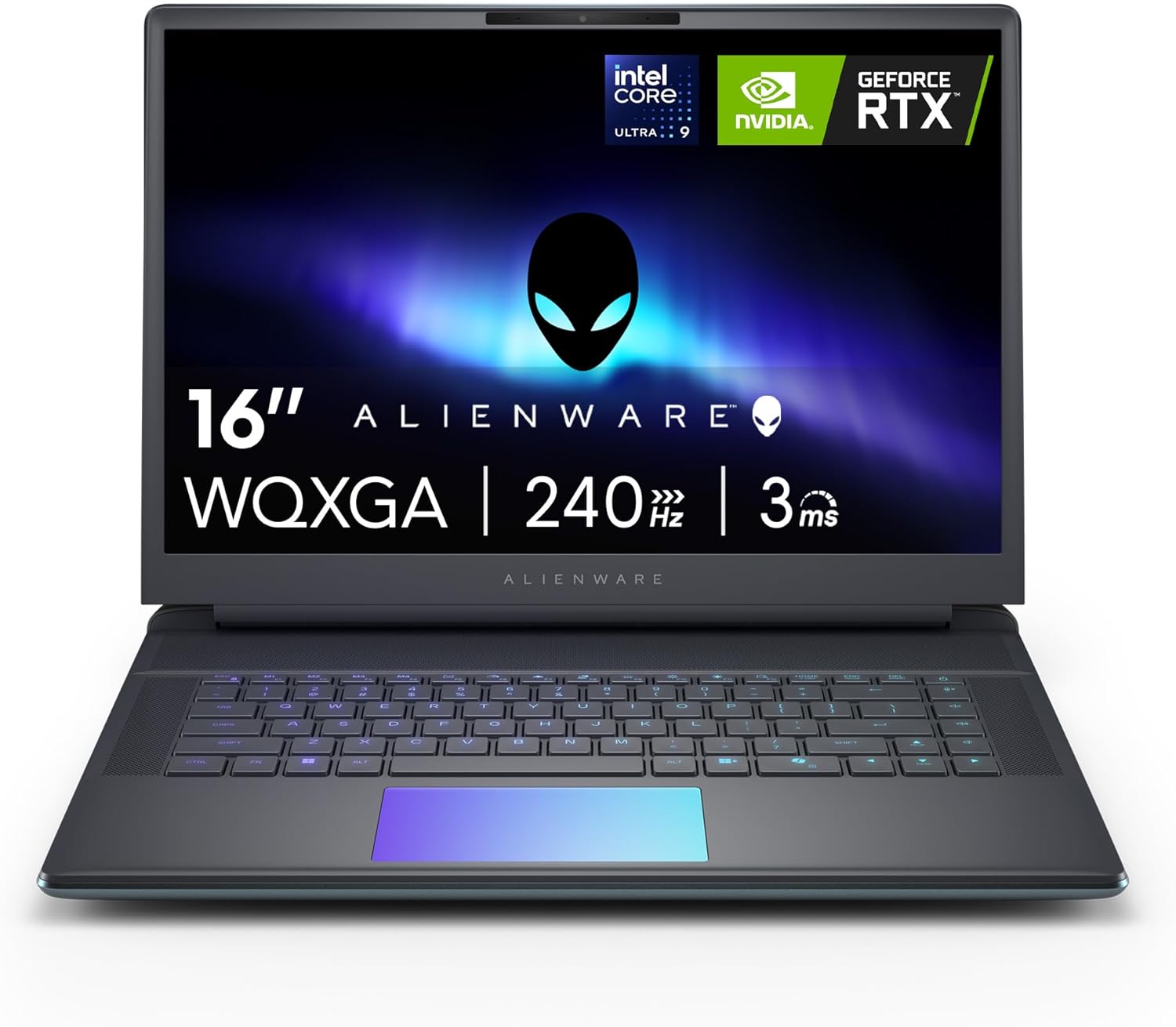


What You Get With the Alienware 16 Area-51
Purchasing the Alienware 16 Area-51 provides a fully configured performance system encased in an alien-inspired Liquid Teal finish, accompanied by enterprise-grade manufacturer support.
In the box
- Alienware 16 Area-51 gaming laptop running Windows 11 Home
- Intel Core Ultra 9 275HX hybrid processor integrating CPU, built-in GPU, and dedicated NPU hardware
- NVIDIA GeForce RTX 5070 Ti graphics coprocessor equipped with 12 GB of high-speed GDDR7 memory and Max-Q optimization
- Proprietary Cryo-Chamber thermal architecture featuring an elevated rear stance, enhanced intake vents, and a transparent Gorilla Glass panel over the AlienFX fans
- Aurora borealis ambient AlienFX lighting system casting multi-surface color reflections
- Integrated backlit keyboard accompanied by a dedicated numeric keypad for numerical input
- High-definition audio hardware paired with an integrated front-facing webcam
- Built-in physical memory card slot for direct file access and storage expansion
- Dell Services 1 Year Onsite Service providing in-person repairs at your home or office if remote troubleshooting cannot resolve hardware issues covered by the Limited Hardware Warranty
Key Specifications
| Processor Model | Intel Core Ultra 9 275HX (CPU, built-in GPU, NPU) |
|---|---|
| Graphics Coprocessor | NVIDIA GeForce RTX 5070 Ti Laptop GPU (12 GB GDDR7, Max-Q) |
| Operating System | Windows 11 Home |
| Physical Dimensions | 14.37 in (W) x 11.41 in (L) x 1.12 in (Th) |
| Total Weight | 7.5 pounds |
| Chassis Color | Liquid Teal with aurora borealis AlienFX lighting |
| Keyboard Layout | Backlit keyboard with integrated numeric keypad |
| Biometric Security | No fingerprint reader |
| Camera and Audio | Front-facing camera and HD Audio |
| Expandability and Ports | Memory card slot; supports USB, HDMI, Thunderbolt, Bluetooth, and Wi-Fi |
| Warranty Coverage | 1 Year Onsite Service with Limited Hardware Warranty |
All 83 attributes from the listing
| Color | Liquid Teal |
|---|---|
| Operating System | Windows 11 Home |
| Other Special Features of the Product | Backlit Keyboard, HD Audio, Memory Card Slot, Numeric Keypad |
| Graphics Description | Dedicated |
| Graphics Coprocessor | NVIDIA GeForce RTX 5070 Ti |
| Item Weight | 7.5 pounds |
| Video Processor | NVIDIA |
| Specific Uses For Product | Entertainment, Gaming |
| Graphics Card Ram | 12 GB |
| Form Factor | Clamshell |
| Voltage | 240 volts of alternating current |
| Camera Description | Front |
| Biometric Security Feature | No Fingerprint Reader |
| Graphics Ram Type | GDDR7 |
| Compatible Devices | External displays, keyboards, mice, storage devices, printers, and other accessories that use USB, HDMI, Thunderbolt, Bluetooth, or Wi-Fi interfaces. |
| Warranty Type | 1 Year Warranty |
| Item Dimensions L x W x Thickness | 11.41"L x 14.37"W x 1.12"Th |
| Optical Storage Device | No Optical Drive |
| Video Output | HDMI, Thunderbolt 4 |
| Operating System Family | Windows |
| Screen Size | 16 inches |
| Resolution | WQXGA |
| Native Resolution | 2560 x 1600 pixels |
| Display Type | LED |
| Display Resolution Maximum | 2560×1600 |
| Display Technology | WQXGA |
| Display Refresh Rate in Hertz | 240 |
| Screen Finish | Matte |
| Display Maximum Resolution | 2560 x 1600 |
| Connectivity Technology | Bluetooth, Wi-Fi |
| Wireless Technology | Bluetooth, Wi-Fi |
| Wireless Compability | Bluetooth |
| Wi-Fi Generation | Wi-Fi 7 |
| Battery Cell Type | Other Than Listed |
| Number Of Cells | 6 |
| Lithium-Battery Energy Content | 96 watt-hours |
| Human-Interface Input | Touch Pad |
| Keyboard Description | Backlit |
| Keyboard Layout | QWERTY |
| Audio Output Type | Headphones, Speakers |
| Speaker Description | Integrated High-Definition Performance Audio |
| Processor Series | Intel Core Ultra 9 |
| Processor Speed | 2.1 GHz |
| Processor Count | 24 |
| Processor Brand | Intel |
| CPU Model Number | 275HX |
| CPU Model Generation | 13th Gen |
| CPU Model Speed Maximum | 5.4 GHz |
| Brand | Alienware |
| Model Name | Alienware 16 Area 51 AA16250 Laptop |
| Model Year | 2025 |
| Model Number | LAA16250-9475BLU-PUS |
| Built-In Media | 360-Watt Small Form Factor Adapter, Alienware 16 Area-51 AA16250 Gaming Laptop, Documentation, Power Cord |
| Manufacturer | Dell |
| Item Highlight | 2560×1600 Display, 240Hz, 32GB DDR5 RAM, 1TB SSD, NVIDIA GeForce, Windows 11 Home, Esports Ready, AA16250 |
| Unit Count | 1 Count |
| UPC | 884116651475 |
| Number of Items | 1 |
| Model Series | Area-51 |
| Number of Packs | 1 |
| Warranty Description | 1-Year Basic Onsite Service |
| Mfr Part Number | 8KT7H |
| Best Sellers Rank | #3,461 in Computers & Accessories (See Top 100 in Computers & Accessories) #354 in Traditional Laptop Computers |
| ASIN | B0F8P6MRQT |
| RAM Memory Installed | 32 GB |
| RAM Memory Technology | DDR5 |
| Memory Clock Speed | 6400 MHz |
| Ram Memory Maximum Size | 32 GB |
| Memory Speed | 6400 MHz |
| RAM Type | DDR5 RAM |
| Cache Memory Installed Size | 36 |
| RAM Size | 32 GB |
| Memory Storage Capacity | 32 GB |
| Memory Slots Available | 2 |
| Total Usb Ports | 5 |
| Hardware Interface | Bluetooth, HDMI, Secure Digital Card, Solid State Drive, Thunderbolt 4, USB |
| Number of Ports | 8 |
| Total Thunderbolt Ports | 2 |
| Total Number of HDMI Ports | 1 |
| CPU Model | Intel Core Ultra 9 |
| Ram Memory Installed Size | 32 GB |
| Special Feature | Backlit Keyboard, HD Audio, Memory Card Slot, Numeric Keypad |
| Graphics Card Description | Dedicated |
Figures as published by the manufacturer on the Amazon listing.
Cryo-Chamber Architecture and Sustained Thermal Efficiency
Sustaining high wattages inside a portable chassis has historically caused aggressive thermal throttling, noisy fan spikes, and hot surface temperatures. The Alienware 16 Area-51 Cryo-Chamber rethinks internal air circulation by physically propping up the rear base of the notebook. By elevating the lower chassis away from the desk surface, the enclosure establishes a much larger air intake volume compared to traditional flat-bottom designs. Cooler exterior air is drawn directly across the primary thermal dissipation components and expelled rapidly, allowing the internal silicon to sustain higher graphics and processor power limits over long work sessions.
In addition to mechanical thermal improvements, the Cryo-Chamber incorporates an industrial design highlight: a clear Gorilla Glass panel providing a direct window into the spinning AlienFX fans. This transparent viewport highlights the airflow mechanics while integrating smoothly with the system’s ambient aurora borealis lighting. Unlike standard laptops that conceal cooling assemblies beneath solid plastic or aluminum panels, this design bridges functional airflow management with custom visual cues. It mirrors the aggressive thermal lineage established across the Alienware Area-51 product line, reinforcing the machine’s role as a purpose-built enthusiast platform.
For demanding computational tasks such as rendering complex architectural models, batch processing uncompressed camera files, or running multi-hour simulations, thermal headroom dictates sustained performance stability. Because the Cryo-Chamber elevates airflow intake, the system mitigates the sudden clock speed throttling that often compromises compact workstations. While maximum fan speed creates audible air movement under extreme operational stress, the elevated stance prevents heat from pooling underneath the chassis or suffocating intake vents during peak operation.
Workstation Compute and Graphics Processing Capabilities
Under the hood, the Alienware 16 Area-51 Intel Core Ultra 9 275HX processor delivers a modern hybrid compute topology designed for heavy multitasking and AI-accelerated workflows. This processor package integrates conventional central processing cores, an integrated graphics coprocessor, and a dedicated neural processing unit (NPU) into a single unified die. The presence of the specialized NPU enables background artificial intelligence tasks, audio noise filtering, and vision algorithms to execute efficiently without consuming cycles from the primary CPU cores. For technical professionals running complex software stacks, this architecture balances power distribution across dedicated processing engines.
Visual throughput and rendering muscle are handled by the Alienware 16 Area-51 RTX 5070 Ti dedicated graphics coprocessor, configured with 12 GB of high-speed GDDR7 memory. The transition to the GDDR7 memory standard provides substantial memory bandwidth advantages over earlier VRAM generations, ensuring smooth texture loading and accelerated parallel compute operations. Enhanced with NVIDIA Max-Q features, the GPU intelligently balances wattage consumption and performance output, optimizing operational stability when running intensive tasks while managing efficiency during lower loads.
When assessing overall Alienware 16 Area-51 performance, the pairing of the 275HX processor and the RTX 5070 Ti establishes a capable environment for high-end rendering and intensive gaming alike. The listing highlights that the Area-51 was intentionally engineered to reach higher graphics and processor power limits, indicating that the hardware is configured for sustained throughput rather than conservative power-saving limits. While the listing does not specify the exact internal solid-state drive capacity or the installed system RAM size for this specific SKU, the underlying processor and dedicated GPU combination guarantees substantial computing horsepower capable of tackling demanding multi-threaded workloads without stutter.
Everyday Portability and Physical Footprint Realities
Prospective buyers must evaluate the physical dimensions and mass of the laptop before considering it for frequent transit. Weighing in at 7.5 pounds, the Alienware 16 Area-51 is a substantial machine that demands a dedicated, heavy-duty carry bag and a sturdy work surface. Its exterior measurements—14.37 inches wide, 11.41 inches long, and 1.12 inches thick—reflect an unapologetic desktop replacement form factor rather than a commuter-friendly notebook. Carrying a 7.5-pound clamshell alongside its associated high-capacity 240-volt AC power hardware requires deliberate planning, making the system far better suited for transport between fixed desks than casual mobile use.
Despite its heft, the chassis maximizes functional utility across its operational surface. The Liquid Teal finish provides an understated yet distinctly modern look, resisting standard office design tropes while maintaining professional composure. Inside the deck, users will appreciate the inclusion of a full backlit keyboard with an integrated numeric keypad. For quantitative analysts, financial modelers, and macro programmers, having dedicated numeric input on a 16-inch chassis eliminates the need for external tenkey pads. However, the system omits a fingerprint reader, meaning biometric authentication via fingerprint scanning is unavailable, leaving users to rely on conventional passwords or the integrated front camera.
Setting up the laptop on a standard office desk requires ample clearance behind the display lid due to the protruding Cryo-Chamber exhaust structure. The 1.12-inch thickness positions the keyboard deck higher than slim ultrabooks, which may lead some professionals to pair the laptop with an ergonomic wrist rest during long typing sessions. Much like dedicated desktop enclosures such as the Dell Alienware 16 Aurora, this platform treats desk space as a permanent workstation zone, prioritizing acoustic routing and thermal stability over thinness.
Peripheral Connectivity and Display Setup Integration
A top-tier workstation or gaming platform requires comprehensive support for external peripherals, and the Alienware 16 Area-51 provides flexible interface expandability. The official specifications confirm support for accessories using USB, HDMI, Thunderbolt, Bluetooth, and Wi-Fi interfaces. This broad compatibility allows users to dock the laptop into multi-monitor arrangements, connect enterprise printers, route wired input devices, and link external high-speed storage arrays. Furthermore, the inclusion of a dedicated physical memory card slot provides immediate utility for videographers and digital photographers needing to offload media cards directly without external dongles.
For professionals seeking a multi-display command center, the laptop’s Thunderbolt and HDMI connectivity enables direct pairing with premium high-refresh external panels, such as the Dell Alienware AW2726DM gaming display. Running external panels alongside the primary screen allows users to offload timeline monitors, terminal windows, and communication channels onto secondary displays while maintaining full dedicated GPU acceleration. The laptop’s dedicated 12 GB GDDR7 VRAM provides ample buffer capacity to drive multi-monitor productivity setups without choking frame rendering.
Specific hardware configuration details noted in the official specification sheet should also be considered. The clamshell design does not include an internal optical storage drive, requiring users who rely on physical disc media to utilize external USB optical readers. Networking is addressed via both integrated Wi-Fi and Bluetooth wireless interfaces, ensuring low-latency peripheral links and rapid network throughput whether operating on office local area networks or mobile hotspots.
High-Fidelity Gaming and Multimedia Realities
Utilizing the Alienware 16 Area-51 for gaming reveals how effectively its hardware configuration targets high visual fidelity and smooth frame pacing. The dedicated NVIDIA GeForce RTX 5070 Ti coprocessor leverages 12 GB of GDDR7 memory to handle complex ray tracing, shader-heavy rendering routines, and high-resolution texture packs. The inclusion of NVIDIA Max-Q features optimizes system wattages dynamically, ensuring that graphical fidelity remains steady during extended play sessions. Combined with HD Audio support, the internal hardware produces an immersive sensory foundation for modern gaming titles.
Atmospheric immersion is further heightened by the system’s ambient AlienFX lighting. Drawing aesthetic inspiration from the natural movements and hues of the aurora borealis, the lighting system reflects dynamic illumination across surrounding tabletop surfaces. The glow emanates around the chassis vents and through the transparent Gorilla Glass cooling portal, creating a distinctive aesthetic that distinguishes this machine from conventional, utilitarian workstation notebooks.
While the listing specifies that the laptop is dedicated to entertainment and gaming pursuits, prospective gamers should note that the listing does not specify the native screen resolution or display refresh rate for this specific configuration. Buyers who prioritize specific refresh thresholds such as 240Hz or 4K panel densities can easily connect high-end external gaming monitors via the integrated HDMI and Thunderbolt outputs. Coupled with Dell 1 Year Onsite Service, gamers gain peace of mind knowing that critical hardware failures can be repaired directly on location if remote diagnostics fail.
Alienware 16 Area-51 Pros and Cons
Pros
- Intel Core Ultra 9 275HX processing power
- NVIDIA GeForce RTX 5070 Ti with 12GB GDDR7
- Cryo-Chamber thermal design with Gorilla Glass window
- Dell 1 Year Onsite Service included
- Integrated numeric keypad and memory card slot
Cons
- Heavy 7.5-pound clamshell chassis
- No fingerprint reader for biometric sign-in
- Bulky 1.12-inch profile limits portable use
Check Alienware 16 Area-51 on Amazon
Is the Alienware 16 Area-51 Worth It
Deciding whether the Alienware 16 Area-51 is worth it comes down to how heavily you weigh sustained raw compute against physical mobility. If your daily routine demands a portable rig capable of replacing a full-sized desktop workstation for rendering, generative AI experiments, and enthusiast gaming, this machine delivers the thermal headroom and raw silicon specifications required to sustain high workloads. The Intel Core Ultra 9 275HX combined with the 12 GB GDDR7 RTX 5070 Ti provides cutting-edge processing limits that thin-and-light laptops simply cannot sustain without thermal throttling.
Conversely, if your workflow requires frequent daily commuting, regular air travel, or working untethered from coffee shop tables, the 7.5-pound weight and 1.12-inch profile represent noticeable trade-offs. The absence of a biometric fingerprint reader and the substantial footprint mean this laptop is fundamentally engineered as a stationary desktop replacement rather than an agile road warrior tool. Buyers looking for an ultra-light carry will find the Area-51 excessively bulky for transient, on-the-go computing.
For professionals and hardcore gamers who value onsite manufacturer support and heavy-duty thermal execution, the inclusion of Dell 1 Year Onsite Service adds substantial long-term value. Having a technician come directly to your workspace or home to address hardware defects eliminates the downtime associated with shipping a 7.5-pound workstation to distant repair facilities. If you need desktop-class power in a transportable form factor and have the desk space to accommodate it, the Alienware Area-51 16 stands as a formidable performance investment.
Other Options to Consider
| Model | Buyer rating | Ratings | Why it is here |
|---|---|---|---|
 AlienwareAlienware 16 Area-51 Gaming Laptop, RTX5070 Ti, Intel Core Ultra 9 275HXReviewed here AlienwareAlienware 16 Area-51 Gaming Laptop, RTX5070 Ti, Intel Core Ultra 9 275HXReviewed here |
—Not rated | — | The model reviewed on this page. View listing |
 ASUSASUS ROG Strix G16 (2025) Gaming Laptop, 16” FHD+ 16:10 165Hz/3ms, NVIDIA®… ASUSASUS ROG Strix G16 (2025) Gaming Laptop, 16” FHD+ 16:10 165Hz/3ms, NVIDIA®… |
—Not rated | — | ASUS ROG Strix G16 suits gamers and professionals who prioritize a certified high-refresh display and modern Wi-Fi 7 wireless connectivity over top-tier GPU memory bandwidth. This laptop features a 16-inch FHD+ 16:10 display running at 165Hz with a 3ms response time, an Intel Core i7 14650HX processor, 16GB of DDR5 memory, a 1TB Gen 4 SSD, and an NVIDIA GeForce RTX 5060 laptop GPU, making it a balanced alternative for buyers who want an established display spec sheet. View listing |
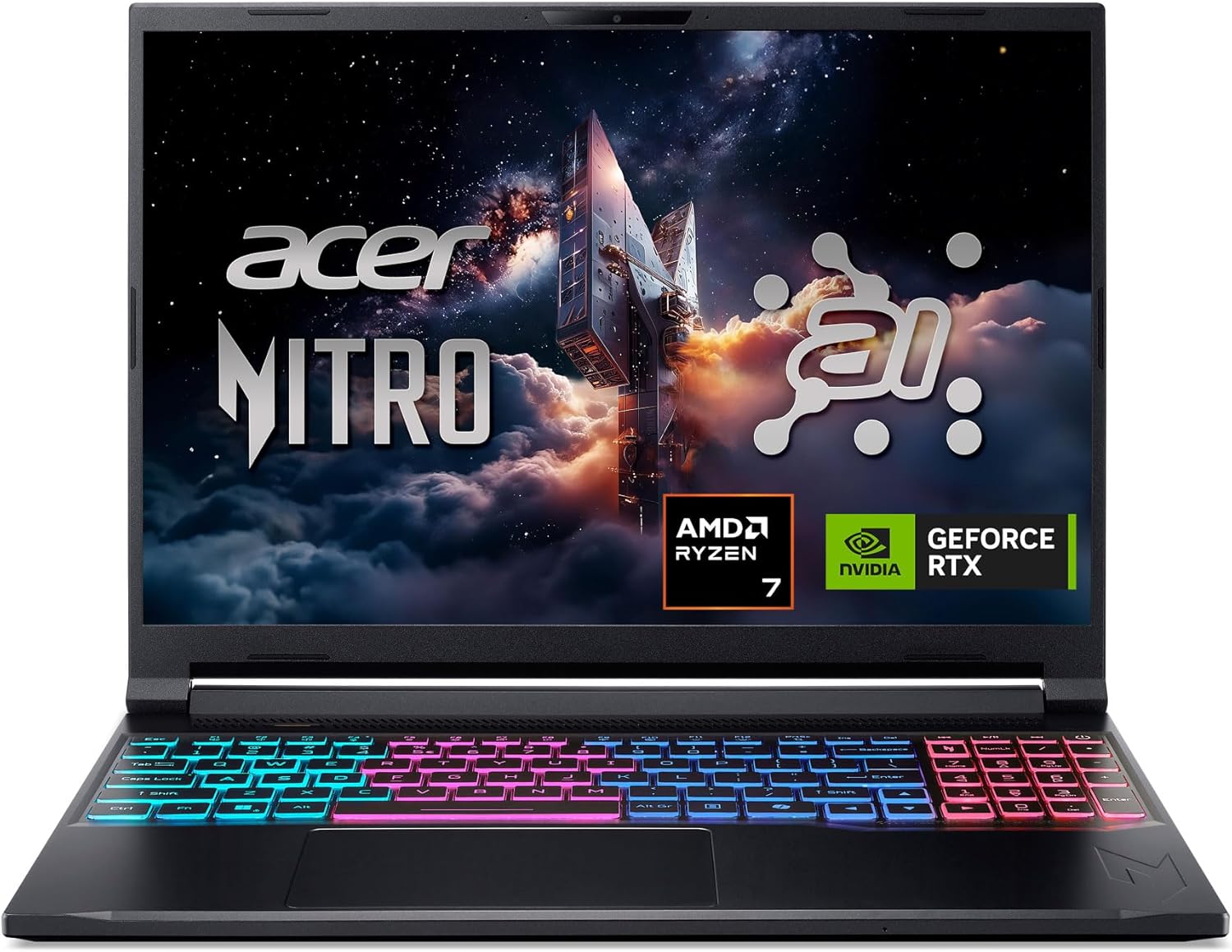
 AcerAcer Nitro V 16S AI Gaming Laptop | AMD Ryzen 7 260… AcerAcer Nitro V 16S AI Gaming Laptop | AMD Ryzen 7 260… |
4.4Very good | 341 | Acer Nitro V 16S AI caters to power users seeking double the system memory and high AI processing metrics straight out of the box. Configured with an AMD Ryzen 7 260 processor, an NVIDIA GeForce RTX 5060 Laptop GPU boasting 572 AI Tops, 32GB of DDR5 RAM, a 1TB Gen 4 SSD, and a fast 16-inch WUXGA IPS 180Hz screen, this model appeals directly to buyers focused on heavy multitasking capacity and fast panel responsiveness. View listing |
 MSImsi Cyborg 17 17.3" FHD 144Hz Gaming Laptop, Intel Core 9-270H, NVIDIA… MSImsi Cyborg 17 17.3" FHD 144Hz Gaming Laptop, Intel Core 9-270H, NVIDIA… |
4.3Good | — | msi Cyborg 17 17.3" FHD represents an alternative for users who desire a larger screen workspace and expansive bundled storage. It packs a 17.3-inch FHD 144Hz display, an Intel Core 9-270H processor, an NVIDIA GeForce RTX 5060 graphics card, 16GB DDR5 memory, and a combined 2TB storage setup consisting of a 1TB internal SSD plus a 1TB docking station set, enclosed in a translucent black aesthetic. View listing |
Ratings are the star averages left by Amazon buyers, not scores from our own testing. Prices are the ones on the listing when this page was written.
FAQ
Does the Alienware 16 Area-51 feature a fingerprint scanner for biometric login?
No, the official specifications confirm that the Alienware 16 Area-51 includes no fingerprint reader for biometric authentication. Users authenticate using traditional Windows PINs, passwords, or compatible front-camera sign-in features supported under Windows 11 Home.
How does the Alienware 16 Area-51 Cryo-Chamber improve thermal airflow?
The Cryo-Chamber props up the rear base of the notebook to significantly expand intake airflow volume. This elevated architecture allows the dual cooling fans to draw in cooler exterior air across critical components, maintaining higher sustained processor and GPU power limits while displaying the AlienFX fans through a durable Gorilla Glass panel.
What display and storage details are specified in the Alienware 16 Area-51 specs?
The product listing specifies an NVIDIA GeForce RTX 5070 Ti with 12 GB of GDDR7 memory and an integrated memory card slot for removable media expansion. However, the listing does not specify the exact internal SSD storage capacity or the native screen resolution and refresh rate for this specific SKU.
How heavy is the Alienware 16 Area-51 and is it portable?
The Alienware 16 Area-51 weighs 7.5 pounds and measures 1.12 inches thick, 14.37 inches wide, and 11.41 inches long. While it uses a clamshell form factor that can be packed into a large backpack, its substantial weight and footprint classify it primarily as a transportable desktop replacement rather than an ultraportable travel notebook.
What warranty coverage is included with the Alienware 16 Area-51?
The laptop comes with a 1-year limited hardware warranty supported by Dell Services 1 Year Onsite Service. If an issue covered under the warranty cannot be resolved through remote troubleshooting, a Dell technician will come directly to your home, office, or chosen location to perform repairs.
More Computers & Laptops ratings
See the section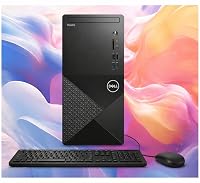
Dell Inspiron 3030 Desktop Analysis: Dependable Power for Busy Workspaces
Buying a desktop computer for professional responsibilities requires balancing processing power with dependable stability, and the Dell Inspiron 3030 Desktop targets this exact requirement…

Apple MacBook Pro 14 (M5 Pro): A Decisive Performance Review for Working Professionals
Knowledge workers, software developers, and content creators evaluating the Apple MacBook Pro 14 M5 Pro are primarily asking whether the new platform provides enough…
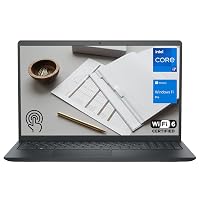
Dell Inspiron 15 3530 Laptop: The Executive Buying Guide
Navigating modern corporate computing demands a device that balances processing efficiency, system security, and reliable peripheral integration. The Dell Inspiron 15 3530 targets remote…

Should You Buy the Lenovo ThinkPad X1 Yoga Gen 4 for Work?
Evaluating convertible business notebooks requires balancing typing ergonomics, presentation flexibility, and processing stability. The Lenovo ThinkPad X1 Yoga Gen 4 addresses this balance by…
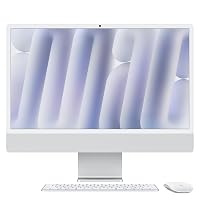
Apple iMac 24-inch M4: The Decisive Buying Guide for Busy Workspaces
Deciding whether to modernize your workstation comes down to speed, daily reliability, and minimal setup friction. The Apple iMac 24-inch M4 addresses these demands…
Get new ratings by email
A weekly digest of the products added to the ratings pages.