Acer Swift X 14: Compact Powerhouse for Busy Creatives
Shoppers searching for a capable mobile workstation often struggle to balance lightweight portability against discrete graphics processing power. In this evaluation, we examine the Acer Swift X 14 (model SFX14-73G-71XL), a compact…
By Carla Fletcher 9 min read

Acer Swift X 14
Acer
Excellent
4.7 out of 5
Average of the Amazon buyer ratings — not a score from testing of our own
- Specs listed
- 10
- Section
- Computers & Laptops
Check price on Amazon We may earn a commission if you buy through this link.
As Amazon Associates, we earn from qualifying purchases. This means we may receive a small commission at no extra cost to you if you click through and make a purchase.
Shoppers searching for a capable mobile workstation often struggle to balance lightweight portability against discrete graphics processing power. In this evaluation, we examine the Acer Swift X 14 (model SFX14-73G-71XL), a compact clamshell laptop configured with an Intel Core Ultra 7 processor 255H and dedicated NVIDIA GeForce RTX 5050 graphics. Creative professionals and technical power users want to know whether this machine provides enough processing headroom for video production, digital illustration, and local artificial intelligence workloads without burdening them with the thermal throttling and bulk common to traditional desktop replacement rigs.
This focused acer swift x 14 review details what buyers can expect from the hardware in everyday creative production. We analyze the 3K OLED panel, evaluate the capabilities of the Blackwell-based graphics processor, examine port versatility, and review real-world stamina. If you need a reliable machine that slips into an everyday messenger bag while handling demanding visual workloads, the following breakdown highlights the core engineering strengths, practical limitations, and key hardware trade-offs of this mobile system.


What You Get With the Acer Swift X 14
The system arrives in a sleek gray clamshell chassis engineered for creators, technical students, and mobile business professionals. According to the manufacturer listing, the hardware configuration includes the following core specifications, physical components, and built-in software enhancements:
In the box
- Acer Swift X 14 clamshell notebook in gray finish
- 14.5-inch 3K 120Hz OLED display protected by Corning Gorilla Glass
- Intel Core Ultra 7 processor 255H with integrated AI compute capabilities
- Dedicated NVIDIA GeForce RTX 5050 Laptop GPU with 8GB GDDR7 VRAM
- 16GB onboard LPDDR5X system memory
- 1TB PCIe Gen 4 solid-state drive with a second available PCIe M.2 expansion slot
- Full HD 1080p infrared front-facing webcam with integrated privacy features
- Corning Gorilla Glass haptic touchpad featuring MPP 2.5 tilt-enabled stylus support
- Killer Wireless Wi-Fi 6E AX1675 card with Bluetooth 5.4 support
- Backlit keyboard with dedicated Windows Copilot key
- Integrated MicroSD memory card reader
- Dual Thunderbolt 4 ports supporting up to 100W USB power delivery
- Windows 11 Home operating system with AcerSense and QuickPanel utilities
Key Specifications
Evaluating the official acer swift x 14 specs helps determine whether the baseline architecture meets your specific digital workflow requirements before committing your budget.
| Processor | Intel Core Ultra 7 Processor 255H |
|---|---|
| Graphics Coprocessor | NVIDIA GeForce RTX 5050 Laptop GPU (8GB GDDR7) |
| AI Compute Rating | 440 AI TOPS (NVIDIA Blackwell Architecture) |
| Display Panel | 14.5-inch 3K (120Hz) OLED, Calman Verified, True Black HDR500 |
| Installed Memory | 16GB Onboard LPDDR5X RAM |
| Storage Drive | 1TB PCIe Gen 4 SSD (2x M.2 slots total, 1 slot available) |
| Weight | 3.5 pounds |
| Chassis Dimensions | 12.69 inches L x 8.95 inches W x 0.71 inches Thick |
| Wireless Connectivity | Killer Wi-Fi 6E AX1675 (2×2 MU-MIMO), Bluetooth 5.4 or above |
| Port Selection | 2x USB-C (Thunderbolt 4 / 100W Charging), 2x USB 3.2 Gen 2, HDMI 2.1, microSD, 3.5mm Audio |
Figures as published by the manufacturer on the Amazon listing.
Graphics and AI Processing for Demanding Workflows
The defining feature of this compact rig is its dedicated graphics silicon. As an acer swift rtx 5050 laptop, the machine leverages NVIDIA Blackwell architecture to supply 440 AI TOPS of computing horsepower alongside 8GB of speedy GDDR7 memory. This GPU configuration gives creative software the acceleration needed for real-time video previewing, timeline rendering, and generative asset creation. Support for modern technologies like NVIDIA DLSS further ensures that complex graphical workloads remain smooth and responsive under heavy loads.
Backing the discrete GPU is the Intel Core Ultra 7 processor 255H, designed with specialized neural processing capabilities to accelerate background machine learning routines. Everyday creative workflows benefit from responsive multitasking, allowing background renders or audio cleanups to complete without stalling foreground productivity. For creators who frequently balance heavy photo libraries, timeline edits, and local AI tasks, this processing balance delivers noticeable gains over laptops relying entirely on integrated graphics.
System memory is configured with 16GB of onboard LPDDR5X RAM. While this memory bandwidth easily handles multi-application switching, browser multitasking, and standard timeline playback, demanding power users should note that the memory is soldered directly to the board. If your daily projects routinely require massive 4K multi-camera timeline caches or virtual machines, this 16GB allocation represents a fixed threshold that cannot be expanded post-purchase.
Display Quality and Color Accuracy for Visual Work
Visual fidelity is anchored by the vivid acer swift 14 oled display. The 14.5-inch panel features a 3K native resolution combined with a fluid 120Hz refresh rate, ensuring sharp type, crisp image edges, and smooth animation scrolling. Because it is an OLED screen, it achieves Certified True Black HDR500 status, delivering authentic black levels and virtually infinite contrast that traditional IPS panels cannot replicate in darker studio environments.
Color fidelity is equally impressive for visual production work. The screen is Calman Verified out of the box and features an Eyesafe certification to reduce blue light strain during extended editing sessions. To protect the panel against accidental drops or travel pressure, Acer shields the screen with smudge-resistant Corning Gorilla Glass. Ambient light management is automated through an integrated RGB light sensor beside the webcam, which adjusts screen brightness and white point to maintain natural color perception across varying room illumination.
Professionals who manage complex design projects on an external desktop canvas like the Acer Predator X27U will find this built-in 3K OLED screen accurate enough for critical color grading and photo correction when working away from the studio desk. The panel provides flexible color profile switching directly through the pre-installed software suite, making it easy to swap between web, print, and video color spaces.
Connectivity, Control, and Studio Ergonomics
Workstation functionality depends heavily on physical ports, and this chassis provides an unusually complete layout for a 0.71-inch slim device. You receive two USB Type-C connections operating at USB 3.2 Gen 2 speeds with Thunderbolt 4, DisplayPort output, and up to 100W USB power delivery. External video routing is further bolstered by an HDMI 2.1 port capable of handling up to 10K resolution with Fixed Rate Link support, alongside two legacy USB 3.2 Gen 2 Type-A ports, one of which supports power-off device charging.
Input controls feature a specialized haptic touchpad crafted from a single slate of smooth Corning Gorilla Glass. Unlike conventional mechanical dive-board clickpads, this haptic design delivers uniform tactile feedback across its entire surface. Furthermore, the touchpad surface supports MPP 2.5 tilt-enabled active styluses, allowing digital artists to sketch or mark up documents directly on the tracking surface without needing a separate drawing tablet connected to their workstation.
Remote collaboration tools are integrated seamlessly into the top bezel. A 1080p full HD infrared webcam pairs with Acer Light Sensing and Windows Hello facial recognition for quick authentication. Conferencing duties are handled by Acer PurifiedView 2.0 and PurifiedVoice 2.0, which clean up background visual noise and isolate your vocal frequency during meetings. Whenever the microphone or camera engages, the intuitive Acer QuickPanel automatically surfaces common video settings for rapid adjustments.
Chassis Portability and Daily Thermal Balance
Weighing in at 3.5 pounds, the laptop maintains an exceptional power-to-weight ratio for a machine equipped with dedicated Blackwell graphics and an internal cooling array. Its footprint measures 12.69 inches by 8.95 inches, making it easy to pack inside a compact travel sleeve or standard backpack compartment. Students and traveling business consultants will appreciate that this chassis stays manageable during cross-campus walks and frequent airport transits.
The overall acer swift x 14 performance profile benefits from Intel Core Ultra silicon efficiency. When executing general office duties, document editing, and web research, the laptop operates smoothly with minimal fan intrusion. However, engaging the dedicated RTX 5050 GPU for 3D modeling or video export engages the cooling fans aggressively to evacuate heat from the compact clamshell housing, which is an expected physical reality for high-performance hardware of this size.
Regarding everyday endurance, the acer swift x 14 battery life is heavily dictated by screen brightness and graphical load. While the Core Ultra platform manages low-intensity tasks efficiently to extend off-charger stamina, prolonged reliance on the dedicated RTX 5050 or sustained high-brightness 3K 120Hz OLED operation will drain the battery significantly faster. Keeping the 100W USB-C charger handy remains recommended practice when planning intensive visual rendering sessions on the road.
Acer Swift X 14 Pros and Cons
Pros
- Calman Verified 3K 120Hz OLED display
- Dedicated NVIDIA GeForce RTX 5050 graphics
- Dual Thunderbolt 4 ports with 100W charging
- Haptic Gorilla Glass touchpad with stylus support
- Secondary M.2 PCIe slot for storage expansion
Cons
- 16GB system memory is soldered onboard
- Cooling fans get audible under full load
- Battery drains quickly during heavy rendering
Check Acer Swift X 14 on Amazon
Is the Acer Swift X 14 Worth It
When buyers ask is acer swift edge 14 worth it, the answer depends entirely on whether your daily computing routine requires dedicated graphics compute power. If your workload involves color-critical video grading, 3D asset generation, local AI inference, or photo editing, the combination of a Blackwell RTX 5050 GPU, Calman Verified 3K OLED screen, and versatile Thunderbolt 4 connectivity justifies selecting this machine over conventional thin notebooks.
For mobile professionals seeking a balanced workstation, the acer swift x 14 for creators hits a remarkable middle ground. It delivers the graphics capabilities of bulkier gaming laptops like the Acer Predator Helios without the excessive chassis thickness, aggressive gaming aesthetics, or substantial carrying weight that makes daily mobile transit frustrating.
However, users whose daily tasks consist primarily of word processing, web research, and basic spreadsheets may find this hardware excessive for their needs. The non-upgradeable 16GB RAM limit also means users with extreme data science or multi-layered 8K timeline demands should consider larger desktop replacement platforms. But for agile creators needing a dependable, color-precise, graphics-capable laptop, the package offers outstanding engineering coherence.
Other Options to Consider
| Model | Buyer rating | Ratings | Why it is here |
|---|---|---|---|
 AcerAcer Swift X 14 Laptop | 14.5" 3K OLED Gorilla Glass 120Hz…Reviewed here AcerAcer Swift X 14 Laptop | 14.5" 3K OLED Gorilla Glass 120Hz…Reviewed here |
4.7Excellent | — | The model reviewed on this page. View listing |
 HPHP 14 Laptop, 2027 Edition, 4GB RAM, 128GB SSD, Intel N150 CPU HPHP 14 Laptop, 2027 Edition, 4GB RAM, 128GB SSD, Intel N150 CPU |
2.5Poor | 10 | 2026-2027 edition suits budget-conscious users who need basic word processing, school paperwork completion, and light web browsing powered by an Intel N150 processor with bundled Microsoft 365 cloud storage rather than dedicated creator graphics. View listing |
 Padix15.6 Inch Laptop Computer, N4020, 4GB DDR4 RAM, 128GB eMMC,with Windows 11 Padix15.6 Inch Laptop Computer, N4020, 4GB DDR4 RAM, 128GB eMMC,with Windows 11 |
4.1Good | — | Supports 1TB TF Card Expansion is better tailored for students or home office operators who prioritize a larger 15.6-inch screen size and basic daily file management on an entry-level N4020 processor without requiring advanced OLED color precision. View listing |
 HPHP 2026 Essential Laptop, Intel Processor, 128GB Storage, Windows 11 HPHP 2026 Essential Laptop, Intel Processor, 128GB Storage, Windows 11 |
4.3Good | — | Copilot AI serves general productivity buyers who want a lightweight, natural silver notebook with integrated Windows 11 cloud assistance and included Office software for everyday communications and administrative tasks. View listing |
Ratings are the star averages left by Amazon buyers, not scores from our own testing. Prices are the ones on the listing when this page was written.
FAQ
Can you upgrade the internal RAM on this model?
No, the 16GB LPDDR5X system memory is soldered onboard. It cannot be upgraded after purchase, so prospective buyers must confirm that 16GB satisfies their multitasking and application requirements before choosing this model.
Does the laptop offer additional internal storage expansion?
Yes, the motherboard features two PCIe M.2 slots in total. The primary slot holds the pre-installed 1TB PCIe Gen 4 SSD, leaving one secondary M.2 slot available for users who want to add extra high-speed internal solid-state storage.
Can you use a stylus on this device?
The main 3K OLED screen features touch display capabilities, and the haptic Corning Gorilla Glass touchpad specifically supports MPP 2.5 tilt-enabled active styluses. This enables precise sketching, digital signatures, and navigation directly on the trackpad surface.
Does this model include a built-in optical disc drive?
No, this notebook does not feature an optical drive. Those needing to read or write physical DVDs or CDs must connect an external USB optical drive through one of the available USB Type-A or Type-C ports.
What display standards are supported through the video outputs?
The laptop provides dual external display capabilities through its two Thunderbolt 4 USB-C ports with DisplayPort support, as well as an HDMI 2.1 port capable of outputting up to 10K resolution with 48 Gbps Fixed Rate Link bandwidth.
More Computers & Laptops ratings
See the section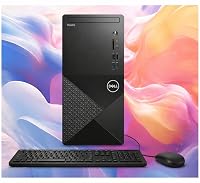
Dell Inspiron 3030 Desktop Analysis: Dependable Power for Busy Workspaces
Buying a desktop computer for professional responsibilities requires balancing processing power with dependable stability, and the Dell Inspiron 3030 Desktop targets this exact requirement…

Apple MacBook Pro 14 (M5 Pro): A Decisive Performance Review for Working Professionals
Knowledge workers, software developers, and content creators evaluating the Apple MacBook Pro 14 M5 Pro are primarily asking whether the new platform provides enough…
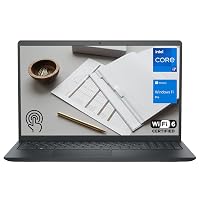
Dell Inspiron 15 3530 Laptop: The Executive Buying Guide
Navigating modern corporate computing demands a device that balances processing efficiency, system security, and reliable peripheral integration. The Dell Inspiron 15 3530 targets remote…

Should You Buy the Lenovo ThinkPad X1 Yoga Gen 4 for Work?
Evaluating convertible business notebooks requires balancing typing ergonomics, presentation flexibility, and processing stability. The Lenovo ThinkPad X1 Yoga Gen 4 addresses this balance by…
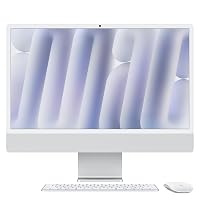
Apple iMac 24-inch M4: The Decisive Buying Guide for Busy Workspaces
Deciding whether to modernize your workstation comes down to speed, daily reliability, and minimal setup friction. The Apple iMac 24-inch M4 addresses these demands…
Get new ratings by email
A weekly digest of the products added to the ratings pages.