Acer Chromebook Spin 714: Fast, Versatile Productivity
Professionals who manage demanding cloud-based workflows, heavy tab multitasking, and remote client calls need hardware that will not slow down under pressure. The Acer Chromebook Spin 714 provides a focused, high-performance solution…
By Carla Fletcher 9 min read

Acer Chromebook Spin 714
Acer
Good
Our score: 8.2/10
Scores are out of 10, based on listed specifications and buyer feedback.
- Specs listed
- 10
- Section
- Computers & Laptops
Check price on Amazon We may earn a commission if you buy through this link.
As Amazon Associates, we earn from qualifying purchases. This means we may receive a small commission at no extra cost to you if you click through and make a purchase.
Professionals who manage demanding cloud-based workflows, heavy tab multitasking, and remote client calls need hardware that will not slow down under pressure. The Acer Chromebook Spin 714 provides a focused, high-performance solution built around Intel 13th Generation processing and an adaptable convertible chassis. If your routine demands responsive progressive web applications, clear video conferencing, and the flexibility to transition between typing reports and reviewing documents on a touchscreen, this specific configuration provides the underlying hardware necessary to keep pace without unnecessary bulk.
In this detailed review, we examine the performance profile, physical engineering, connectivity array, and practical limitations of the convertible machine. We analyze how the 10-core Intel Core i5 processor operates under real-world multi-application workloads, evaluate the usability of the 16:10 touchscreen display, and inspect the dual Thunderbolt 4 ports to determine how well it integrates into modern desktop workstation setups. The following sections break down every technical dimension to help you decide whether this 2-in-1 device fits your daily professional workflow.


What You Get With the Acer Chromebook Spin 714
The Acer Chromebook Spin 714 arrives in a sleek Steel Gray finish, configured specifically to balance mobile convenience with business-grade computing efficiency straight out of the box.
In the box
- Acer Chromebook Spin 714 convertible laptop in Steel Gray
- 13th Gen Intel Core i5-1335U 10-core processor with Intel Iris Xe Graphics
- 14-inch WUXGA 1920 x 1200 CineCrystal IPS multi-touch screen
- 8GB LPDDR4X system memory
- 128GB PCIe NVMe solid-state storage drive
- Illuminated backlit keyboard for low-light typing
- Built-in front-facing webcam, dual stereo speakers, and integrated microphone
- Integrated Intel Wi-Fi 6E AX211 and Bluetooth 5.2 wireless controllers
- High-speed connectivity suite featuring dual USB-C Thunderbolt 4 ports and dedicated HDMI output
Key Specifications
| Processor | 13th Gen Intel Core i5-1335U (10 Cores, 12 Threads, up to 4.60 GHz Turbo) |
|---|---|
| Graphics | Integrated Intel Iris Xe Graphics |
| Display | 14.0-inch WUXGA (1920 x 1200) IPS CineCrystal Touchscreen |
| Memory | 8GB LPDDR4X RAM |
| Internal Storage | 128GB PCIe NVMe SSD |
| Operating System | Chrome OS |
| Wireless Connectivity | Wi-Fi 6E AX211 (802.11ax) + Bluetooth 5.2 |
| Wired Ports | 2x USB Type-C (Thunderbolt 4 / 5V 3A charging), 1x USB 3.2 Type-A, 1x HDMI, 1x Audio Jack |
| Chassis Weight | 1.4 kg (approximately 3.09 lbs) |
| Special Hardware | Backlit Keyboard, Dual Stereo Speakers, Front Webcam |
All 93 attributes from the listing
| Color | Steel Gray |
|---|---|
| Hard-Drive Size | 128 GB |
| Other Special Features of the Product | Backlit Keyboard |
| Graphics Description | Integrated |
| Graphics Coprocessor | Intel UHD Graphics |
| Hard Disk Description | SSD |
| Item Weight | 1.4 kg |
| Video Processor | Intel |
| Specific Uses For Product | Personal |
| Automatic Backup Software Included | Webcam |
| Form Factor | Chromebook |
| Hard Disk Interface | NVMe |
| Voltage | 5 volts |
| Camera Description | Front |
| Graphics Ram Type | DDR4 SDRAM |
| Compatible Devices | External displays, mice, keyboards, storage devices, audio devices |
| Warranty Type | Limited |
| Item Dimensions L x W x Thickness | 12.3"L x 0.71"W x 8.8"Th |
| Chipset Type | Intel |
| Optical Storage Device | No Optical Drive |
| Power Device | [AC Adapter] |
| Video Output | HDMI |
| Number of Drivers | 1 |
| RAM Memory Installed | 8 GB |
| RAM Memory Technology | LPDDR4X |
| Memory Clock Speed | 1.6 GHz |
| Ram Memory Maximum Size | 8 GB |
| Memory Speed | 1600 MHz |
| RAM Type | DDR4 SDRAM |
| RAM Memory Slot Total Count | 1 |
| RAM Size | 8 GB |
| Memory Storage Capacity | 8 GB |
| Connectivity Technology | Bluetooth, HDMI, USB, Wi-Fi |
| Wireless Technology | Bluetooth, Wi-Fi |
| Wireless Compability | 802.11ax |
| Bluetooth Version | 5.2 |
| Wi-Fi Generation | Wi-Fi 6E |
| Human-Interface Input | Keyboard, Microphone, Touchscreen |
| Keyboard Description | Backlit |
| Notebook Pointing Device Description | Touchpad |
| Keyboard Layout | QWERTY |
| Control Method | Touch |
| Touchpad Feature | True |
| Processor Series | Core i5 |
| Processor Speed | 3.3 GHz |
| Processor Count | 4 |
| Processor Brand | Intel |
| CPU Model Number | i5-1335U |
| CPU Model Generation | 13th Gen |
| CPU Model Speed Maximum | 4.6 GHz |
| Brand | Acer |
| Model Name | Spin |
| Model Year | 2023 |
| Model Number | 713 |
| Built-In Media | Backlit Keyboard |
| Manufacturer | Acer |
| Series Number | 713 |
| UPC | 193199198525 |
| Number of Items | 1 |
| Model Series | Spin |
| Warranty Description | 1 |
| Mfr Part Number | Spin 713 |
| Best Sellers Rank | #42,547 in Computers & Accessories (See Top 100 in Computers & Accessories) #598 in 2 in 1 Laptop Computers #6,872 in Traditional Laptop Computers |
| ASIN | B08FD6ZP6Q |
| Screen Size | 14 inches |
| Resolution | 1920 x 1200 |
| Native Resolution | 1920 x 1200 pixels |
| Display Type | LCD |
| Display Resolution Maximum | 1920×1200 |
| Display Technology | LCD |
| Display Refresh Rate in Hertz | 60 |
| Supported Monitor Maximum Quantity | 1 |
| Touch Screen Type | capacitive |
| Screen Finish | Glossy |
| Display Maximum Resolution | 1920 x 1200 |
| Battery Cell Type | Lithium Ion |
| Battery Life | 10 hours |
| Number Of Cells | 3 |
| Total Usb Ports | 5 |
| Hardware Interface | Bluetooth 5, HDMI, Headphone, USB, USB Type C |
| Number of Ports | 2 |
| Total Thunderbolt Ports | 2 |
| Total Number of HDMI Ports | 1 |
| Available M2 Slot Count | 1 |
| Audio Output Type | Speakers |
| Speaker Description | Stereo Speakers |
| Microphone Form Factor | Double matrix |
| Audio features | Stereo speakers and 3.5mm audio jack support |
| Hard Disk Size | 128 GB |
| CPU Model | Core i5 |
| Ram Memory Installed Size | 8 GB |
| Special Feature | Backlit Keyboard |
| Graphics Card Description | Integrated |
Figures as published by the manufacturer on the Amazon listing.
Everyday Multitasking and Processing Performance
At the center of the hardware package is the 13th Gen Intel Core i5-1335U processor, featuring a hybrid architecture composed of two Performance cores reaching up to 4.60 GHz and eight Efficient cores topping out at 3.40 GHz across twelve execution threads. Backed by 12MB of Intel Smart Cache, this processing engine handles intensive enterprise computing tasks with remarkable ease. Under demanding browser workloads involving dozens of active tabs, synchronized cloud drives, embedded spreadsheets, and live business dashboards, the machine remains responsive without experiencing thermal throttling or lag. For users migrating from low-power dual-core chips, such as those covered in our asus cx14 chromebook evaluation, the raw compute speed delivered by the Core i5 architecture represents a noticeable operational leap forward.
The system memory configuration utilizes 8GB of high-speed LPDDR4X RAM, ensuring fluid application transitions and smooth local container handling within Chrome OS. Whether you are running complex data analysis inside progressive web applications or presenting decks during live video conferences, the integrated Intel Iris Xe graphics pipeline ensures smooth window rendering, fluid canvas resizing, and sharp UI animations. While dedicated gaming rigs demand discrete GPUs, this integrated silicon easily sustains demanding productivity environments, dual high-resolution video streams, and media playback tasks.
Local storage is managed by a 128GB PCIe NVMe solid-state drive, which yields immediate OS boot times and rapid file indexing compared to slower eMMC memory architectures. While 128GB is ample for caching Google Workspace files, downloading local PDF archives, and holding critical Android productivity applications, professionals who store extensive offline video libraries may need to supplement the drive with cloud platforms or external drives. Nevertheless, for standard business routines, the PCIe interface ensures that document loading and system updates occur instantaneously without bottle-necking daily operations.
Display Quality and Convertible Form Factor
The 14-inch WUXGA display operates at an expanded resolution of 1920 x 1200 pixels, providing a tall 16:10 workspace that displays significantly more vertical lines of text, code, and spreadsheet data than traditional 1080p widescreen displays. Engineered with In-Plane Switching (IPS) panel technology and CineCrystal gloss, the screen exhibits broad viewing angles, excellent contrast ratios, and vivid color reproduction suitable for creative reviews and client presentations. The capacitive multi-touch panel responds accurately to pinch-to-zoom gestures, rapid scrolling, and direct UI manipulation, allowing you to annotate mockups or navigate complex enterprise interfaces with direct tactile precision.
The 360-degree dual-torque hinge mechanism transforms the chassis smoothly across four distinct operating configurations: traditional laptop mode, angled tent mode, rear-facing display stand mode, and flat tablet orientation. In display or tent mode, the device minimizes its desktop footprint, which is optimal for small boardroom podiums or cramped airplane tray tables during business travel. Unlike standard clamshell notebooks, such as those discussed in our analysis of the hp chromebook x360 line, this convertible flexibility allows you to collaborate across a desk without tilting the entire laptop toward your colleagues.
Typing comfort is enhanced by an integrated backlit keyboard featuring cleanly spaced chiclet keys that produce a tactile, positive keystroke response. Backlighting ensures uninterrupted output when working in dimly lit departure lounges, hotel rooms, or late-night briefing sessions. The chassis maintains a portable weight of 1.4 kg, striking a functional balance between rigid structural stability and mobile carry comfort inside executive briefcases or travel backpacks.
Docking, External Displays, and Thunderbolt 4 Connectivity
A major operational strength of the device is its robust input-output selection, led by two USB Type-C ports equipped with full Thunderbolt 4 protocol support. These high-bandwidth connections deliver blazing data transfer rates, standard 5V 3A device charging, and native DisplayPort video passthrough. Through a single cable, users can dock the machine into enterprise desktop setups to run dual external monitors, charge peripherals, and connect to high-speed corporate networks simultaneously. This high level of hardware flexibility eliminates the need for bulky proprietary docking blocks.
In addition to the Thunderbolt interfaces, Acer incorporates a dedicated full-sized HDMI video output and a legacy USB 3.2 Type-A port. The dedicated HDMI port enables direct plug-and-play connections to conference room projectors, large-format boardroom displays, and hotel TVs without requiring a fragile USB-C dongle in your bag. The USB-A port maintains backwards compatibility with existing thumb drives, wireless presentation clickers, and traditional wired mice, ensuring friction-free integration into any corporate office setup.
Wireless networking performance is driven by the integrated Intel Wi-Fi 6E AX211 adapter, which taps into the uncluttered 6GHz spectrum alongside standard 2.4GHz and 5GHz bands. When linked to compatible enterprise Wi-Fi 6E routers, the laptop achieves minimal latency, high-bandwidth data transfers, and stable wireless performance even in crowded office floors or bustling trade shows. Complementing the Wi-Fi module is Bluetooth 5.2, which ensures energy-efficient, reliable pairing with wireless noise-canceling headsets, styluses, and input peripherals.
Suitability for Enterprise and Mobile Workflows
For corporate environments, the operating system security model of Chrome OS offers verified boot, sandboxed application layers, and automatic cloud-managed background updates. These features reduce IT overhead and safeguard sensitive client assets against malicious firmware exploits. The integrated front-facing webcam works in tandem with built-in dual microphones to capture clear audio and sharp visual feeds for remote team meetings and video consultations. Dual stereo speakers ensure crisp vocal articulation during teleconferences, allowing participants to hear client discussions clearly without relying exclusively on headphones.
However, professionals evaluating this specific configuration should weigh a few clear trade-offs. The technical listing specifies that this model does not include a fingerprint reader, which means user authentication must be completed using standard system passwords or Google Workspace enterprise PINs rather than biometric touch sensors. Furthermore, while the 128GB PCIe SSD is exceptionally rapid, users handling local 4K media capture or running multiple virtual developer containers may eventually feel constrained by the internal drive space. For enterprise users who lean heavily on native cloud storage, Google Drive offline syncing, and web-based software, these compromises have minimal impact on real-world utility.
Portability remains a primary advantage for traveling executives. At 1.4 kg, the laptop feels solid in the hand without pulling heavily on shoulder bags during terminal walks. The durable Steel Gray chassis resists flex across the palm rests and lid, maintaining a polished professional appearance in client meetings. When compared to heavier desktop-replacement machines like the lenovo duet 11 or large-screen clamshells, this 14-inch convertible strikes the ideal balance between screen real estate and everyday travel ergonomics.
Acer Chromebook Spin 714 Pros and Cons
Pros
- Intel Core i5-1335U 10-core processing power
- Dual Thunderbolt 4 and HDMI connectivity
- Crisp 1920 x 1200 IPS touchscreen
- Fast Wi-Fi 6E AX211 wireless networking
- Flexible 2-in-1 convertible form factor
Cons
- No built-in fingerprint reader
- Modest 128GB internal SSD storage
- No optical drive included
Check Acer Chromebook Spin 714 on Amazon
Is the Acer Chromebook Spin 714 Worth It
The Acer Chromebook Spin 714 is an excellent, productivity-focused investment for enterprise professionals, educators, and mobile specialists who need dependable processing headroom inside the agile Chrome OS ecosystem. Powered by a capable 13th Gen Intel Core i5 processor and 8GB of RAM, it easily outpaces the entry-level Intel Celeron and Pentium chips commonly found in budget notebooks, providing true workstation reliability for heavy multitasking, cloud collaboration, and multi-monitor office docks.
If your daily workflow revolves around modern web platforms, Google Workspace, remote virtual desktops, and video conferencing, this machine delivers the tactile convenience of a 2-in-1 convertible alongside the wired connectivity of an enterprise business laptop. The dual Thunderbolt 4 ports, native HDMI output, and bright 16:10 touchscreen make it equally adept at stationary desk work and dynamic mobile presentations.
Conversely, users who require terabytes of onboard storage for offline raw media manipulation, specialized legacy Windows accounting tools, or biometric fingerprint authentication should seek alternative configurations. For buyers focused on high-efficiency cloud computing, premium screen geometry, and flexible physical modes, this convertible machine represents a refined, powerful business instrument.
Other Options to Consider
| Model | Our score | Why it is here |
|---|---|---|
 AcerAcer Chromebook Spin 714 14" Touchscreen FHD+ 2-in-1 Laptop, 13th Gen Intel…Reviewed here AcerAcer Chromebook Spin 714 14" Touchscreen FHD+ 2-in-1 Laptop, 13th Gen Intel…Reviewed here |
8.2/10Good | The model reviewed on this page. View listing |
 HPHP 14" HD Chromebook Laptop for Students, Intel Quad-Core N4120(> N4020), 4GB… HPHP 14" HD Chromebook Laptop for Students, Intel Quad-Core N4120(> N4020), 4GB… |
8.8/10Very good | HP 14" HD Chromebook Laptop is engineered with an Intel Quad-Core N4120 processor, 4GB of RAM, and 64GB of eMMC storage, accompanied by an HD screen and up to 14 hours of battery life, making it a better option for students and light web users who prioritize basic Zoom calls and entry-level computing tasks over high-powered multitasking. View listing |
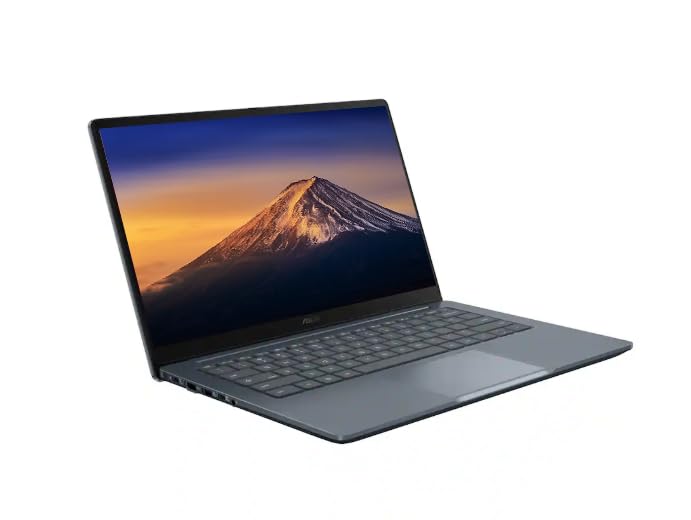 ASUSASUS CX14 Chromebook Laptop for Business & Student, Intel Celeron N50 CPU ASUSASUS CX14 Chromebook Laptop for Business & Student, Intel Celeron N50 CPU |
10.0/10Excellent | 14" FHD IPS 300 nits ASUS CX14 Chromebook Laptop incorporates an Intel Celeron N50 processor, 4GB LPDDR5 RAM, and a bundled 576GB storage package consisting of a 64GB SSD and a 512GB PLUSERA Docking Set, making it the preferable route for budget-conscious business operators who require an anti-glare 300-nit panel and expansive bundled expansion accessories out of the box. View listing |
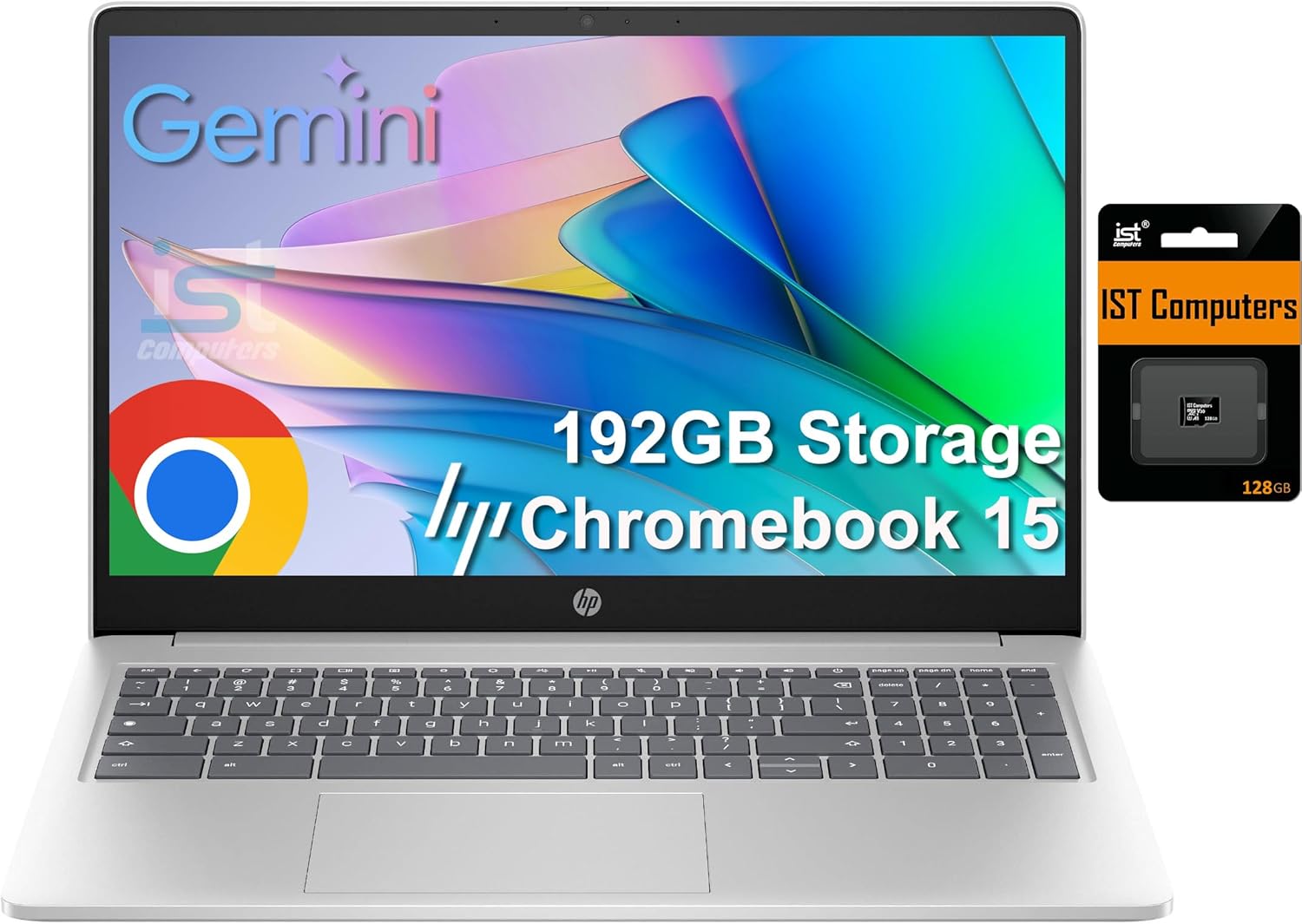
 IST ComputersHP Chromebook 15 15.6" Laptop, Intel N200, 8GB DDR5 RAM, 192GB Storage IST ComputersHP Chromebook 15 15.6" Laptop, Intel N200, 8GB DDR5 RAM, 192GB Storage |
8.8/10Very good | 64GB eMMC HP Chromebook 15 features a larger 15.6-inch anti-glare display, an Intel N200 processor, 8GB of modern DDR5 RAM, a full integrated numeric keypad, a privacy shutter webcam, and 192GB of combined storage via 64GB eMMC and a 128GB SD card, suiting data-entry specialists and home accountants who need dedicated numerical keys and expansive screen workspace. View listing |
Scores are out of 10, based on listed specifications and buyer feedback. Prices are the ones on the listing when this page was written.
FAQ
Does the Acer Chromebook Spin 714 include a fingerprint reader?
No, according to the official product specifications, this configuration does not feature a built-in fingerprint reader. User authentication and system access are managed via standard Chrome OS passcodes, Google account credentials, or connected security keys.
Can the Acer Chromebook Spin 714 drive external desktop monitors?
Yes, the laptop provides extensive video output flexibility. It features a dedicated native HDMI port along with two USB Type-C ports equipped with Thunderbolt 4, allowing users to connect to modern multi-monitor setups, conference room projectors, and desktop docking hubs.
What type of processor is built into this laptop?
The system is powered by a 13th Generation Intel Core i5-1335U processor. This 10-core, 12-thread chip features two Performance cores reaching up to 4.60 GHz, eight Efficient cores operating up to 3.40 GHz, and 12MB of Intel Smart Cache for responsive multitasking.
Is an internal optical disc drive included?
No, the listing specifies that this model has no optical drive. Those who need to read or burn CDs and DVDs will need to connect an external USB optical drive through the USB Type-A port or Thunderbolt 4 USB-C interfaces.
How much does the Acer Chromebook Spin 714 weigh for everyday travel?
The laptop has an official chassis weight of 1.4 kg (approximately 3.09 pounds), making it an easily transportable option for corporate travelers, remote consultants, and mobile professionals carrying briefcases or daypacks.
More Computers & Laptops ratings
See the section
Apple MacBook Air 13-Inch: The No-Nonsense Verdict for Professionals
Executives and traveling specialists seeking a dependable ultrabook frequently evaluate whether investing in a brand-new configuration delivers tangible workplace gains. For mobile operators balancing…

Samsung Galaxy Chromebook Go Review: A Practical Travel Laptop?
Evaluating whether the Samsung Galaxy Chromebook Go makes sense for your travel schedule comes down to matching its lightweight design against your daily software…

Lenovo Legion Pro 5 16: Performance, Specs, and Final Verdict
The Lenovo Legion Pro 5 16 gaming laptop is engineered to bridge demanding office productivity with serious graphical horsepower. Built around the AMD Ryzen…

Apple MacBook Air M5: Executive Buying Guide & Performance Breakdown
If you are evaluating the mac book air 2026 for executive or mobile professional use, the short answer is that the MacBook Air M5…
Buyer favourite Scored 9.0+/10

Acer Nitro 60 Review: Decisive Prebuilt Desktop Analysis
Evaluating a prebuilt desktop requires cutting through marketing noise to examine whether the factory specification genuinely matches your daily computing workload. The Acer Nitro…
Get new ratings by email
A weekly digest of the products added to the ratings pages.