Samsung Galaxy Chromebook Go Review: A Practical Travel Laptop?
Evaluating whether the Samsung Galaxy Chromebook Go makes sense for your travel schedule comes down to matching its lightweight design against your daily software requirements. Built around a streamlined operating environment, this…
By Carla Fletcher 8 min read

Samsung Galaxy Chromebook Go
Samsung
Good
Our score: 8.6/10
Scores are out of 10, based on listed specifications and buyer feedback.
- Specs listed
- 10
- Section
- Computers & Laptops
Check price on Amazon We may earn a commission if you buy through this link.
As Amazon Associates, we earn from qualifying purchases. This means we may receive a small commission at no extra cost to you if you click through and make a purchase.
Evaluating whether the Samsung Galaxy Chromebook Go makes sense for your travel schedule comes down to matching its lightweight design against your daily software requirements. Built around a streamlined operating environment, this 14-inch laptop serves professionals who manage their workloads through web browsers, collaborative documents, and cloud services. If you require a secondary travel machine that turns on immediately and focuses purely on internet connectivity, this silver clamshell provides a straightforward hardware foundation.
In this guide, we analyze the essential capabilities and physical construction of the laptop to determine whether it suits modern workplace routines. We inspect the Samsung Galaxy Chromebook Go specs, wireless standards, battery endurance, and long-term durability metrics stated in the manufacturer documentation. By reviewing these core hardware parameters and weighing them against realistic everyday scenarios, this guide helps you decide if it fits your portable workflow or if you require an upgraded alternative.


What You Get With the Samsung Galaxy Chromebook Go
The standard retail bundle focuses on essential portable computing hardware along with integrated cloud software perks straight from Google and Samsung.
In the box
- Samsung Galaxy Chromebook Go 14-inch clamshell laptop in a silver exterior finish
- Dual-core Intel Celeron N4500 processor with integrated Intel graphics
- 4GB of DDR4 SDRAM system memory
- 64GB solid state drive storage
- Pre-loaded ChromeOS with automatic background backup features
- Front-facing camera for video conferencing and remote calls
- Integrated wireless networking engineered for speeds up to three times faster than prior generations
- A 3-month trial of Google AI Pro featuring 5 TB cloud storage and Gemini integration
- Integrated cross-device sync tools to coordinate files and alerts with your mobile phone
Key Specifications
| Model Number | XE340XDA-KA2US |
|---|---|
| Processor | Intel Celeron N4500 |
| Memory | 4 GB DDR4 SDRAM |
| Internal Storage | 64 GB SSD |
| Display Size | 14 Inches |
| Operating System | Chrome OS |
| Item Weight | 3.2 Pounds |
| Rated Battery Life | Up to 12 Hours |
| Color | Silver |
| Peripherals | Mouse compatible |
All 100 attributes from the listing
| Color | Silver |
|---|---|
| Hard-Drive Size | 64 GB |
| Other Special Features of the Product | Lightweight |
| Graphics Description | Integrated |
| Graphics Coprocessor | Intel Celeron Processor N4500 |
| Hard Disk Description | SSD |
| Item Weight | 3.2 pounds |
| Video Processor | Intel |
| Specific Uses For Product | Student |
| Graphics Card Ram | 4 GB |
| Automatic Backup Software Included | Chrome OS |
| Form Factor | Chromebook |
| Hard Disk Interface | Solid State |
| Voltage | 5 volts |
| Camera Description | Front |
| Graphics Ram Type | DDR4 SDRAM |
| Compatible Devices | Mouse |
| Warranty Type | Limited |
| Item Dimensions L x W x Thickness | 12.88"L x 8.8"W x 0.63"Th |
| Chipset Type | Intel |
| Optical Storage Device | No Optical Drive |
| Power Device | Internal Battery |
| Video Output | HDMI |
| Screen Bezel Thickness | 0.5 inches |
| Number of Drivers | 1 |
| RAM Memory Installed | 4 GB |
| RAM Memory Technology | LPDDR4X |
| Memory Clock Speed | 2.8 GHz |
| Ram Memory Maximum Size | 4 GB |
| Memory Speed | 3200 MHz |
| RAM Type | DDR4 SDRAM |
| Cache Memory Installed Size | 4 MB |
| RAM Size | 4 GB |
| Memory Storage Capacity | 4 GB |
| Compatible Flash Memory Type | microSD |
| Memory Slots Available | 1 |
| Battery Cell Type | Lithium Ion |
| Battery Life | 12 hours |
| Battery Average Life Standby | 12 hours |
| Lithium-Battery Energy Content | 42.3 watt-hours |
| Total Usb Ports | 3 |
| Hardware Interface | Bluetooth, HDMI, MicroSD, Multimedia Card, USB |
| Number of Ports | 3 |
| Total Number of HDMI Ports | 3 |
| Audio Output Type | Headphones, Speakers |
| Speaker Description | This product has built-in speakers for audio output. |
| Microphone Form Factor | 2021-07-15T00:00:00.000Z |
| Audio features | Audio output through built-in speakers and headphones support |
| Processor Series | Celeron N |
| Processor Speed | 1.1 GHz |
| Processor Count | 1 |
| Processor Brand | Intel |
| CPU Model Number | Intel® Celeron® Processor N4500 |
| CPU Model Generation | Tiger Lake |
| CPU Model Speed Maximum | 2.8 GHz |
| CPU Codename | Tiger Lake |
| Brand | Samsung |
| Model Name | XE340XDA-KA2US |
| Model Year | 2025 |
| Model Number | XE340XDA-KA2US |
| Built-In Media | SIM card, keyboard, and mouse |
| Manufacturer | SAMSUNG |
| Series Number | 340 |
| Unit Count | 1 Count |
| UPC | 887276544793 |
| Number of Items | 1 |
| Warranty Description | 1 Year Manufacturer |
| Mfr Part Number | XE340XDA-KA2US |
| Best Sellers Rank | #1,640 in Computers & Accessories (See Top 100 in Computers & Accessories) #145 in Traditional Laptop Computers |
| ASIN | B09S3HNMHF |
| Screen Size | 14 inches |
| Resolution | 720p |
| Native Resolution | 1366 x 768 pixels |
| Display Type | LCD |
| Display Resolution Maximum | 1366×768 pixels |
| Display Technology | LED |
| Display Refresh Rate in Hertz | 60 |
| Maximum Display Brightness | 450 nit |
| Supported Monitor Maximum Quantity | 3 |
| Touch Screen Type | Capacitive |
| Screen Finish | LED |
| Display Maximum Resolution | 1280 x 720 pixels |
| Connectivity Technology | Bluetooth, Wi-Fi |
| Wireless Technology | Wi-Fi |
| Wireless Compability | Bluetooth |
| Cellular Technology | 4G |
| Bluetooth Version | 5.1 |
| LAN Port Bandwidth | 1000 Mbps |
| Wi-Fi Generation | Wi-Fi 6 |
| Human-Interface Input | Touchscreen |
| Keyboard Description | Chiclet |
| Notebook Pointing Device Description | Touchpad with basic functionalities |
| Keyboard Layout | QWERTY |
| Control Method | Touch |
| Touchpad Feature | Basic functionalities |
| Hard Disk Size | 64 GB |
| CPU Model | Celeron N |
| Ram Memory Installed Size | 4 GB |
| Special Feature | Lightweight |
| Graphics Card Description | Integrated |
Figures as published by the manufacturer on the Amazon listing.
Everyday Performance and ChromeOS Efficiency
When assessing the Samsung Galaxy Chromebook Go performance, understanding the baseline hardware helps set proper productivity expectations. Powering the system is an Intel Celeron N4500 processor paired with 4GB of DDR4 SDRAM and integrated Intel graphics. For standard administrative duties such as drafting correspondence in Gmail, building spreadsheets in Google Sheets, and reviewing presentations, this dual-core chip executes actions responsively. ChromeOS maintains a minimal background footprint, allowing the Samsung Galaxy Chromebook Go Celeron N4500 configuration to allocate its cycles directly to your active browser tabs.
Multitasking boundaries do exist on a machine equipped with 4GB of memory. Opening dozens of resource-heavy browser windows alongside background streaming media will reveal processing pauses and tab reloading. Unlike higher-tier performance notebooks such as the samsung galaxy book pro, this device is engineered strictly for light cloud coordination rather than running local developer compilation environments or heavy local workloads. Staying mindful of active tasks keeps navigation smooth and avoids system stutter.
Local storage is handled by a 64GB solid state drive, providing faster read and write speeds than older mechanical disks or standard eMMC configurations. Because ChromeOS emphasizes cloud storage over local installations, this capacity easily accommodates offline documents, downloaded PDFs, and necessary web app caches. As long as your administrative responsibilities center on cloud storage rather than large local media folders, the internal storage footprint remains completely adequate.
Durability and Travel Readiness for Mobile Professionals
For mobile professionals who commute regularly or move between client sites, device resilience is just as vital as processing speed. The Samsung Galaxy Chromebook Go durability is backed by military tough construction principles highlighted in the official product specifications. The chassis is crafted to withstand the bumps, dings, and accidental short drops that happen while slipping a machine in and out of airport security bins or commuter bags.
Weighing in at 3.2 pounds, this model qualifies as a practical Samsung Galaxy Chromebook Go travel laptop that avoids weighing down your briefcase. Its 14-inch footprint strikes an ergonomic balance, offering adequate screen real estate for split-screen document editing without occupying the full depth of an airplane tray table. The slim silver profile also gives it an understated appearance suitable for client conferences, coffee shops, or formal boardrooms without looking out of place.
Physical hardware protections extend to general handling, making it a dependable companion when transitioning between workstations. Mobile users who also carry corporate smartphones like the samsung a 35 will appreciate having a rugged secondary screen that can survive quick vehicle commutes and daily transit abuse. The outer shell repels everyday surface abrasions, maintaining a clean finish through months of active transit.
Battery Longevity and Fast Wi-Fi Performance
Operating unplugged throughout a cross-country flight or an afternoon of meetings requires reliable power delivery. The Samsung Galaxy Chromebook Go battery life is rated for up to 12 hours based on the Google Chrome Power Load Test. In real-world travel settings, battery endurance naturally shifts depending on screen brightness, connected accessories, and video streaming load. However, the energy-efficient processor architecture ensures you can work through typical travel days without constantly hunting for an open wall outlet.
Charging functionality utilizes an all-in-one charging design operating at 5 volts, streamlining your travel carry. Rather than packing proprietary charging bricks with bulky cables, you can maintain power using simple connection cables that match standard mobile device adapters. This unified power approach reduces bag clutter when packing for overnight conferences or cross-city site visits.
Fast network throughput is essential when your entire operating system relies on web connectivity. Equipped with the Samsung Galaxy Chromebook Go Wi-Fi 6 standard, data transfer rates reach up to three times faster than previous generation Wi-Fi protocols. Whether you are downloading large presentations from Google Drive in a crowded airport lounge or joining a remote video conference from a hotel lobby, the enhanced wireless bandwidth maintains solid connection stability.
Operating System Utility and Workplace Productivity
Adopting the Samsung Galaxy Chromebook Go for work requires an operating approach centered on the Google ecosystem. ChromeOS boots in seconds and includes automatic backup software, meaning you never lose document progress even if the battery depletes abruptly. Integrated Google apps including Docs, Sheets, Gmail, and Photos launch instantly, providing direct parity with desktop browser environments.
Samsung also incorporates integrated phone synchronization, allowing your laptop and phone to collaborate smoothly. Users can transfer files between devices wirelessly, check mobile notifications, and reply to messages directly from the laptop screen without picking up their handset. For professionals monitoring corporate communications across multiple channels, this unified interface eliminates unnecessary context switching during meetings.
Productivity is further augmented by a limited-time 3-month trial of Google AI Pro included with the laptop. This promotional offer grants access to advanced Gemini capabilities integrated directly within Gmail and Google Docs, alongside a massive 5 TB cloud storage allocation. For enterprise users looking for top-tier computing power, machines like the samsung galaxy book6 pro offer higher raw performance, but this Chromebook utilizes cloud intelligence to handle routine workplace writing and research tasks effectively.
Samsung Galaxy Chromebook Go Pros and Cons
Pros
- Up to 12 hours of battery life
- Slim and lightweight 3.2-pound chassis
- Military tough durability against drops and dings
- Fast Wi-Fi speeds up to three times faster
- Three months of Google AI Pro with 5TB cloud
Cons
- Limited 4GB RAM for heavy multitasking
- Modest 64GB internal SSD capacity
- Entry-level Intel Celeron N4500 processor
Check Samsung Galaxy Chromebook Go on Amazon
Is the Samsung Galaxy Chromebook Go Worth It
Deciding if the Samsung Galaxy Chromebook Go is worth it depends entirely on your daily computing workflow and mobility expectations. If your daily obligations consist of replying to customer emails, updating spreadsheets, managing web-based customer relationship management portals, and participating in occasional video calls, this machine provides an efficient, no-fuss solution. Its lightweight 3.2-pound chassis, 12-hour battery rating, and rugged exterior make it exceptionally well-suited as a dedicated travel secondary laptop.
Conversely, enterprise users who rely on local software installations, such as native accounting suites, video rendering software, or specialized Windows executable files, will quickly hit the boundaries of ChromeOS. The combination of 4GB RAM and the Intel Celeron N4500 chip is intentionally scoped for single-task focus and cloud efficiency rather than high-performance computation. Demanding business users should not expect this configuration to replace a heavy-duty workstation.
For mobile professionals, field consultants, and remote students who prioritize all-day battery life, snappy wireless connectivity, and stress-free portability, this model delivers reliable utility. It fulfills the core promises of the Chromebook platform: rapid startup, secure cloud computing, and a durable frame that handles everyday transit bumps without hesitation.
Other Options to Consider
| Model | Our score | Why it is here |
|---|---|---|
 SamsungSamsung 14" Galaxy Chromebook Go Laptop PC Computer, Intel Celeron N4500 Processor,…Reviewed here SamsungSamsung 14" Galaxy Chromebook Go Laptop PC Computer, Intel Celeron N4500 Processor,…Reviewed here |
8.6/10Good | The model reviewed on this page. View listing |
 HPHP 14" HD Chromebook Laptop for Students, Intel Quad-Core N4120(> N4020), 4GB… HPHP 14" HD Chromebook Laptop for Students, Intel Quad-Core N4120(> N4020), 4GB… |
8.8/10Very good | HP 14" HD Chromebook Laptop suits users who prioritize longer unplugged sessions, offering up to 14 hours of battery life alongside dedicated HDMI connectivity, USB-A and USB-C ports, and an Intel Quad-Core N4120 processor. View listing |
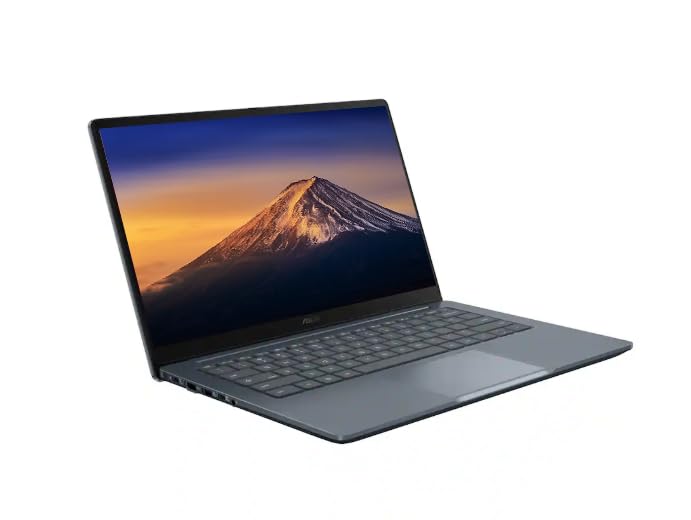 ASUSASUS CX14 Chromebook Laptop for Business & Student, Intel Celeron N50 CPU ASUSASUS CX14 Chromebook Laptop for Business & Student, Intel Celeron N50 CPU |
10.0/10Excellent | 14" FHD IPS 300 nits is better for professionals demanding a brighter 300-nit Full HD visual display and expanded storage, featuring a 576GB total setup via a docking set, 4GB LPDDR5 RAM, and an Intel Celeron N50 processor. View listing |
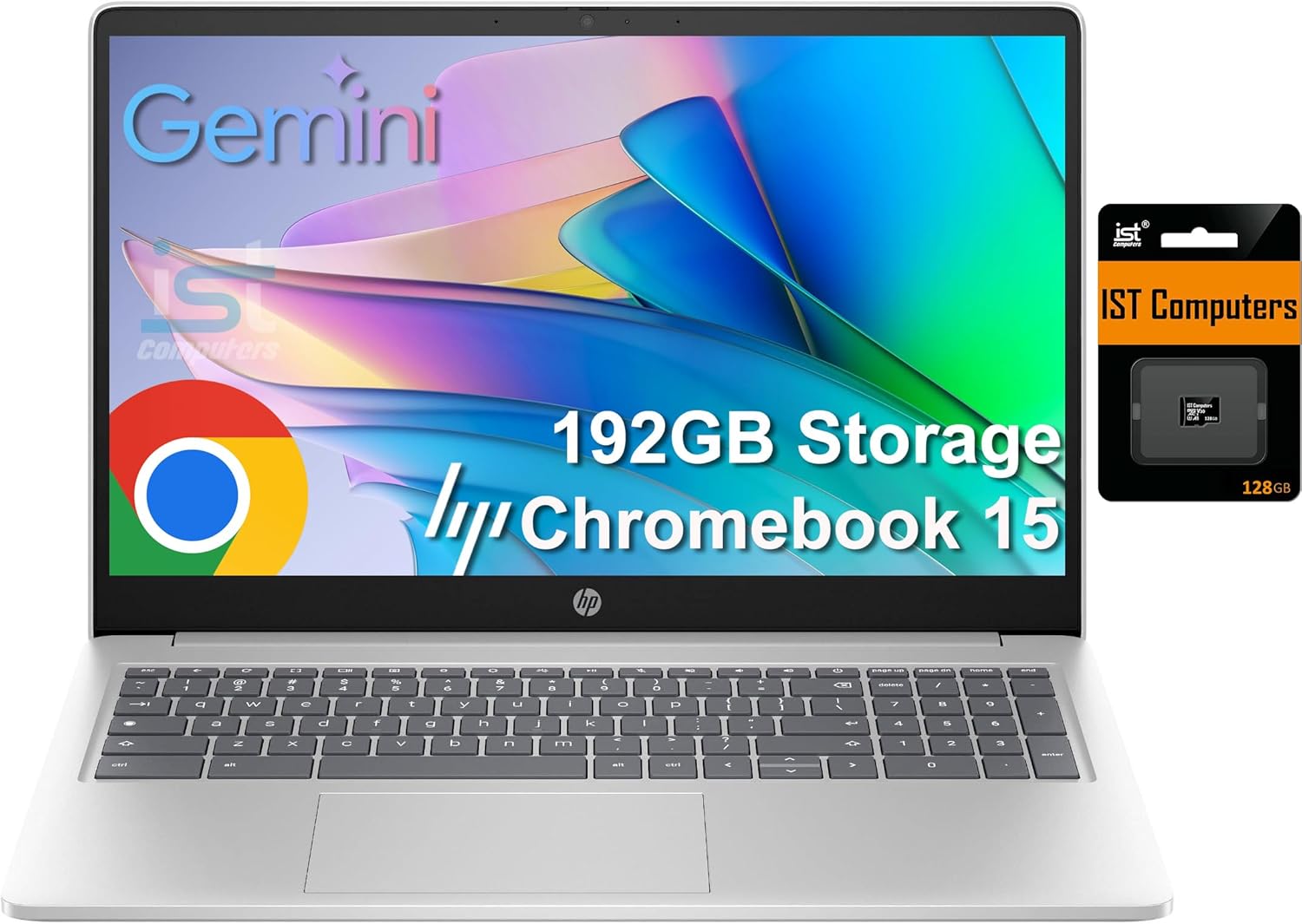
 IST ComputersHP Chromebook 15 15.6" Laptop, Intel N200, 8GB DDR5 RAM, 192GB Storage IST ComputersHP Chromebook 15 15.6" Laptop, Intel N200, 8GB DDR5 RAM, 192GB Storage |
8.8/10Very good | 64GB eMMC suits shoppers needing a larger workspace, delivering a 15.6-inch anti-glare screen with a numeric keypad, webcam privacy shutter, 8GB DDR5 RAM, and an Intel N200 processor. View listing |
Scores are out of 10, based on listed specifications and buyer feedback. Prices are the ones on the listing when this page was written.
FAQ
How long does the battery last on the Samsung Galaxy Chromebook Go during a typical workday?
The listing states a maximum battery life of up to 12 hours based on standard Google Chrome Power Load Test benchmarks. Actual operating time will vary depending on your display brightness level, the number of active browser tabs, and whether you are running video conferencing software.
Does the Samsung Galaxy Chromebook Go support phone integration?
Yes, the laptop features integrated phone coordination tools that allow you to transfer files wirelessly between devices, monitor incoming notifications, and control select phone features directly from the ChromeOS desktop.
Can the internal storage on the Samsung Galaxy Chromebook Go be upgraded?
The laptop comes equipped with a 64GB solid state drive. The listing does not specify whether the internal SSD is user-upgradeable, but the system relies heavily on cloud integration and includes a 3-month trial of Google AI Pro with 5 TB of cloud storage.
Is the Samsung Galaxy Chromebook Go built to withstand physical drops?
The manufacturer specifies military tough craftsmanship designed to endure everyday bumps, dings, and occasional short drops, making it more resilient for commuters and travel bags than standard plastic chassis laptops.
Can you run Windows programs on the Samsung Galaxy Chromebook Go?
No, this computer runs ChromeOS, which relies on web-based applications, Google Workspace services, and cloud tools rather than traditional Windows executable software.
More Computers & Laptops ratings
See the section
Apple MacBook Air 13-Inch: The No-Nonsense Verdict for Professionals
Executives and traveling specialists seeking a dependable ultrabook frequently evaluate whether investing in a brand-new configuration delivers tangible workplace gains. For mobile operators balancing…

Lenovo Legion Pro 5 16: Performance, Specs, and Final Verdict
The Lenovo Legion Pro 5 16 gaming laptop is engineered to bridge demanding office productivity with serious graphical horsepower. Built around the AMD Ryzen…

Apple MacBook Air M5: Executive Buying Guide & Performance Breakdown
If you are evaluating the mac book air 2026 for executive or mobile professional use, the short answer is that the MacBook Air M5…
Buyer favourite Scored 9.0+/10

Acer Nitro 60 Review: Decisive Prebuilt Desktop Analysis
Evaluating a prebuilt desktop requires cutting through marketing noise to examine whether the factory specification genuinely matches your daily computing workload. The Acer Nitro…

Apple MacBook Pro M5 Max (64GB): The Executive Buyer’s Guide
The MacBook Pro 14 M5 Max configured with 64GB of unified memory represents an aggressive computing package designed for professionals facing uncompromising processing hurdles.…
Get new ratings by email
A weekly digest of the products added to the ratings pages.