WD Blue SA510 2TB SSD: The Quick Upgrade for Legacy Workstations
Upgrading aging office machines and personal workstations does not always require a complete system replacement. If you need to revitalize a sluggish desktop or older laptop without spending time configuring modern motherboard…
By Scott Brennan 11 min read

WD Blue SA510 2TB
SanDisk
Very good
Our score: 8.8/10
Scores are out of 10, based on listed specifications and buyer feedback.
- Specs listed
- 10
- Section
- PC Components & Storage
Check price on Amazon We may earn a commission if you buy through this link.
As Amazon Associates, we earn from qualifying purchases. This means we may receive a small commission at no extra cost to you if you click through and make a purchase.
Upgrading aging office machines and personal workstations does not always require a complete system replacement. If you need to revitalize a sluggish desktop or older laptop without spending time configuring modern motherboard standards, the WD Blue SA510 2TB is designed specifically to serve as a high-capacity, drop-in replacement for traditional spinning hard drives or smaller older flash drives. This 2000 GB drive targets business professionals, multimedia editors, freelancers, and general workstation users who need substantial local storage along with snappy operating system response times. If your hardware lacks modern M.2 slots or simply requires secondary mass storage connecting via standard Serial ATA, this drive provides the balance of familiar architecture and solid-state performance.
In this detailed WD Blue SA510 2TB review, we examine whether this drive justifies the investment for workstation refreshes and legacy hardware maintenance. We analyze the performance boundaries imposed by legacy SATA technology, review installation and physical compatibility considerations across desktops and laptops, evaluate the included data migration utilities, and compare the drive directly with alternative storage form factors. By assessing technical parameters, operational demands, and workflow trade-offs, this guide will help you determine if this solid-state upgrade fits your specific computing infrastructure.


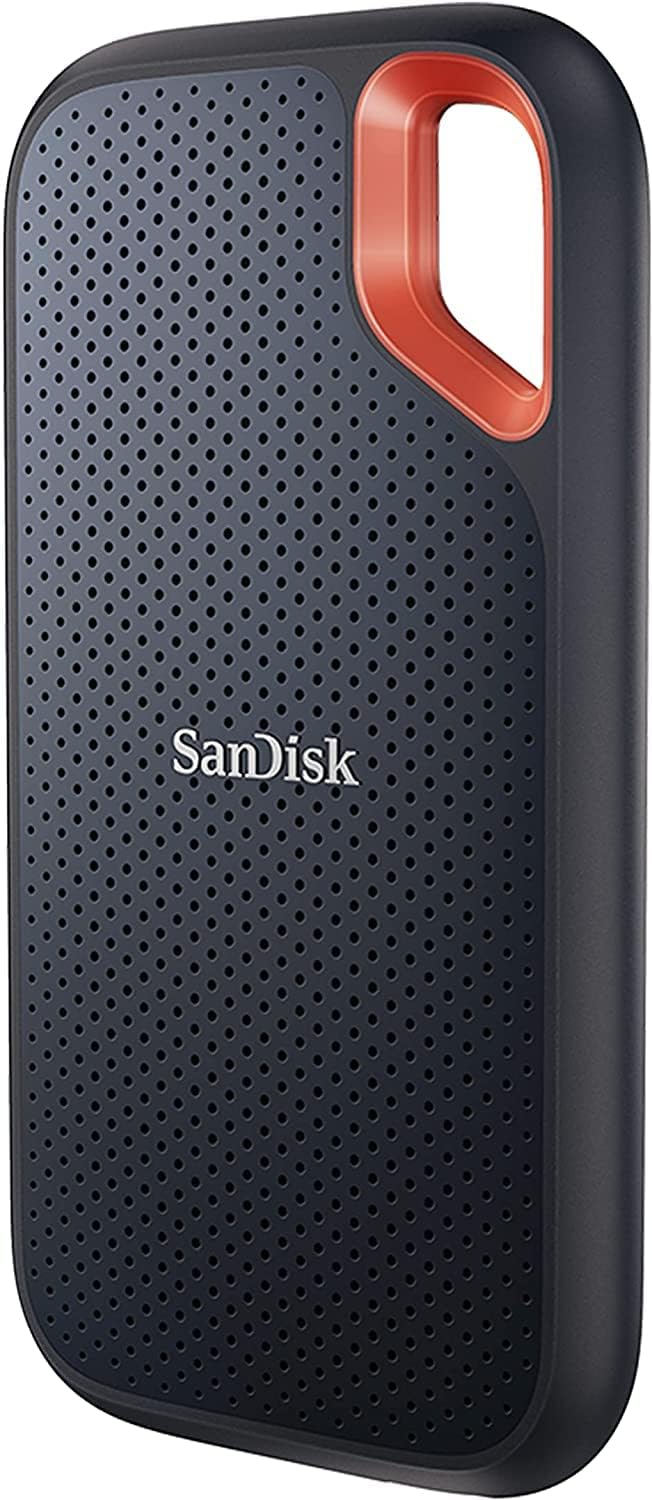

What You Get With the WD Blue SA510 2TB
The Western Digital SA510 2TB package is configured for direct installation into compatible personal computers, laptops, and desktop towers that accommodate 2.5-inch drive bays. Based on the manufacturer listing details, the retail box provides the bare drive along with digital access to bundled software utilities designed to simplify system migration and remote backup management.
In the box
- One 2TB WD Blue SA510 2.5-inch internal solid-state drive (model WDS200T3B0A).
- Serial ATA (SATA III 6 Gb/s) interface offering backwards compatibility with legacy SATA ports.
- Complimentary access to Acronis True Image for Western Digital backup and cyber protection software.
- Promotional access to a Dropbox offer (subject to regional terms and manufacturer availability).
- A lightweight 60-gram physical housing with standard mounting screw placement.
Key Specifications
| Digital Storage Capacity | 2000 GB (2TB) |
|---|---|
| Hardware Interface | SATA III 6 Gb/s (Serial ATA) |
| Form Factor | 2.5-inch / 7mm (listing also references 3.5-inch system sizing) |
| Sequential Read Speed | Up to 560 MB/s |
| Sequential Write Speed | Up to 520 MB/s |
| Cache Memory Installed Size | 500 (as stated in listing specifications) |
| Item Weight | 60 g |
| Item Dimensions | 5.1 inches length x 4.0 inches width x 1.0 inch thickness |
| Compatible Hardware Platforms | PC, Laptop, Desktop |
| Specific Product Uses | Business, Multimedia, Personal |
All 36 attributes from the listing
| Digital Storage Capacity | 2000 GB |
|---|---|
| Hard Disk Interface | Serial ATA |
| Connectivity Technology | SATA |
| Additional Features | Dropbox Offer |
| Hard Disk Form Factor | 3.5 inches |
| Compatible Devices | Laptop, Desktop, PC |
| Specific Uses For Product | Business, Multimedia, Personal |
| Read Speed | 560 megabytes per second |
| Media Speed | 520 megabites per second |
| Cache Memory Installed Size | 500 |
| Data Transfer Rate | 560 megabytes per second |
| Form Factor | 2.5-inch |
| Hardware Connectivity | Solid State Drive |
| Hardware Platform | PC, laptop |
| Hard-Drive Size | 2000 GB |
| Item Weight | 60 g |
| Item Dimensions L x W x Thickness | 5.1"L x 4"W x 1"Th |
| Number of Items | 1 |
| Customer Package Type | Standard Packaging |
| Brand | Western Digital |
| Model Number | WDS200T3B0A |
| Hard Disk Description | Solid State Drive |
| Built-In Media | Internal Solid State Drive |
| Model Name | SA510 |
| Manufacturer | Sandisk Technologies, Inc. |
| Global Trade Identification Number | 00718037884660 |
| UPC | 718037884660 |
| Item Type Name | SSD |
| Mfr Part Number | WDS200T3B0A |
| Warranty Description | 5 year limited warranty |
| Best Sellers Rank | #38 in Internal Solid State Drives |
| ASIN | B0C14TF467 |
| Installation Type | Solid State Drive |
| Color | Blue |
| Enclosure Material | SATA |
| Special Feature | Dropbox Offer |
Figures as published by the manufacturer on the Amazon listing.
Real-World Drive Speeds and Daily Workstation Responsiveness
Examining the official WD Blue SA510 2TB specs reveals sequential read performance rated up to 560 MB/s and sequential write performance reaching up to 520 MB/s. These metrics represent the realistic upper ceiling of the SATA III 6 Gb/s bus, which has an inherent interface bottleneck near 600 MB/s. While modern PCIe NVMe alternatives deliver metrics several times higher, the WD Blue SA510 2TB speed completely outclasses mechanical hard disk drives, which typically struggle to sustain sequential speeds above 120 to 150 MB/s. For everyday operational tasks, this translates directly to operating system boot times that drop from several minutes to just seconds, near-instant application launches, and rapid folder indexing.
In sustained office productivity environments, solid-state access latencies make a far more noticeable difference than maximum sequential transfer ceilings. Deploying the WD Blue SA510 for office PC duties eliminates the disk queue bottlenecks that frequently freeze older systems during background antivirus scans, multi-tab web browsing, or operating system updates. Because solid-state memory accesses data blocks electronically rather than waiting for physical actuator arms and spinning platters, routine business workflows—such as querying local databases, compiling presentations, or loading expansive spreadsheets—remain smooth and consistent.
For multimedia creators, freelancers, and video editors working on older setups, the 2000 GB capacity provides ample room for working project files, raw photo libraries, and operating caches. While high-bitrate multi-stream 4K and 8K workflows will easily exceed the bandwidth limits of a SATA drive, typical 1080p editing, audio multitracking, and batch photo adjustments run reliably from this storage. Those seeking higher sustained transfer speeds in newer motherboards might look at an NVMe solution like the western digital blue family of M.2 drives, but for legacy hardware, this SATA performance is fully maximized.
Workstation Compatibility and Physical Installation Factors
The WD Blue SA510 2.5 inch SSD utilizes a standard 7mm case profile, ensuring wide compatibility across a vast range of legacy personal computing hardware. Laptops manufactured over the past decade that include an internal 2.5-inch SATA drive bay can accept this drive as a direct physical swap. Its compact 60-gram weight also reduces overall system mass compared to mechanical spinning drives, which is a subtle benefit for mobile workers carrying an older business notebook between workstations.
For desktop workstations, the drive mounts into standard 2.5-inch drive sleds, internal brackets, or modular caddies. While the manufacturer specifications mention a 3.5-inch form factor classification alongside its standard 2.5-inch dimensions, the drive itself conforms to 2.5-inch mounting standards. Users installing the drive into older mid-tower or full-tower desktops with dedicated 3.5-inch bays may require a separate 2.5-to-3.5-inch adapter bracket, as the listing does not specify included mounting brackets, screws, or SATA data cables. Verifying that your desktop power supply has an available SATA power connector and that your motherboard has an open SATA data port is a necessary prerequisite before beginning your upgrade.
Because it relies entirely on the universal WD Blue SA510 SATA III standard, the drive delivers complete plug-and-play operation without requiring specialized BIOS configurations, UEFI firmware workarounds, or custom NVMe driver injections. Older motherboards running legacy BIOS modes that cannot boot from newer PCIe storage platforms can seamlessly boot from this SATA drive. Furthermore, the drive remains fully backward compatible with older SATA II (3 Gb/s) and SATA I (1.5 Gb/s) ports, ensuring that even systems dating back more than a decade can take full advantage of solid-state storage, albeit capped at the maximum transfer speed of that legacy port.
Data Migration and Backup Utilities
A major hurdle when revitalizing an established office computer is the prospect of reinstalling the operating system, reapplying user licenses, and reconfiguring specialized business software. To resolve this logistical issue, the drive includes access to Acronis True Image for Western Digital. Acting as dedicated WD Blue SA510 clone software, this application enables users to create an exact replica of their existing mechanical boot drive directly onto the new SSD. Once the clone operation completes, the user simply swaps the physical drives or changes the boot priority in the system setup to resume work immediately with their existing desktop environment, applications, and files intact.
Beyond basic disk cloning, the Acronis utility provides integrated backup and cyber protection capabilities. This allows business users and freelancers to establish scheduled backup routines, protecting crucial business ledgers, client files, and personal records against accidental data corruption or operating system failures. Having an automated, reliable backup image ensures that should an operating system failure occur, system restoration remains straightforward and rapid. The listing notes that Western Digital reserves the right to modify or discontinue this software bundle, and geographical restrictions may apply, so checking availability for your specific location is advisable.
In addition to local disk cloning tools, the package includes an optional Dropbox promotion. For professionals who manage hybrid remote schedules or need to share substantial multimedia deliverables with clients, cloud synchronization provides an extra layer of file redundancy and collaborative accessibility. Pairing local solid-state reliability with cloud integration allows users to streamline their workflow, ensuring that active project files are kept accessible both on their primary local 2000 GB drive and in offsite digital storage.
Operational Efficiency and System Durability
Replacing a mechanical hard drive with a solid-state unit introduces substantial operational benefits beyond raw data speed. Because the drive contains no moving mechanical parts, it operates completely silently. In standard office environments where multiple workstations or external backup drives generate constant motor whine and vibrational hum, transitioning to flash storage creates a quiet, distraction-free computing workspace. The absence of mechanical platters also means the drive is impervious to minor accidental desk bumps, drops, or vibrations that could cause catastrophic head crashes in traditional spinning drives.
Thermal management and power consumption are additional areas where solid-state architecture excels. Traditional hard drives generate constant ambient heat as their spindle motors rotate continuously at 5400 or 7200 RPM, increasing the cooling burden on small desktop cases and laptop chassis. The flash memory design of this drive consumes minimal power when idling and operates with high energy efficiency during read and write cycles. For older laptops, this reduction in internal power draw can translate to reduced fan noise and lower internal operating temperatures, contributing to the extended operational lifespan of legacy internal components.
For organizations maintaining several legacy workstations, deploying 2TB solid-state drives avoids premature hardware decommissioning. Rather than purchasing entire replacement PC units to address employee complaints regarding sluggish software performance, upgrading existing equipment with a reliable SATA drive provides a sustainable, practical refresh cycle. Users looking for larger NVMe-based capacities on newer platforms might evaluate solutions like the wd blue 4tb drive, but within the bounds of standard SATA hardware, this 2TB drive offers an optimal blend of capacity and longevity.
WD Blue SA510 2TB Pros and Cons
Pros
- Generous 2TB capacity for expansive file storage
- Fast sequential read speeds reaching 560 MB/s
- Universal 2.5-inch SATA III form factor compatibility
- Includes Acronis True Image drive cloning software
- Lightweight 60-gram energy-efficient solid-state design
Cons
- SATA III bus limits speeds to 560 MB/s
- Listing does not specify included SATA cables
- Lacks modern PCIe NVMe transfer performance
Check WD Blue SA510 2TB on Amazon
Is the WD Blue SA510 2TB Worth It
Deciding whether the WD Blue SA510 is worth it depends directly on the age, architecture, and intended role of your target computer. If you manage an existing desktop tower or older laptop that relies on an aging mechanical hard drive or a cramped solid-state boot drive, this 2TB model delivers an exceptional performance return on your investment. It eliminates the everyday latency that slows down boot cycles, file indexing, and document handling, extending the practical operating lifespan of legacy hardware without necessitating a complex system overhaul.
For business owners, remote contractors, and office administrators, the inclusion of the Acronis migration software simplifies deployment significantly, allowing for painless drive cloning without costly downtime. The 2000 GB storage pool ensures that local archives, email databases, and business documents can expand over several years without running into space constraints. However, if your workstation is relatively modern and features available M.2 PCIe NVMe slots, investing in a SATA-bound drive will limit your maximum transfer potential to 560 MB/s, whereas modern NVMe hardware provides significantly higher sequential throughput.
In summary, this drive represents a dependable, practical solution specifically tailored for legacy hardware updates, secondary bulk solid-state storage, and everyday office productivity. If your objective is to maximize the utility of existing computer assets with a straightforward, reliable SATA III upgrade, this drive delivers exactly what is required.
Other Options to Consider
| Model | Our score | Why it is here |
|---|---|---|
 SanDiskWestern Digital 2TB WD Blue SA510 SATA Internal Solid State Drive SSD…Reviewed here |
8.8/10Very good | The model reviewed on this page. View listing |
 SamsungSamsung SSD 990 PRO 2TB, PCIe 4.0 M.2 2280, Up to 7,450… |
8.4/10Good | NVMe Internal Solid State Hard: This Samsung SSD 990 PRO 2TB is a PCIe 4.0 M.2 2280 drive engineered for high-end computing, gaming, and heavy-duty workstations, capable of reaching sequential speeds up to 7,450 MB/s. It suits professionals building modern desktop rigs or working on motherboards with active PCIe 4.0 M.2 slots who require extreme transfer bandwidth for heavy computational tasks far beyond the capabilities of legacy SATA interfaces. Readers comparing modern drive classes can also evaluate our breakdown of the samsung 970 evo plus for additional M.2 context. View listing |
 SanDiskSandisk 2TB Extreme Portable SSD, Up to 1050MB/s, USB-C, USB 3.2 Gen… |
9.2/10Very good | Sandisk 2TB Extreme Portable SSD: Featuring speeds up to 1050 MB/s, USB-C and USB 3.2 Gen 2 connectivity, IP65 water and dust resistance, and updated firmware, this external solid-state drive is designed for mobile professionals who require high-speed, rugged storage on the go. It suits photographers, videographers, and field workers who need durable portable storage that transfers between multiple computers rather than an internal workstation drive. View listing |
 Fanxiang256GB External SSD USB Drive, 520MB/s USB-C & USB-A Portable SSD -F901 |
9.2/10Very good | Zinc Alloy: This 256GB external solid-state USB drive features dual USB-C and USB-A connectivity, transfer speeds up to 520 MB/s, and broad compatibility spanning iPhone 15/16/17 Pro models, Android devices, PCs, Macs, and tablets. It is best suited for mobile users seeking a compact, pocket-sized flash drive for quick cross-device file sharing and smartphone backups rather than permanent high-capacity PC workstation storage. View listing |
Scores are out of 10, based on listed specifications and buyer feedback. Prices are the ones on the listing when this page was written.
FAQ
Can the WD Blue SA510 2TB replace a traditional 3.5-inch mechanical desktop drive?
Yes. The drive uses the standard SATA interface found on desktop motherboards and power supplies. However, because it is a 2.5-inch form factor, you may need a 2.5-inch to 3.5-inch mounting bracket to secure it inside a traditional 3.5-inch desktop drive bay, as the listing does not specify included mounting adapters or screws.
Does the WD Blue SA510 2TB require separate cloning software to transfer my existing system?
The drive includes access to Acronis True Image for Western Digital, which provides backup, cyber protection, and disk cloning tools. This allows you to clone your current operating system, software installations, and personal files directly from your old drive without needing to purchase third-party migration utilities.
Will the WD Blue SA510 work with older SATA II computers?
Yes. SATA technology is backward compatible. When connected to a legacy SATA II (3 Gb/s) motherboard, the drive will function reliably, though its maximum sequential throughput will be capped by the bandwidth limit of the SATA II bus (approximately 280 to 300 MB/s) rather than its top 560 MB/s speed.
Is the WD Blue SA510 2TB suitable for gaming and multimedia editing?
The drive provides 2000 GB of storage and up to 560 MB/s read speeds, making it a great secondary game storage drive or multimedia repository that drastically outperforms mechanical hard drives. However, systems designed for high-end modern gaming or heavy 4K/8K video production will benefit more from high-speed M.2 NVMe solid-state storage.
Does the drive include SATA data cables or mounting screws in the box?
The manufacturer listing does not specify included SATA data cables, power adapters, or mounting screws. The package includes the internal solid-state drive itself, so you will need to utilize existing cables within your computer or obtain standard SATA cabling separately.
More PC Components & Storage ratings
See the section
Gigabyte AERO X16 Review: Efficient AI Power for Creative Pros
Creative professionals requiring portable rendering power face a difficult balance between bulky workstation hardware and undersized ultrabooks. The Gigabyte AERO X16 targets this exact…

WD_Black SN850X 8TB SSD Review: High-Capacity Gen4 Storage
Demanding creative workflows, deep data science environments, and expansive local gaming libraries have pushed storage demands well past conventional boundaries. High-throughput PCIe Gen4 solid-state…

Lenovo IdeaPad Slim 3 Ryzen 7 5825U Review: Decisive Office Workhorse
For busy professionals managing complex data sheets, dense browser sessions, and continuous video meetings, selecting the right mobile processor determines daily office efficiency. The…

MSI RTX 5070 Ti Gaming Trio OC: Essential Buyer’s Guide
If you are upgrading your desktop PC for competitive frame rates and heavy creative applications, the MSI RTX 5070 Ti Gaming Trio OC is…

Silicon Power PX10 Review: Reliable High-Speed Portable Storage
Finding an external drive that delivers rapid transfer performance without adding excessive weight to a travel bag is a primary concern for mobile workers.…
Get new ratings by email
A weekly digest of the products added to the ratings pages.