TerraMaster F8 SSD Plus: High-Speed NVMe Storage for Pros
Evaluating storage hardware for modern creative setups often comes down to balancing acoustic footprint, physical dimensions, and transfer bandwidth. The TerraMaster F8 SSD Plus targets this exact intersection by replacing mechanical hard…
By Scott Brennan 9 min read

TerraMaster F8 SSD Plus
Terra Master
Good
Our score: 8.4/10
Scores are out of 10, based on listed specifications and buyer feedback.
- Specs listed
- 11
- Section
- PC Components & Storage
Check price on Amazon We may earn a commission if you buy through this link.
As Amazon Associates, we earn from qualifying purchases. This means we may receive a small commission at no extra cost to you if you click through and make a purchase.
Evaluating storage hardware for modern creative setups often comes down to balancing acoustic footprint, physical dimensions, and transfer bandwidth. The TerraMaster F8 SSD Plus targets this exact intersection by replacing mechanical hard drives with an eight-bay solid-state configuration. For creative professionals, boutique post-production studios, and remote operators seeking a silent desktop nas that fits directly on an active workstation without generating physical drive vibration or low-frequency hum, this unit establishes a dedicated hardware baseline. Equipped with an Intel Core i3-N305 processor, 16GB of DDR5 memory, and native 10Gbps Ethernet networking, it serves as a high-density hub for local synchronization, direct project pooling, and low-latency storage access.
Whether you are investigating this terramaster 8 bay nvme nas for collaborative timeline workflows or evaluating its business backup capabilities, understanding the balance between compact flash hardware and sustained cooling performance is critical. This comprehensive terramaster f8 ssd plus review analyzes what the enclosure delivers in daily office production, examines networking expectations, breaks down thermal and acoustic features, and compares it against alternative desktop enclosures to determine if it is the right hardware choice for your storage setup.


What You Get With the TerraMaster F8 SSD Plus
The retail package provides an all-in-one flash storage enclosure platform designed for immediate deployment once user-supplied solid-state drives are installed, as the enclosure ships diskless. Built specifically for tight physical environments and silent workspaces, the box includes the essential structural hardware and thermal components required to maintain stable operation across multiple high-speed storage channels.
In the box
- TerraMaster F8 SSD Plus diskless palm-sized storage enclosure
- Eight individual SSD heat sinks designed for component thermal dissipation
- Integrated 10Gbps Ethernet networking interface
- Pre-installed 16GB DDR5 4800MHz system memory module
- Intel Core i3-N305 8-core, 8-thread processing unit with UHD Graphics
- Active convection cooling assembly featuring quiet internal fans
- TerraMaster Business Backup Suite software integration
- Manufacturer two-year warranty coverage documentation
Key Specifications
Reviewing the underlying terramaster f8 ssd plus specs highlights how the device balances processing capability, high-speed networking, and multi-bay flash capacity within an ultra-small tabletop footprint.
| Processor Model | Intel Core i3-N305 8-Core, 8-Thread (up to 3.4GHz) with UHD Graphics |
|---|---|
| System Memory | 16GB DDR5 4800MHz |
| Drive Bays | 8-Bay Solid-State Drive Slots (Diskless) |
| Network Connectivity | 1x 10Gbps Ethernet (10GbE) Port |
| Maximum Storage Volume | Up to 64 TB Total Storage Volume |
| Cooling Architecture | Convection Active Cooling with Silent Fans and 8 SSD Heat Sinks |
| Physical Dimensions | 2.4 inches Deep x 5.5 inches Wide x 6.9 inches High |
| Enclosure Weight | 0.6 kg (Tabletop Form Factor) |
| Chassis Material | Black Plastic |
| Platform Compatibility | Windows, Mac, Linux, Android, iOS |
| Manufacturer Warranty | 2 Years |
All 20 attributes from the listing
| Brand | TERRAMASTER |
|---|---|
| Number of Items | 1 |
| Manufacturer | TERRAMASTER |
| Item Highlight | 10GbE Port, All SSD NAS, 8 Heat Sinks Included, Palm-Sized Network Attached Storage Peak Performance (Diskless) |
| Global Trade Identification Number | 06939236145770 |
| Model Number | F8 SSD Plus |
| Mfr Part Number | F8 SSD Plus |
| Warranty Description | 2 Years |
| Best Sellers Rank | #34 in Network Attached Storage (NAS) Enclosures |
| ASIN | B0D9HWLDX5 |
| Item Dimensions D x W x H | 2.4"D x 5.5"W x 6.9"H |
| Size | 2.4 inches x 5.5 inches x 6.9 inches |
| Item Weight | 0.6 kg |
| Storage Volume | 64 TB |
| Compatible Devices | Android, Linux, Mac, Windows, iOS |
| Mounting Type | Tabletop |
| Color | Black |
| Enclosure Material | Plastic |
| Product Dimensions | 2.4"D x 5.5"W x 6.9"H |
| Material | Plastic |
Figures as published by the manufacturer on the Amazon listing.
Silent Desktop Operation and Thermal Management
A primary friction point when operating network attached storage on an active desk is acoustic disturbance. Traditional desktop enclosures rely on spinning mechanical platters that generate persistent mechanical clicks, spindle hum, and resonance through wooden furniture. Because the TerraMaster F8 SSD Plus uses an entirely solid-state drive architecture, it eliminates mechanical movement entirely. This makes it an exceptionally quiet device suited for shared open offices, podcasting workstations, video editing suites, and home workspaces where intrusive background chatter ruins focus.
Operating up to eight high-performance solid-state drives inside a palm-sized housing introduces thermal density challenges. High-speed solid-state drives generate substantial heat during continuous read and write cycles, which can cause thermal throttling if unmitigated. TerraMaster addresses this through an active convection cooling layout paired with silent internal fans. Additionally, the manufacturer includes eight individual SSD heat sinks in the box, ensuring that each installed stick maintains direct contact with a dedicated thermal spreader. When installing performance storage such as a crucial p3 plus 1tb nvme m.2 ssd across the internal array, this multi-faceted cooling configuration helps dissipate heat outward without forcing the internal cooling fans to run at deafening speeds.
The compact black plastic enclosure is engineered to encourage passive convection airflow from the base through the upper exhaust channels. While plastic construction does not conduct ambient heat in the same manner as heavy aluminum unibody designs, it serves to dampen motor vibration from the internal fans. The resulting acoustic profile stays minimal under standard operating conditions, ensuring that your storage infrastructure remains unobtrusive even when placed directly beside your display monitor.
10GbE Networking and Workflow Throughput
For modern media creators and data professionals, bandwidth bottlenecks on local networks remain a constant obstacle. Standard gigabit and even 2.5GbE connections severely limit the utility of fast storage arrays, capping file movement well below the native speed of flash storage. The inclusion of a 10Gbps Ethernet port on this all flash nas 10gbe hardware provides the data pipe necessary to capitalize on multi-drive flash arrays, allowing multiple gigabits of bandwidth to flow directly between your client workstation and the internal storage volume.
This high-bandwidth configuration positions the terramaster f8 ssd plus for video editing workflows where timeline scrubbing, multi-stream 4K playback, and large project asset caching require rapid data delivery. When populated with reliable media such as a samsung 970 evo plus array, the unit eliminates the seek-time lag that plagues traditional spinning drives. Video editors and colorists can host media libraries and scratch disks centrally across the network without experiencing the frame drops or scrubbing pauses common to mechanical storage setups.
Sustained terramaster f8 ssd plus performance is further reinforced by the onboard compute platform. Driven by an Intel Core i3-N305 8-core, 8-thread processor capable of turbo boosting up to 3.4GHz, alongside 16GB of rapid DDR5 4800MHz memory, the system handles heavy file transfers, parity calculations, and concurrent user requests simultaneously. The integrated Intel UHD Graphics silicon also accelerates multimedia processing, ensuring the operating system executes background maintenance and thumbnail indexing without stalling network file transactions.
Compact Footprint and Workspace Portability
Space efficiency is a defining design consideration for this enclosure. Measuring just 2.4 inches deep, 5.5 inches wide, and 6.9 inches high, the unit occupies an area comparable to a paperback book. With a net weight of approximately 0.6 kg, the enclosure weighs no more than two mobile phones. This represents a drastic departure from traditional multi-bay desktop towers, which frequently demand substantial desk real estate or dedicated server rack shelving.
The small footprint allows operators to place the enclosure in locations where standard storage equipment simply cannot fit. Whether positioned vertically behind a desk monitor, nestled into a crowded bookshelf, or hidden inside a media cabinet, it integrates cleanly into minimalistic office designs. For traveling production crews, DIT specialists, and remote consultants, the lightweight form factor allows the system to be packed into a gear bag or field Pelican case, establishing an instant high-density 64 TB storage repository at temporary client locations.
Despite its minimal dimensions, the unit does not sacrifice expansion capacity within its flash domain. Providing eight full solid-state drive slots within a chassis that fits in the palm of your hand represents an exceptional density achievement. The tabletop mounting design keeps cable routing neat, making power and 10GbE network attachment straightforward without requiring cumbersome bracket assemblies or specialized mounting rails.
Business Backup Architecture and Data Redundancy
Data integrity is paramount for commercial environments, and hardware speed means little if an enclosure lacks robust automated protection mechanisms. The system comes equipped with the TerraMaster Business Backup Suite, an integrated software ecosystem built to centralize organizational continuity. This suite incorporates tools such as Centralized Backup for aggregating workstation images, TerraSync for continuous bidirectional folder synchronization, Duple Backup for off-site disaster recovery routines, and CloudSync for automated off-site cloud repository mirroring.
Operating system versatility ensures seamless integration into heterogeneous IT environments. The platform offers dedicated client support across Windows, Mac, Linux, Android, and iOS devices. Creative professionals utilizing mixed environments can map network shares easily while the background system maintains automated snapshotting and file versioning. Installing high-end components such as a samsung evo plus 1tb within designated backup pools allows rapid differential backups to finish in moments, eliminating midday productivity interruptions during automated sync schedules.
Configuring data redundancy across eight flash bays provides flexible storage pool options. Users can allocate drives into various redundancy configurations depending on whether their priority is maximum raw throughput or robust parity protection against individual drive failure. Given that the unit supports up to 64 TB of total storage volume across its eight slots, small studios can easily partition volumes into isolated project spaces, administrative backup archives, and shared collaborative scratch repositories.
TerraMaster F8 SSD Plus Pros and Cons
Pros
- High-speed 10GbE network connectivity
- Compact palm-sized tabletop form factor
- Intel Core i3-N305 8-core processor
- 16GB DDR5 4800MHz system memory
- Eight SSD bays with dedicated heat sinks
- Comprehensive Business Backup Suite software
Cons
- Requires separate solid-state drive purchases
- Plastic enclosure construction
- Lacks traditional 3.5-inch drive capacity
Check TerraMaster F8 SSD Plus on Amazon
Is the TerraMaster F8 SSD Plus Worth It
Answering whether this hardware is the right investment requires looking closely at your performance requirements and acoustic tolerance. If you are an independent creator, boutique creative agency, or professional who demands absolute silence and high-speed 10Gbps connectivity directly on your desk, this unit delivers exceptional value. Its combination of an eight-core processor, modern DDR5 memory, palm-sized chassis, and eight flash bays addresses the exact pain points that make traditional enterprise storage impractical for desktop workstations.
However, the value proposition changes if your primary objective is low-cost, high-capacity cold archiving. Because this system is an all-SSD enclosure, populating it with multi-terabyte flash media requires a significantly higher storage investment per gigabyte than purchasing bulk 3.5-inch mechanical hard drives. Buyers who only need to store vast libraries of infrequently accessed files over standard 1GbE connections will find traditional multi-bay spinning-disk towers far more economical for raw volume capacity.
Ultimately, for power users who require rapid real-time editing speeds, minimal latency, silent continuous operation, and comprehensive local backup tools in an ultra-portable profile, the core i3 n305 nas architecture makes the investment easily justifiable. It bridges the gap between bulky, noisy network appliances and high-speed local workstation storage.
Other Options to Consider
| Model | Our score | Why it is here |
|---|---|---|
 TerraMasterTERRAMASTER F8 SSD Plus NAS 8Bay Intel Core i3 8-Core, 16GB DDR5…Reviewed here TerraMasterTERRAMASTER F8 SSD Plus NAS 8Bay Intel Core i3 8-Core, 16GB DDR5…Reviewed here |
8.4/10Good | The model reviewed on this page. View listing |
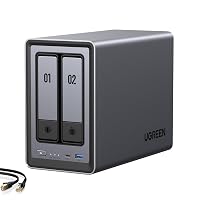 UgreenUGREEN NAS DXP2800 2-Bay for Advanced Home Users, Remote Workers & Creators UgreenUGREEN NAS DXP2800 2-Bay for Advanced Home Users, Remote Workers & Creators |
9.0/10Very good | Home Media & Data Center is a 2-bay hybrid desktop NAS powered by an Intel N100 processor with 8GB DDR5 memory, 2.5GbE networking, two M.2 NVMe slots, and a 4K HDMI output, making it a better option for home users and remote workers who want traditional 3.5-inch drive capacity alongside media center capabilities rather than an eight-bay all-flash architecture. View listing |
 YxkYxk Zero1 2-Bay Desktop NAS for Home & Personal Storage(Diskless) YxkYxk Zero1 2-Bay Desktop NAS for Home & Personal Storage(Diskless) |
8.8/10Very good | Docker Support is a 2-bay desktop NAS featuring 4GB of RAM, 2.5GbE networking, phone backup tools, private cloud sharing, and 4K HDMI output, suiting personal storage users who need entry-level container hosting and simple file sharing rather than high-density 10GbE flash performance. View listing |
 UgreenUGREEN NAS DXP6800 Ultra 6-Bay for Teams, Small Businesses File Server UgreenUGREEN NAS DXP6800 Ultra 6-Bay for Teams, Small Businesses File Server |
8.2/10Good | Intel 120U 10-Core CPU is a heavy-duty 6-bay storage server featuring an Intel 120U 10-core processor, dual 10GbE network interfaces, dual Thunderbolt 4 ports, an 8K HDMI port, and two M.2 NVMe slots, making it preferable for larger studio teams and businesses that require expansive 3.5-inch drive arrays combined with ultra-fast Thunderbolt direct connectivity. View listing |
Scores are out of 10, based on listed specifications and buyer feedback. Prices are the ones on the listing when this page was written.
FAQ
Does the TerraMaster F8 SSD Plus include solid-state drives in the box?
No, the unit ships in a diskless state. Users must purchase their own solid-state drives separately to populate the internal bays. However, the package does include eight individual heat sinks to ensure proper cooling for the drives you install.
What processor and memory configuration does the enclosure use?
The system is powered by an Intel Core i3-N305 processor featuring 8 cores and 8 threads with a turbo frequency reaching up to 3.4GHz, accompanied by integrated Intel UHD Graphics. It comes equipped with 16GB of high-speed DDR5 4800MHz memory.
How does the cooling system handle heat across eight SSDs?
The unit utilizes an active convection cooling design that pairs quiet internal cooling fans with eight dedicated SSD heat sinks. This design pulls air through the chassis and dissipates heat from the solid-state drives to prevent performance throttling during sustained file transfers.
What operating systems can access the network attached storage?
The enclosure provides multi-platform compatibility, supporting connections and file sharing across Windows, Mac, Linux, Android, and iOS devices. It also integrates with the TerraMaster Business Backup Suite for cross-platform data synchronization.
Can the TerraMaster F8 SSD Plus be used directly for video editing workflows?
Yes, the combination of an all-flash drive configuration and a 10Gbps Ethernet network port provides the necessary bandwidth and rapid random access speeds required for responsive video editing, timeline scrubbing, and multi-stream media playback without mechanical drive latency.
More PC Components & Storage ratings
See the section
ASUS ROG Strix RTX 4070 Super: Definitive Performance Breakdown
Choosing the right GPU for an intensive workstation requires balancing raw compute capability, sustained thermal headroom, and acoustic isolation under heavy render loads. The…

MSI Z270 Gaming M7 Motherboard: Full Feature & Performance Breakdown
Replacing a defective motherboard in an operational workstation or gaming system often forces an expensive decision between a full hardware overhaul and finding a…
AMD Ryzen 5 5600 Desktop Processor: The Pragmatic AM4 Upgrade
If you need a dependable, high-efficiency processor to upgrade an aging desktop, the AMD Ryzen 5 5600 is an exceptional choice for modern multitasking…
Buyer favourite Scored 9.0+/10

Kingston Canvas Go! Plus 256GB microSDXC: A Fast, Reliable Field Storage Solution
For creators capturing high-bitrate aerial footage, action photography, and handheld gaming libraries, finding reliable storage that prevents dropped frames without overspending on unnecessary cinema…

MSI MAG B860 Tomahawk WiFi: The Pragmatic LGA 1851 Motherboard
For system builders and technical professionals deploying Arrow Lake desktop systems, choosing an intel b860 lga 1851 motherboard represents a calculated decision to bypass…
Get new ratings by email
A weekly digest of the products added to the ratings pages.