Roto VR Explorer Motion Chair: Complete Professional Assessment
When planning a high-end simulation or virtual reality workstation, choosing between static office seating and active motion hardware comes down to how severely disorientation limits your time inside a headset. Virtual reality…
By Nicole Bellamy 8 min read

Roto VR Explorer
RotoVR
Poor
3.2 out of 5
Average of 52 Amazon buyer ratings — not a score from testing of our own
- Ratings counted
- 52
- Specs listed
- 10
- Section
- Office & Furniture
Check price on Amazon We may earn a commission if you buy through this link.
How buyers rated it
Share of 52 Amazon ratings.
As Amazon Associates, we earn from qualifying purchases. This means we may receive a small commission at no extra cost to you if you click through and make a purchase.
When planning a high-end simulation or virtual reality workstation, choosing between static office seating and active motion hardware comes down to how severely disorientation limits your time inside a headset. Virtual reality delivers unmatched visual depth, but navigating virtual environments while sitting stationary often causes severe sensory discomfort. In this roto vr gaming chair review, we evaluate whether the Roto VR Explorer solves this longstanding issue through automated motorized tracking, and whether its footprint warrants dedicated square footage in your home office or commercial workspace.
Engineered as an active motorized vr chair, the unit synchronizes physical rotation with head orientation to keep your vestibular system aligned with visual movement. The following analysis breaks down the essential roto vr explorer specs, evaluates the responsiveness of its look-and-turn system, examines headset compatibility across standalone and PC platforms, and outlines ergonomic considerations for extended sitting. We also evaluate the trade-offs regarding room clearance and modular peripherals to help you decide if this interactive seat fits your specific setup.


What You Get With the Roto VR Explorer
The Roto VR Explorer package contains the essential hardware required to establish an automated, 360-degree seated motion platform. Out of the shipping carton, you receive the primary motorized base, seating assembly, and dedicated tracking components:
In the box
- Roto VR Explorer chair assembly with motorized 360-degree base
- Dedicated Head Tracker unit for look-and-turn navigation
- Central Cable Magazine designed to prevent cord tangling during continuous rotation
- Dedicated power adapter for motorized movement and internal electronics
- Integrated full-body haptic feedback transducer system
- Ergonomic foam seat cushioning featuring an adjustable height mechanism
- Modular attachment chassis designed to accept optional flight and racing controller mounts
Key Specifications
| Brand | Roto (RotoVR) |
|---|---|
| Model Name | Roto VR Explorer Gaming Chair |
| Model Number | RVR-20 |
| Motion Capability | Motorized 360-Degree Physical Rotation |
| Tracking Method | Patented Look & Turn Head Tracker |
| Haptic Feedback | Integrated Full-Body Tactile Transducers |
| Frame Construction | Alloy Steel and Metal |
| Upholstery and Padding | Ergonomic Foam Seat and Backrest |
| Target Audience | Adult (Indoor Usage) |
| Primary Applications | VR Gaming, Enterprise Training, Architectural Visualization |
All 41 attributes from the listing
| Brand Name | Roto |
|---|---|
| Additional Features | Adjustable Height, Motorized |
| Unit Count | 1 Count |
| Recommended Uses For Product | VR Gaming |
| Age Range Description | Adult |
| Included Components | Cable Magazine, Head Tracker, Power Adapter, Roto VR Explorer Chair |
| Model Name | Roto VR Explorer Gaming Chair |
| Indoor Outdoor Usage | Indoor |
| Model Number | RVR-20 |
| Number of Packs | 1 |
| Manufacturer | Roto |
| Manufacturer Part Number | RVR-20 |
| Number of Items | 1 |
| Best Sellers Rank | #2,418,538 in Home & Kitchen (See Top 100 in Home & Kitchen) #890 in Video Game Chairs |
| ASIN | B0DJGXFT2B |
| Customer Reviews | 3.2 3.2 out of 5 stars (52) 3.2 out of 5 stars |
| Material Type | Alloy Steel |
| Frame Material Type | Metal |
| Seat Material | Foam |
| Fill Material | Foam |
| Color | Black |
| Back Style | Ladder Back |
| Style Name | Modern |
| Pattern | Solid |
| Theme | Video Game |
| Shape | Round |
| Arm Style | Armless |
| Leg Style | Straight Leg |
| Form Factor | Recliner |
| Item Dimensions D x W x H | 30"D x 30"W x 34.84"H |
| Size | 30 inches x 30 inches x 34.84 inches |
| Item Weight | 30 kg |
| Seat Depth | 33.07 inches |
| Item Depth | 30 inches |
| Item Dimensions | 30 x 30 x 34.84 inches |
| Reclining Position Count | 1 |
| Maximum Weight Recommendation | 30 kg |
| Assembly Instructions Description | Assembly required. Instructions provided with the product. |
| Brand | Roto |
| Material | Alloy Steel |
| Product Dimensions | 30"D x 30"W x 34.84"H |
Figures as published by the manufacturer on the Amazon listing.
How Motorized Rotation Tackles Motion Sickness
Simulator sickness presents a persistent challenge in immersive entertainment and training. When your eyes register rotational yaw in a headset while the fluid inside your inner ear remains stationary, the resulting vestibular mismatch triggers disorientation, sweating, and nausea. The Explorer addresses this fundamental biological conflict by physically rotating your body to mirror your in-game heading. By providing real physical acceleration during directional changes, the motorized platform significantly reduces roto vr motion sickness, enabling comfortable navigation through virtual environments that previously caused fatigue.
Central to this experience is the patented roto vr look and turn tracking system. Rather than relying on thumbstick rotation, which disconnects head orientation from bodily posture, the included sensor tracks head motion and commands the motorized base to pivot automatically. Looking toward a target causes the chair to rotate you into alignment, creating an intuitive control loop. While standard office options like the herman miller x logitech chair provide static posture support during conventional computing, they cannot supply the dynamic physical rotation needed to resolve vestibular mismatch in room-scale VR.
The chair also allows users to adjust rotation speeds and motion responsiveness to match individual comfort thresholds. Beginners or those participating in slow-paced virtual tourism and educational walkthroughs can set gentle rotational speeds, while simulator pilots can increase responsiveness for rapid directional tracking. This customizability helps users acclimate to seated movement without experiencing abrupt mechanical shifts.
Headset Compatibility and Room Setup
Hardware versatility is a key strength of the platform, as the roto vr explorer compatibility list spans both tethered and standalone devices. The motorized base and tracking module function across Meta hardware, establishing the platform as a capable roto vr chair for quest 3 users alongside older Oculus configurations. In addition, the listing specifies support for Pico headsets, HTC Vive hardware, and spatial computing headsets like the Apple Vision Pro, making the seat adaptable across multiple entertainment and enterprise software ecosystems.
Completing the physical roto vr explorer setup requires careful management of cables and room space. While untethered headsets like the Quest series operate without external wiring concerns, tethered PC VR setups have traditionally risked cord wrapping during continuous rotation. The Roto system addresses this using an integrated Cable Magazine that routes cords through the center of the rotating axis, allowing continuous 360-degree rotation without tangling. Setup entails securing the head tracker to your headset, connecting the central power adapter, and ensuring the rotating perimeter remains clear of obstacles.
Beyond home entertainment, the setup serves professional facilities running high-turnover simulations. Enterprises conducting architectural walkthroughs, medical training, or spatial visualization can offer a standardized swivel experience that does not require users to stand up or manually walk through an open room. By keeping the participant seated while preserving 360-degree freedom, the chair keeps users safely anchored throughout the session.
Ergonomics, Full-Body Haptics, and Office Footprint
The structural foundation of the Explorer consists of an alloy steel and metal chassis engineered to withstand motorized torque and repeated rotation. Dense foam padding across the seat cushion and backrest provides reliable ergonomic support for adult occupants during lengthy simulation runs. An integrated seat height adjustment mechanism allows users to position their legs comfortably relative to pedals or foot rests. Unlike agile task seating such as the respawn 110 pro, which relies on lightweight caster bases for quick repositioning, the Explorer requires a stationary footprint designed to support rotational stability.
Immersion is further enhanced through integrated roto vr haptic feedback. The seat incorporates tactile transducers that convert low-frequency in-game audio and impact cues into physical vibrations through your body. Engine vibrations in a flight cockpit, surface friction during driving, or heavy environmental impacts are felt directly through the seat frame. This layer of physical vibration complements the rotational motion, grounding your senses more deeply in the simulation than visuals alone can achieve.
However, allocating space for this platform requires careful planning. Because the chair rotates an adult user through a complete 360-degree circle, you must maintain a clear boundary around the base free of desks, monitors, walls, and loose cables. The chair cannot be tucked neatly under a standard desk while active, so planning dedicated room clearance is essential before introducing the unit into your workspace.
Modular Expansion for Flight and Racing Simulators
For dedicated simulator enthusiasts, the modular architecture of the Explorer offers substantial utility beyond generic gaming. The chassis includes mounting points engineered to accommodate optional accessories, such as brackets for flight joysticks, throttles, and racing wheels. These expansion options enable users to construct a specialized cockpit simulator without buying an entirely separate cockpit rig.
Mounting your hardware directly to the chair ensures that your controls pivot alongside you as the motorized base rotates. In conventional static simulator setups, looking into a turn causes your hands to remain oriented away from your view, disrupting cockpit immersion. With the controls mounted directly to the Explorer, your steering wheel or flight stick remains aligned with your body, creating a cohesive simulation environment for driving and aviation titles.
For individuals who strictly engage with retro software or lightweight emulation, connecting a system like the kinhank x pro to a conventional desk chair remains a simpler and more compact approach. However, for users whose primary passion involves complex flight modeling or vehicular simulation, the modular expansion framework transforms the Explorer into a comprehensive cockpit station.
Roto VR Explorer Pros and Cons
Pros
- Motorized 360-degree rotation synchronized with head movement
- Patented look and turn tracking technology
- Integrated full-body haptic feedback modules
- Broad headset compatibility across Meta, Vive, and Apple
- Modular frame supporting optional flight and racing mounts
Cons
- Requires dedicated floor clearance for continuous 360-degree rotation
- Heavy metal and alloy steel construction reduces portability
- Flight and racing wheel mounts sold separately
Check Roto VR Explorer on Amazon
Is the Roto VR Explorer Worth It
Deciding if the Roto VR Explorer aligns with your requirements depends on your sensitivity to motion sickness and your dedication to VR simulation. If you regularly experience motion sickness during virtual locomotion, the automated look-and-turn mechanics offer a tangible physiological benefit by aligning bodily orientation with visual motion. For sim pilots and VR enthusiasts, the motorized platform solves one of the medium’s most persistent barriers to comfort.
Commercial users, flight training schools, and enterprise studios will find significant value in the platform’s durable metal construction, integrated cable management, and cross-platform headset compatibility. The seat delivers controlled 360-degree exploration in a fixed footprint, eliminating the safety concerns associated with untethered participants walking blindly through a room-scale installation.
Conversely, if your VR library consists mostly of standing rhythm titles or stationary seated experiences that use simple snap turning, the motorized base provides capabilities you will rarely utilize. In such cases, an ordinary desk chair without motorized rotation will adequately serve your needs without requiring dedicated clearance space in your office.
Other Options to Consider
| Model | Buyer rating | Ratings | Why it is here |
|---|---|---|---|
 RotoVRRoto VR Motion Gaming Chair for Meta Quest, Oculus, PC VR, Immersive…Reviewed here RotoVRRoto VR Motion Gaming Chair for Meta Quest, Oculus, PC VR, Immersive…Reviewed here |
3.2Poor | 52 | The model reviewed on this page. View listing |
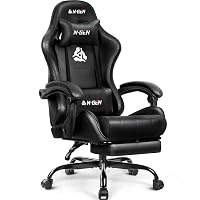 N-GengamingN-GEN GAMING Gaming Chair with Footrest, Lumbar, High-Back, All Black N-GengamingN-GEN GAMING Gaming Chair with Footrest, Lumbar, High-Back, All Black |
4.5Very good | — | Reclining Backrest provides a traditional ergonomic office design featuring linkage armrests, PU leather, an integrated footrest, and an adjustable reclining back for desk workers who do not require motorized VR functionality. View listing |
 GtplayerGTPLAYER Gaming Chair with Footrest, Ergonomic Computer Game Desk Chair, Reclining Gamer… GtplayerGTPLAYER Gaming Chair with Footrest, Ergonomic Computer Game Desk Chair, Reclining Gamer… |
4.4Very good | 5,998 | GTPLAYER Gaming Chair with Footrest serves desktop gamers seeking a reclining swivel rocker equipped with a footrest, lumbar support, and headrest padding, offering comfort comparable to models like the gtplayer ace pro gaming chair without the footprint of a motorized VR base. View listing |
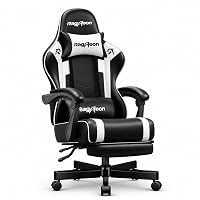 JecqcupgGaming Chair for Adults, Upgraded Ergonomic Gamer Chair, Game Room, White JecqcupgGaming Chair for Adults, Upgraded Ergonomic Gamer Chair, Game Room, White |
4.5Very good | 126 | Pocket Springs & Foam,51cm Wide is built for heavy-duty seated support with a 400-pound load capacity, 7-point ergonomic support structure, and pocket-spring foam cushioning for standard computer gaming. View listing |
Ratings are the star averages left by Amazon buyers, not scores from our own testing. Prices are the ones on the listing when this page was written.
FAQ
How does the Roto VR Explorer track directional head movement?
The system utilizes an included Head Tracker that mounts directly to your virtual reality headset. As you turn your head, the tracker detects the change in angle and signals the motorized base to rotate your body to match that heading.
Can the Roto VR Explorer be used with standalone headsets like the Meta Quest 3?
Yes, the listing confirms compatibility across Meta devices, including Meta Quest and Oculus hardware, as well as Pico, HTC Vive, and Apple Vision Pro headsets.
How does the chair prevent PC VR cables from tangling during rotation?
The package includes a central Cable Magazine component engineered to route headset cords through the rotating axis, allowing continuous 360-degree rotation without wrapping wires around the base.
Can you attach flight controls and racing wheels to the chair?
Yes, the Explorer features a modular design with dedicated mounting points that support optional brackets for flight sticks, throttles, and racing wheels, though these mounting accessories are sold separately.
Does the Roto VR Explorer require specialized electrical installations?
No, the unit operates using an included standard indoor power adapter that connects directly to conventional wall outlets to power the rotation motor and haptic transducers.
More Office & Furniture ratings
See the section
WorkPro 1000 Series Task Chair: Fast Buyer Guide
Finding a dependable computer chair that maintains healthy posture throughout an entire workday can be a challenging task. In this WorkPro 1000 Series review,…

Secretlab Titan Evo XL Review: The Heavy-Duty Desk Chair for Larger Frames
For professionals and heavy desk users who exceed standard chair dimensions, finding durable task seating that pairs structural integrity with refined ergonomic control can…

Secretlab Magnus Pro XL: The Decisive Standing Desk Breakdown
For professionals deploying multi-monitor rigs and heavy hardware, choosing the right executive sit-to-stand surface requires balancing motorized reliability, clutter control, and expansive surface area.…

GTPLAYER ACE-PRO Gaming Chair Review: Audio and Ergonomics Evaluated
Evaluating the GTPLAYER ACE-PRO requires looking at how modern hybrid professionals balance productive desk hours with entertainment breaks. Many remote workers and PC gamers…

Steelcase Leap Plus Overview: Quick Buying Advice for Professionals
For executives and larger professionals seeking uncompromised ergonomic support, finding an office chair that pairs high structural integrity with responsive biomechanics can be challenging.…
Get new ratings by email
A weekly digest of the products added to the ratings pages.