Microsoft Surface Pro 12th Edition: The Executive Buying Guide
Executives and mobile professionals seeking an ultraportable workstation frequently evaluate whether ARM-powered convertibles can genuinely replace traditional enterprise laptops. The Microsoft Surface Pro 12th Edition represents a noticeable evolution in 2-in-1 computing,…
By Marcus Osborne 8 min read

Microsoft Surface Pro 12th Edition
Microsoft
Good
Our score: 8.6/10
Scores are out of 10, based on listed specifications and buyer feedback.
- Specs listed
- 11
- Section
- Phones & Tablets
Check price on Amazon We may earn a commission if you buy through this link.
As Amazon Associates, we earn from qualifying purchases. This means we may receive a small commission at no extra cost to you if you click through and make a purchase.
Executives and mobile professionals seeking an ultraportable workstation frequently evaluate whether ARM-powered convertibles can genuinely replace traditional enterprise laptops. The Microsoft Surface Pro 12th Edition represents a noticeable evolution in 2-in-1 computing, centering its design on Qualcomm hardware and accelerated artificial intelligence processing. Bundled with 16GB of system memory, a 512GB solid-state drive, and dedicated productivity accessories, this system targets professionals who need fluid multitasking across modern enterprise tools without carrying the physical weight of a standard clamshell chassis.
Selecting the right mobile configuration requires understanding how the latest architecture behaves outside basic web browsing and document editing. This comprehensive breakdown evaluates the real-world utility of the Snapdragon processor, display capabilities, bundled peripherals, and operating system trade-offs. Reading this analysis will help you determine whether this specific hardware package matches your daily travel demands, peripheral setups, and enterprise software stack.


What You Get With the Microsoft Surface Pro 12th Edition
This comprehensive package is configured to provide an out-of-the-box productivity workstation, pairing the base tablet hardware with essential input tools and expanded charging gear.
In the box
- Microsoft Surface Pro 12th Edition 13-inch tablet computer in black finish
- Premium third-party keyboard cover fully compatible with the tablet interface
- Stylus pen tailored for digital annotation and touchscreen navigation
- Standard original AC power adapter
- Third-party 65W dual USB-C fast charger for travel deployment
- One-year individual subscription card for Microsoft 365 Personal
- One-year seller hardware warranty documentation
Key Specifications
| Processor Model | Qualcomm Snapdragon X2 Plus (10 Cores) |
|---|---|
| Neural Processing Unit | Qualcomm Hexagon NPU (80 TOPS AI Performance) |
| Graphics Processing Unit | Qualcomm Adreno Integrated Graphics |
| System Memory | 16GB RAM |
| Internal Storage Capacity | 512GB Solid State Drive (SSD) |
| Display Panel | 13-inch PixelSense Flow LCD Touchscreen (2880 x 1920) |
| Refresh Rate and HDR | Dynamic up to 120Hz, HDR Visual Support |
| Operating System | Windows 11 Home |
| Physical Expansion Ports | 2x USB-C / USB4 High-Speed Ports |
| Wireless Networking | Wi-Fi 7 and Bluetooth 5 Infrastructure |
| Integrated Cameras | 1440p Ultrawide Front Camera and 10MP Rear Camera |
All 55 attributes from the listing
| Brand | Microsoft |
|---|---|
| Model Name | EP2-X2-PLUS-CNKBP-512-BLK |
| Generation | 12th Generation |
| Model Year | 2026 |
| Age Range Description | Adult |
| Included Components | 39W Power Supply with Surface Connect, Dual USB-C 65W Fast Charger, Microsoft 365 Personal (1-User License / 12-Month Subscription), Premium Third-Party Keyboard and Stylus Pen for Surface Pro 12 (13") *Not made by Microsoft, but fully compatible, Surface Pro – 13" Touchscreen – Snapdragon X2 Plus (12th Gen, 2026) – 16GB Memory – 512GB SSD – Device Only |
| Warranty Description | 1 Year Seller Warranty |
| Model Number | EP2-X2-PLUS-CNKBP-512-BLK |
| Specific Uses For Product | Business, Creative, Student |
| UPC | 196388770496 |
| Manufacturer | Microsoft |
| Set Name | Surface Pro 2026 13-Inch Bundle with Third-Party Keyboard, Pen, and Accessories |
| Configuration | 13" 2-in-1 Laptop Tablet (12th Gen), 3K 120Hz Touchscreen, Snapdragon X2 Plus AI Copilot+ PC, Wi-Fi 7, USB4, 16GB RAM, 512GB SSD, KB, Pen, MS365, Windows 11, Black |
| Unit Count | 1 Count |
| Size | 512GB SSD |
| Model Series | Surface Pro |
| Best Sellers Rank | #12,850 in Computers & Accessories (See Top 100 in Computers & Accessories) #163 in 2 in 1 Laptop Computers |
| ASIN | B0HF2L8QT8 |
| Hardware Interface | Bluetooth 5, USB Type C |
| Wireless Technology | Bluetooth, Wi-Fi |
| Total Usb Ports | 2 |
| Connectivity Technology | Bluetooth, USB, Wi-Fi |
| Wireless Compability | 802.11ax |
| Video Capture Resolution | QHD 1440p |
| Camera Description | 1440p ultrawide front-facing camera for video calls and Windows Hello; 10MP rear-facing camera for photos, videos, and document capture |
| Rear Facing Camera Photo Sensor Resolution | 10 mp |
| Front Photo Sensor Resolution | 10 mp |
| Photo Sensor Resolution | 10 mp |
| Number of Rear Facing Cameras | 1 |
| Color | Black Tablet |
| Video Processor | Qualcomm |
| Item Weight | 2 pounds |
| Item Dimensions L x W x Thickness | 11.3"L x 8.2"W x 0.37"Th |
| Graphics Coprocessor | Qualcomm Adreno |
| Human-Interface Input | Touchscreen with Stylus Support |
| Graphics Description | Integrated |
| Compatible Devices | Third-Party Keyboard and Stylus Pen |
| Software Update Supported to Date | unknown |
| Screen Size | 13 inches |
| Display Resolution Maximum | 2880 x 1920 pixels |
| Display Type | LCD |
| Native Resolution | 2880×1920 |
| Aspect Ratio | 3:2 |
| Maximum Display Brightness | 600 nit |
| Display Refresh Rate in Hertz | 120 |
| Memory Storage Capacity | 512 GB |
| RAM Memory Installed | 16 GB |
| RAM Size | 16 GB |
| Hard-Drive Size | 512 GB |
| Processor Speed | 4 GHz |
| Processor Description | Qualcomm Snapdragon X2 Plus |
| Processor Brand | Qualcomm |
| CPU Model Speed Maximum | 4 GHz |
| Other Special Features of the Product | Built-In Kickstand, Detachable Keyboard, Fast Charging, Stylus Support, Wireless Projection |
| Biometric Security Feature | Facial Recognition |
Figures as published by the manufacturer on the Amazon listing.
Snapdragon Processing and Copilot AI Integration
The core computational engine inside this machine is the 10-core Qualcomm Snapdragon X2 Plus platform. Unlike legacy x86 processing chips, this architecture focuses heavily on high compute efficiency, low heat output, and direct hardware acceleration for background operating system tasks. Paired with Qualcomm Adreno graphics, the system executes browser multitasking, cloud collaboration, and multi-window workspace setups with immediate responsiveness. It delivers a noticeably quiet computing profile compared to older mobile setups such as the surface pro 10, which relied on legacy architecture.
A central pillar of the platform is the Qualcomm Hexagon neural processing unit, rated for up to 80 TOPS of on-device artificial intelligence capacity. This dedicated silicon handles real-time tasks within the Windows 11 ecosystem, specifically powering Windows Studio Effects to auto-frame conference calls, suppress ambient acoustic noise, and maintain eye contact during virtual executive meetings. Offloading these ongoing tasks to the Hexagon NPU preserves general CPU cycles for intense analytical spreadsheets, local document drafting, and heavy browser-based database management.
The 16GB system memory allocation provides comfortable headroom for corporate workflows that require multiple active communication channels, CRM dashboards, and cloud document suites open side-by-side. The 512GB internal solid-state drive supplies sufficient local storage for document repositories, local presentations, and mobile applications, ensuring mobile professionals do not face immediate disk storage bottlenecks when working off-grid or aboard flights.
Enterprise Software Execution and ARM Architecture Trade-Offs
Adopting an ARM-based operating environment introduces distinct operational differences that enterprise buyers must carefully weigh. Windows 11 on Snapdragon handles modern web-based software, cloud environments, and native ARM applications effortlessly. Running productivity staples like Microsoft Word, Excel, Outlook, and PowerPoint via the included one-year Microsoft 365 Personal subscription delivers immediate launch times and reliable stability throughout demanding travel days.
Potential friction emerges when deploying legacy corporate infrastructure or highly specialized desktop tools. As stated directly in the hardware specifications, buyers must verify software compatibility prior to integration if their workflow depends on proprietary enterprise utilities, virtual machine hypervisors, custom virtual private networks, or unique external peripherals that mandate custom x86/x64 kernel drivers. While Windows 11 includes an internal emulation layer to translate older desktop applications, programs relying on custom low-level drivers often fail to install or run properly without vendor-supplied ARM-native updates.
For organizations standardizing on software suites delivered via modern browsers, secure cloud platforms, or native Windows architectures, this machine performs smoothly. However, if your technical stack demands specialized on-premises industrial controllers, proprietary enterprise accounting platforms, or niche legacy databases, auditing application compatibility remains an essential prerequisite. If your work leans strictly toward a classic clamshell form factor without touch versatility, comparing this unit against traditional platforms like the microsoft surface laptop 7 provides helpful perspective before finalizing a purchase.
Display Fidelity and Peripheral Usability for Travel Work
Visual presentation is driven by a 13-inch PixelSense Flow LCD panel featuring a crisp 2880 x 1920 resolution. The 3:2 productivity aspect ratio provides taller vertical screen real estate than typical widescreen laptops, making it significantly easier to review lengthy executive briefs, financial statements, and slide decks without excessive scrolling. The dynamic refresh rate scaling up to 120Hz ensures touch gestures, text rendering, and window repositioning remain exceptionally fluid under rapid user input.
The included accessory bundle modifies the value proposition for buyers who prefer immediate deployment over piecemeal shopping. The keyboard included in this bundle is a third-party compatible accessory rather than an original Microsoft-branded Type Cover. While it snaps directly to the lower chassis and offers tactile keys alongside a responsive trackpad, buyers looking specifically for original equipment manufacturer labels should note the distinction. Similarly, the bundled stylus pen is an aftermarket alternative designed to interface with the touchscreen digitizer for digital signatures, handwritten annotations, and markup work during remote reviews.
Physical communication and video conferences are anchored by an upgraded 1440p ultrawide front-facing camera, delivering superior image clarity over standard 1080p webcams found on conventional business laptops. A secondary 10MP rear camera facilitates quick white-board captures and receipt scanning while working in the field. When comparing this turn-key setup against prior releases or options like a microsoft surface pro 11, the complete inclusion of pen, cover, and auxiliary charging hardware simplifies outfitting remote personnel.
Charging Infrastructure, Connectivity, and Battery Expectations
Connectivity options are built around modern high-bandwidth protocols. With two full-featured USB-C / USB4 ports, the tablet easily interfaces with modern multi-monitor desktop docks, external NVMe high-speed storage, and corporate video projectors. The integration of cutting-edge Wi-Fi 7 ensures the device can achieve peak data transfer speeds and low latency when connected to next-generation office networks, while Bluetooth 5 guarantees stable connections to headsets and wireless mice.
Power management remains a critical concern for mobile executives who travel across time zones. While the manufacturer listing does not specify exact runtime hours or milliamp-hour capacity for the integrated battery cell, the energy-efficient profile of the 10-core Snapdragon platform is architected to optimize draw during idle and typical productivity states. When operating across mixed productivity tools, users can expect the machine to balance compute demands dynamically against thermal constraints.
Replenishing the system on the move is simplified by the dual-charger setup included in the package. Alongside the standard original equipment AC adapter, the bundle provides a third-party 65W dual USB-C fast charger. This compact auxiliary brick enables travelers to simultaneously power both the tablet and a modern smartphone from a single electrical outlet, eliminating the necessity of carrying multiple proprietary wall bricks during brief business trips.
Microsoft Surface Pro 12th Edition Pros and Cons
Pros
- 10-core Snapdragon X2 Plus processor
- 80 TOPS Hexagon NPU for AI
- Sharp 13-inch 3K 120Hz display
- High-speed Wi-Fi 7 and USB4
- Includes keyboard, pen, and fast charger
Cons
- Third-party keyboard and stylus included
- Potential legacy x86 software driver conflicts
- Exact battery runtime hours not specified
Check Microsoft Surface Pro 12th Edition on Amazon
Is the Microsoft Surface Pro 12th Edition Worth It
Deciding whether this convertible bundle represents a sensible investment comes down to your operating habits and software dependencies. For corporate road warriors, executive consultants, and field managers who prioritize a versatile slate form factor with a 3K 120Hz display, this bundle delivers strong convenience. Having the keyboard, stylus, cloud software, and fast travel charger supplied in a single order eliminates the friction of sourcing compatible third-party peripherals separately.
Conversely, professionals whose daily tasks involve heavy computational rendering, complex virtualization environments, or specialized legacy business tools reliant on legacy x86 system drivers should exercise caution. In those environments, an ARM-based Windows architecture may cause compatibility headaches that disrupt workflow continuity. Buyers who manage those specific requirements might find better operational stability in certified x86 enterprise hardware or exploring value-driven alternatives like a surface pro refurbished deployment running traditional architecture.
If your workload consists primarily of web-based SaaS suites, Microsoft 365, document editing, high-definition executive video conferencing, and digital pen workflows, this 12th Edition package represents an agile, modern workstation designed to handle mobile business requirements with minimal bulk.
Other Options to Consider
| Model | Our score | Why it is here |
|---|---|---|
 MicrosoftMicrosoft Surface Pro 2026, 13" 2-in-1 Laptop Tablet (12th Gen), 3K 120Hz…Reviewed here |
8.6/10Good | The model reviewed on this page. View listing |
 AmazonAmazon Fire HD 10 tablet, built for relaxation, 10.1" vibrant Full HD… |
9.0/10Very good | Amazon Fire HD 10 tablet suits users seeking a simple, low-complexity secondary device primarily for casual document reading and media relaxation, featuring a 10.1-inch Full HD screen, octa-core processor, 4 GB RAM, and 32 GB of internal storage instead of a complete desktop operating system. View listing |
 OukitelRT9 Rugged Tablet 11000mAh Battery 10.1”FHD Display Android Tablet |
8.4/10Good | 24GB RAM 256GB ROM suits industrial or outdoor field operators requiring extreme physical resilience rather than a lightweight business slate, offering a waterproof, drop-proof, glove-friendly rugged chassis alongside an 11000mAh battery, dual SIM cellular support, and a high-output 93dB loudspeaker. View listing |
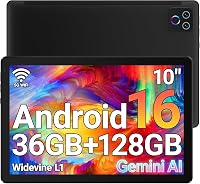 URAO FlagshipURAO Tablet,10.1" Android 16 Tablet Octa-core 36GB+128GB Dual Camera |
9.0/10Very good | 1280×800 IPS HD Touchscreen 6000mAh suits utility-focused buyers needing basic Android 16 tablet functionality on a tight operational scope, providing an octa-core platform, 128GB ROM with 1TB expansion support, and a 6000mAh battery for entry-level task execution. View listing |
Scores are out of 10, based on listed specifications and buyer feedback. Prices are the ones on the listing when this page was written.
FAQ
What operating system is installed on this Surface Pro device?
The tablet comes pre-installed with Windows 11 Home, engineered to run natively on the Qualcomm Snapdragon ARM processor architecture while supporting modern cloud and web applications.
Are the included keyboard and stylus pen manufactured by Microsoft?
The listing explicitly notes that both the included keyboard cover and the active stylus pen are premium third-party accessories. They are engineered to be fully compatible with the tablet interface, but they are not manufactured by Microsoft.
Can this device run all legacy Windows desktop applications?
Most standard 64-bit applications run either natively or through built-in Windows emulation. However, specialized, legacy, or driver-dependent x86 and x64 software requiring custom low-level system drivers may not function correctly on this ARM platform.
What display resolution does this model provide?
The machine features a 13-inch PixelSense Flow LCD touchscreen with a 2880 x 1920 resolution, a 3:2 productivity aspect ratio, HDR visual support, and an adaptive refresh rate up to 120Hz.
What is the battery capacity and runtime for this specific model?
The product listing does not specify the exact battery capacity in milliamp-hours or an official runtime figure in hours. The package includes both an original AC adapter and an additional 65W dual USB-C fast charger for rapid power delivery.
More Phones & Tablets ratings
See the section
iPad Pro 13-Inch (256GB): Is Base Storage Enough for Serious Work?
Deciding on the base storage tier for a flagship tablet often involves balancing raw computing potential against real-world file management. The Apple iPad Pro…
Apple iPad Pro 13 (M5): Fast-Paced Professional Guide
Commercial decision-makers assessing high-end hardware must separate marketing excitement from tangible operational value. Many professionals evaluating the ipad 17 pro want to know whether…

Apple iPad Air 13-inch 256GB: Decisive Business Tablet?
Evaluating the Apple iPad Air 13-inch configured with 256GB of internal storage requires looking directly at operational demands rather than marketing superlatives. Corporate professionals,…

Lenovo Yoga Book 9i: The Dual-Screen Workflow Solution
Mobile professionals weighing the decision to move beyond conventional clamshell laptops often struggle with the balance between screen real estate and carry weight. The…
Apple iPad Pro 13-Inch: Can It Replace Your Professional Laptop?
For enterprise leaders, creative directors, and mobile executives evaluating hardware transitions, deciding whether the Apple iPad Pro 13-inch can genuinely supplant a dedicated clamshell…
Get new ratings by email
A weekly digest of the products added to the ratings pages.