Lenovo Duet 5 Review: A Decisive Look at Chrome OS Productivity
Evaluating a 2-in-1 Chrome OS computer requires weighing display real estate against portable flexibility. The Lenovo Duet 5 stands out in the detachable marketplace by pairing a 13.3-inch Samsung OLED display with…
By Carla Fletcher 10 min read

Lenovo Duet 5
Lenovo
Good
Our score: 8.2/10
Scores are out of 10, based on listed specifications and buyer feedback.
- Specs listed
- 10
- Section
- Computers & Laptops
Check price on Amazon We may earn a commission if you buy through this link.
As Amazon Associates, we earn from qualifying purchases. This means we may receive a small commission at no extra cost to you if you click through and make a purchase.
Evaluating a 2-in-1 Chrome OS computer requires weighing display real estate against portable flexibility. The Lenovo Duet 5 stands out in the detachable marketplace by pairing a 13.3-inch Samsung OLED display with an energy-efficient Qualcomm processor. If your workday revolves around Google Workspace, cloud documentation, web research, and remote video conferencing, this modular tablet delivers an expansive workspace without tethering you to an electrical outlet. Mobile professionals seeking a flexible hybrid machine will find that its detachable folio layout shifts effortlessly between hand-held document review and seated laptop typing.
Deciding whether this hybrid system fits your routine involves understanding how its display quality, ARM processing performance, and Chrome OS software boundaries operate together. This lenovo duet 5 chromebook review examines the machine’s hardware capabilities, everyday multitasking boundaries, and long-term travel ergonomics. We also explore how it compares directly against smaller options like the lenovo duet 3 chromebook, highlighting key trade-offs in storage, memory, and physical dimensions so you can determine if it is the right match for your mobile workflow.


What You Get With the Lenovo Duet 5
The Lenovo Duet 5 comes configured as a modular Chrome OS package, integrating tablet agility with standard laptop productivity tools right out of the box.
In the box
- 13.3-inch Full HD (1920 x 1080) Samsung OLED touchscreen with 400 nits brightness and 100% DCI-P3 color gamut
- Qualcomm Snapdragon SC7180 (7c) processor with integrated Qualcomm Adreno graphics
- 4GB of shared system memory and 64GB of onboard flash memory storage
- Detachable fabric folio keyboard featuring an integrated trackpad and magnetic connector pins
- Magnetic backplate stand providing adjustable viewing angles in landscape orientation
- Four stereo speakers equipped with smart amplifier technology and two integrated microphones
- 5MP front-facing 1080p FHD camera and an 8MP rear-facing camera for imaging
- Chrome OS with automated Google Drive backup and complete Google Play store access
- Integrated stylus support for touch navigation and handwritten input
Key Specifications
| Display | 13.3-inch FHD OLED (1920 x 1080) Touchscreen, 400 nits, 100% DCI-P3 |
|---|---|
| Processor | Qualcomm Snapdragon SC7180 (Snapdragon 7c) |
| Graphics | Qualcomm Adreno Integrated Graphics |
| Memory | 4GB Shared RAM |
| Storage | 64GB Flash Memory |
| Operating System | Chrome OS |
| Battery Runtime | Up to 15 hours |
| Camera Setup | 5MP front 1080p FHD camera, 8MP rear camera |
| Audio Hardware | 4 speakers with smart amplifier, 2 microphones |
| Item Weight | 4 pounds (listing total weight) |
All 87 attributes from the listing
| Color | Abyss Blue |
|---|---|
| Hard-Drive Size | 64 GB |
| Other Special Features of the Product | Stylus |
| Graphics Description | Integrated |
| Graphics Coprocessor | Qualcomm Snapdragon 7c |
| Hard Disk Description | Flash Memory |
| Item Weight | 4 pounds |
| Video Processor | Qualcomm |
| Specific Uses For Product | Personal |
| Graphics Card Ram | 4 GB |
| Automatic Backup Software Included | Google Drive, Google Play |
| Form Factor | Ultra-Portable |
| Voltage | 230 volts |
| Camera Description | Rear-facing camera: 8 megapixels; Front-facing camera: 5 megapixels |
| Graphics Ram Type | Shared |
| Compatible Devices | External displays, keyboards, mice, storage devices, printers, and other accessories that support USB Type-C or Bluetooth connectivity |
| Warranty Type | Limited |
| Item Dimensions L x W x Thickness | 12.05"L x 7.32"W x 0.27"Th |
| Chipset Type | Qualcomm Snapdragon |
| Optical Storage Device | No Optical Drive |
| Rear Facing Camera Photo Sensor Resolution | 8 mp |
| Front Photo Sensor Resolution | 5 mp |
| Screen Size | 13.3 |
| Resolution | 1080p |
| Native Resolution | 1920 x 1080 pixels |
| Display Type | OLED |
| Display Resolution Maximum | 1920×1080 |
| Display Technology | OLED |
| Display Refresh Rate in Hertz | 60 |
| Maximum Display Brightness | 400 nit |
| Touch Screen Type | touchscreen |
| Screen Finish | OLED |
| Display Maximum Resolution | 1920×1080 |
| Connectivity Technology | Wi-Fi |
| Wireless Technology | 2×2 802.11AC, Bluetooth, Wi-Fi |
| Wireless Compability | 802.11ac |
| Wi-Fi Generation | 5 (AC) |
| Hardware Interface | USB |
| Number of Ports | 4 |
| Audio Output Type | Speakers |
| Speaker Description | Four built-in speakers |
| Audio features | This device features 4 speakers with smart amplifier technology and 2 microphones, ensuring clear audio and effective communication. |
| Processor Series | Snapdragon |
| Processor Speed | 2.55 GHz |
| Processor Count | 1 |
| Processor Brand | Qualcomm |
| CPU Model Number | SC7180 |
| CPU Model Generation | 7 |
| CPU Model Speed Maximum | 2.4 GHz |
| CPU Codename | Tavor |
| Brand | Lenovo |
| Model Name | Ideapad Duet 5 Chromebook |
| Model Year | 2021 |
| Model Number | 82QS0000US |
| Built-In Media | Computer, Charger, User Guide |
| Manufacturer | Lenovo |
| Unit Count | 1 Count |
| UPC | 195891832424 |
| Number of Items | 1 |
| Model Series | IdeaPad Duet 5 |
| Number of Packs | 1 |
| Warranty Description | 1 Year Limited |
| Mfr Part Number | 82QS0000US |
| Best Sellers Rank | #11,386 in Computers & Accessories (See Top 100 in Computers & Accessories) #1,565 in Traditional Laptop Computers |
| ASIN | B09LP61KDP |
| RAM Memory Installed | 4 GB |
| RAM Memory Technology | LPDDR4X |
| Ram Memory Maximum Size | 8 GB |
| RAM Type | DDR4 SDRAM |
| RAM Memory Slot Total Count | 4 |
| RAM Size | 4 GB |
| Memory Storage Capacity | 4 GB |
| Compatible Flash Memory Type | SD |
| Memory Slots Available | 2 |
| Battery Cell Type | Lithium Ion |
| Battery Life | 15 hours |
| Battery Average Life Standby | 28 hours |
| Lithium-Battery Energy Content | 42 watt-hours |
| Human-Interface Input | Keyboard, Touchscreen |
| Keyboard Description | Traditional |
| Keyboard Layout | QWERTY |
| Control Method | Touch |
| Hard Disk Size | 64 GB |
| CPU Model | Snapdragon |
| Ram Memory Installed Size | 4 GB |
| Special Feature | Stylus |
| Graphics Card Description | Integrated |
Figures as published by the manufacturer on the Amazon listing.
Display Quality and Visual Performance
Visual fidelity is the centerpiece of this modular computer. The lenovo duet 5 oled display utilizes a lightweight Samsung panel capable of generating 400 nits of brightness while rendering true color across 100% of the DCI-P3 color gamut. Because OLED pixels produce their own individual illumination rather than relying on a shared LED backlight, black areas on screen achieve complete darkness with virtually infinite contrast. Text appears remarkably crisp against white backgrounds, and charts, presentations, and streaming video present rich, saturated colors that standard LCD screens cannot replicate.
Screen health and reading comfort also benefit from this panel architecture. According to the manufacturer data, the OLED panel emits 70% less blue light than conventional liquid crystal displays, helping reduce visual fatigue when reviewing documents, reading research papers, or managing email for continuous hours. The 1920 x 1080 resolution on a 13.3-inch screen provides ample pixel clarity without visual scaling distortion, making it comfortable to view split windows side by side.
In bright office settings or near windows, the 400-nit luminance rating helps counteract ambient glare far better than the dimmer 250-nit screens common among entry-level Chrome OS computers. While the glossy glass surface can reflect direct overhead lighting, the deep black levels and intense contrast preserve legibility across varied workplace environments. Whether presenting a slide deck to colleagues or streaming instructional media, the visual presentation remains exceptionally sharp.
Everyday Productivity and Processing Limits
The device is driven by the Qualcomm Snapdragon SC7180 processor, an ARM chip engineered specifically for power efficiency and continuous web-first computing. Everyday tasks such as editing documents in Google Docs, drafting messages in Gmail, and participating in video calls run smoothly within Chrome OS. By integrating closely with cloud storage through Google Drive, the system boots in seconds and keeps your preferences synchronized across your Google Account without demanding intricate manual maintenance.
While marketing descriptions label this machine as a lenovo duet productivity powerhouse, the hardware configuration includes 4GB of RAM and 64GB of flash memory. These specifications establish clear operational ceilings for demanding professionals. Keeping twenty browser tabs active while running heavy Android apps in the background can saturate the memory, resulting in occasional tab reloading. Power users who rely on local virtualization, complex code compilation, or heavyweight enterprise software will find the ARM platform restrictive, and should look toward traditional business laptops such as the lenovo thinkpad x1 instead.
Software expansion occurs through the Google Play store, where users can download Android applications to supplement browser-based services. The integrated Qualcomm Adreno graphics processor handles casual visual tasks and interface navigation with ease. However, because some Android applications are built primarily for mobile phone interfaces, their window scaling on a 13.3-inch landscape display can occasionally feel unoptimized. For standard cloud collaboration, spreadsheet updates, and online research, the platform delivers dependable, silent operation.
Typing Comfort and Detachable Form Factor
The mechanical flexibility of the lenovo duet detachable keyboard defines the two-in-one appeal of the device. The fabric folio keyboard connects magnetically along the bottom edge, using dedicated physical pogo pins that eliminate Bluetooth pairing delays. It includes a built-in trackpad and standard Chrome OS navigation keys that allow quick adjustments for brightness, volume, and window management. Keystroke travel is comfortable and responsive, making it practical for drafting lengthy reports and answering correspondence during business trips.
Transforming the workstation between desk and lap use depends on the rear magnetic cover. The fabric kickstand backplate adheres firmly to the tablet and hinges outward to support the screen at various viewing angles. This design offers excellent stability on flat conference tables, home desks, or airline tray tables. However, using a kickstand-supported detachable directly on your lap requires a deeper surface area than a conventional rigid laptop hinge, which can make typing in cramped waiting rooms feel less stable.
Detaching the keyboard yields a lightweight 13.3-inch slate suited for media consumption, digital presentations, or stylus interaction. The listing confirms stylus support and notes stylus under special product features, enabling precise handwritten notes and document markup. However, the listing does not specify whether a stylus pen is bundled inside the box or sold as an optional accessory. Professionals seeking smaller, ultra-portable handheld form factors might also consider models like the lenovo duet 11 for pure handheld digital reading.
Battery Endurance and Travel Convenience
Battery longevity is the standout operational advantage of the ARM processor architecture. With an official rating of up to 15 hours of battery life, the lenovo duet 5 battery life allows mobile professionals to complete a full working day, commute without a charger, and still have ample reserve power for evening entertainment. The Snapdragon chip sips minimal energy during standby mode, ensuring that the tablet wakes instantly without noticeable drain when stored inside a shoulder bag.
Audiovisual hardware makes the system well-suited for distributed teams and remote meetings. The 5MP front-facing camera captures clean 1080p Full HD video, representing a noticeable upgrade over basic 720p webcams, while the rear 8MP camera provides quick document scanning. Audio capture relies on two built-in microphones, while four separate stereo speakers backed by smart amplifier technology produce rich, articulate speech and multimedia audio without requiring an external speaker.
Transporting the device involves considering its overall travel package. The listing indicates a total product weight of 4 pounds, which accounts for the combined tablet, protective magnetic kickstand, and folio keyboard. Connectivity is handled through USB Type-C ports and Bluetooth, facilitating easy connections to external mice, thumb drives, and external monitors. The Abyss Blue color scheme lends a subtle, sophisticated aesthetic suitable for formal conference rooms.
Lenovo Duet 3 vs Duet 5 Considerations
Shoppers comparing compact Chrome OS devices frequently weigh the lenovo duet 3 vs duet 5 to determine the right balance of mobility and screen size. Looking closely at typical lenovo duet 3 specs, that smaller sibling emphasizes maximum compactness with a 10-to-11-inch display, making it an ultra-portable choice for commuters navigating crowded trains or tight spaces. In contrast, the Duet 5 provides an expansive 13.3-inch OLED canvas that significantly improves multitasking, offering the visual breathing room required for split-screen document editing and spreadsheet management.
Evaluating whether to choose the lenovo duet 3 for work comes down to typing ergonomics and workday duration. The compact keyboard deck on smaller convertibles can feel cramped for users who spend hours typing reports or entering numerical data. The Duet 5 features a more generously spaced keyboard that mimics a traditional laptop layout, allowing your hands to rest naturally and reducing typing fatigue during intensive writing tasks.
Ultimately, deciding if the lenovo duet 3 is worth it depends on your mobility requirements. If you primarily need a secondary handheld slate for casual reading, quick email triage, and digital note-taking on the go, the smaller footprint of the Duet 3 is convenient. However, if your daily responsibilities demand long hours of visual focus, extensive video calls, and comfortable typing sessions, the Duet 5’s superior OLED display, quad-speaker audio, and expansive keyboard justify stepping up to the 13.3-inch format.
Lenovo Duet 5 Pros and Cons
Pros
- Vibrant 13.3-inch OLED touchscreen with 100% DCI-P3
- Up to 15 hours of battery life
- Included detachable fabric folio keyboard
- Four stereo speakers with smart amplifier
- Crisp 5MP 1080p front-facing webcam
Cons
- Limited 4GB RAM for heavy multitasking
- 64GB flash storage restricts large local files
- Listing does not confirm stylus in box
- Total package weight reaches 4 pounds
Is the Lenovo Duet 5 Worth It
The lenovo duet 2-in-1 chromebook offers remarkable value for professionals, students, and frequent travelers whose computing needs reside primarily in cloud applications and web browsers. Its Samsung OLED screen is unmatched in this category, delivering vivid colors, deep black levels, and reduced blue light emissions. Combined with an extensive 15-hour battery rating and an included detachable folio keyboard, it provides exceptional everyday utility for browsing, writing, and video conferencing.
Prospective buyers must remain mindful of its hardware limitations. The combination of 4GB of RAM, 64GB of flash storage, and an ARM Qualcomm processor means this machine is not designed for heavy multitasking, gaming, or demanding desktop software. Users who require local x86 processing power for software engineering, heavy data crunching, or specialized Windows software will be better served by clamshell laptops powered by processors like the AMD ryzen 7 5825u.
For those seeking a dedicated, lightweight secondary machine or an adaptable primary computer for web-centric tasks, the Lenovo Duet 5 is a compelling option. It successfully bridges the gap between a portable media tablet and a capable typing workstation, making it a dependable choice for modern mobile workflows.
Other Options to Consider
| Model | Our score | Why it is here |
|---|---|---|
 LenovoLenovo 82QS0000US, IdeaPad Duet 5 Chromebook, OLED 13.3" FHD Touch Display, Snapdragon…Reviewed here LenovoLenovo 82QS0000US, IdeaPad Duet 5 Chromebook, OLED 13.3" FHD Touch Display, Snapdragon…Reviewed here |
8.2/10Good | The model reviewed on this page. View listing |
 HPHP 14" HD Chromebook Laptop for Students, Intel Quad-Core N4120(> N4020), 4GB… HPHP 14" HD Chromebook Laptop for Students, Intel Quad-Core N4120(> N4020), 4GB… |
8.8/10Very good | HP 14" HD Chromebook Laptop is well-suited for users who prefer a conventional clamshell design over a detachable slate. Powered by an Intel Quad-Core N4120 processor with 4GB of RAM and 64GB of eMMC storage, this model features built-in HDMI, USB-A, and USB-C ports alongside a 14-inch HD display and up to 14 hours of battery life, offering practical legacy connectivity for students and straightforward home office tasks. View listing |
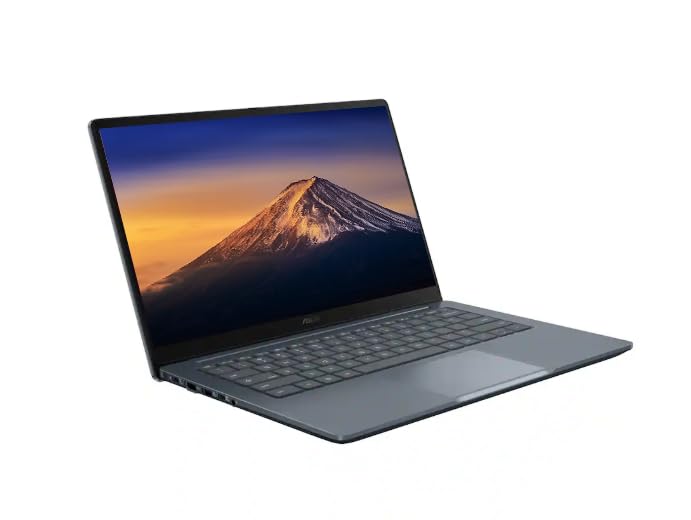 ASUSASUS CX14 Chromebook Laptop for Business & Student, Intel Celeron N50 CPU ASUSASUS CX14 Chromebook Laptop for Business & Student, Intel Celeron N50 CPU |
10.0/10Excellent | 14" FHD IPS 300 nits ASUS CX14 Chromebook Laptop caters to business professionals and students requiring expanded local storage and modern wireless standards. Featuring an Intel Celeron N50 CPU, 4GB of LPDDR5 RAM, Wi-Fi 6, and a combined 576GB storage capacity (64GB SSD paired with a 512GB PLUSERA Docking Set), this dusk gray laptop delivers a 300-nit Full HD IPS display for those who prioritize massive file capacity and docking versatility over an OLED panel. View listing |
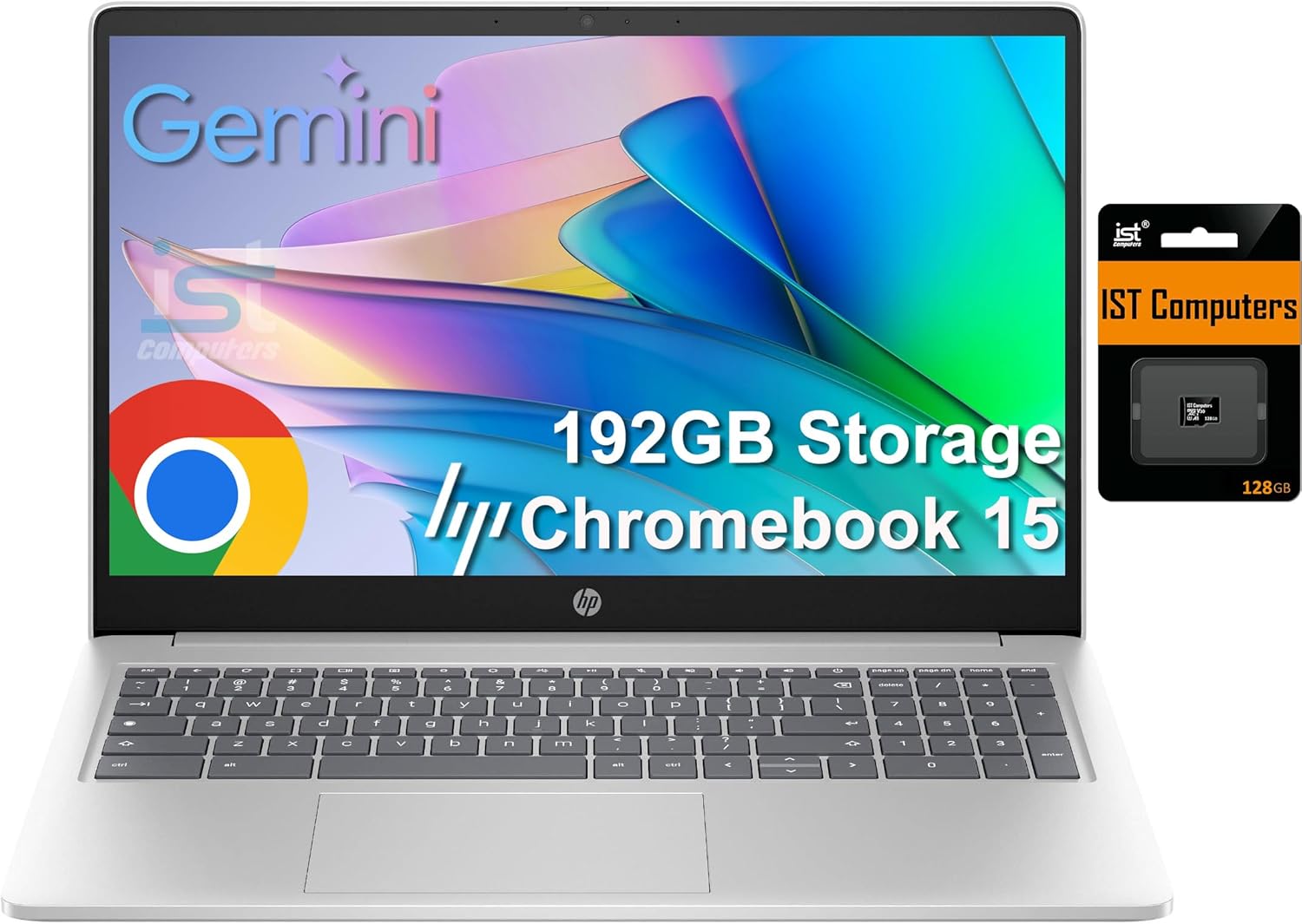
 IST ComputersHP Chromebook 15 15.6" Laptop, Intel N200, 8GB DDR5 RAM, 192GB Storage IST ComputersHP Chromebook 15 15.6" Laptop, Intel N200, 8GB DDR5 RAM, 192GB Storage |
8.8/10Very good | 64GB eMMC HP Chromebook 15.6" Laptop serves users who need a larger visual workspace and an integrated numeric keypad. Equipped with an Intel N200 processor, 8GB of DDR5 RAM, and 192GB of storage (64GB eMMC plus a 128GB SD Card), this full-sized anti-glare laptop provides extra multitasking memory and webcam shutter privacy, making it an effective alternative for continuous data entry and accounting work. View listing |
Scores are out of 10, based on listed specifications and buyer feedback. Prices are the ones on the listing when this page was written.
FAQ
How long does the battery last on the Lenovo Duet 5?
The manufacturer rates the Lenovo Duet 5 for up to 15 hours of continuous battery life. Real-world runtime will vary depending on your display brightness, wireless usage, and active background applications, but the ARM Qualcomm Snapdragon architecture is optimized to deliver dependable all-day power for standard business and study workflows.
Does the Lenovo Duet 5 include a stylus in the box?
The listing confirms that the device supports stylus input and includes stylus under its special features list, but it does not specify whether a pen is bundled inside the retail box. Buyers who intend to use the tablet for handwritten notes or digital drawing should verify package contents or consider acquiring a compatible stylus separately.
Can the Lenovo Duet 5 run traditional Windows software?
No, the Lenovo Duet 5 runs Chrome OS and relies on cloud computing. It natively executes web applications via the Chrome browser, integrates with Google Drive, and supports Android apps downloaded from the Google Play store. It cannot install or run native Windows executable (.exe) software.
How does the OLED display differ from standard Chromebook screens?
The 13.3-inch Samsung OLED display provides 400 nits of brightness and covers 100% of the DCI-P3 color gamut, delivering true blacks, high contrast, and vivid colors that standard LCD screens cannot match. Additionally, the listing notes that the OLED panel emits 70% less blue light than traditional LCD screens to help reduce eye strain.
What cameras and audio hardware are included on the Lenovo Duet 5?
The Duet 5 features a front-facing 5MP 1080p FHD camera for video calls and an 8MP rear-facing camera for taking photos or scanning documents. For sound, it includes four stereo speakers with smart amplifier technology and two integrated microphones to provide clear audio during remote conferences.
More Computers & Laptops ratings
See the section
Lenovo Legion Pro 5 16: Performance, Specs, and Final Verdict
The Lenovo Legion Pro 5 16 gaming laptop is engineered to bridge demanding office productivity with serious graphical horsepower. Built around the AMD Ryzen…

Apple MacBook Air M5: Executive Buying Guide & Performance Breakdown
If you are evaluating the mac book air 2026 for executive or mobile professional use, the short answer is that the MacBook Air M5…
Buyer favourite Scored 9.0+/10

Acer Nitro 60 Review: Decisive Prebuilt Desktop Analysis
Evaluating a prebuilt desktop requires cutting through marketing noise to examine whether the factory specification genuinely matches your daily computing workload. The Acer Nitro…

Apple MacBook Pro M5 Max (64GB): The Executive Buyer’s Guide
The MacBook Pro 14 M5 Max configured with 64GB of unified memory represents an aggressive computing package designed for professionals facing uncompromising processing hurdles.…

Acer Aspire Lite: Decisive Review for Busy Professionals
For busy professionals seeking an efficient mobile workstation for administrative tasks, web applications, and digital communications, the Acer Aspire Lite represents a focused, no-nonsense…
Get new ratings by email
A weekly digest of the products added to the ratings pages.